14
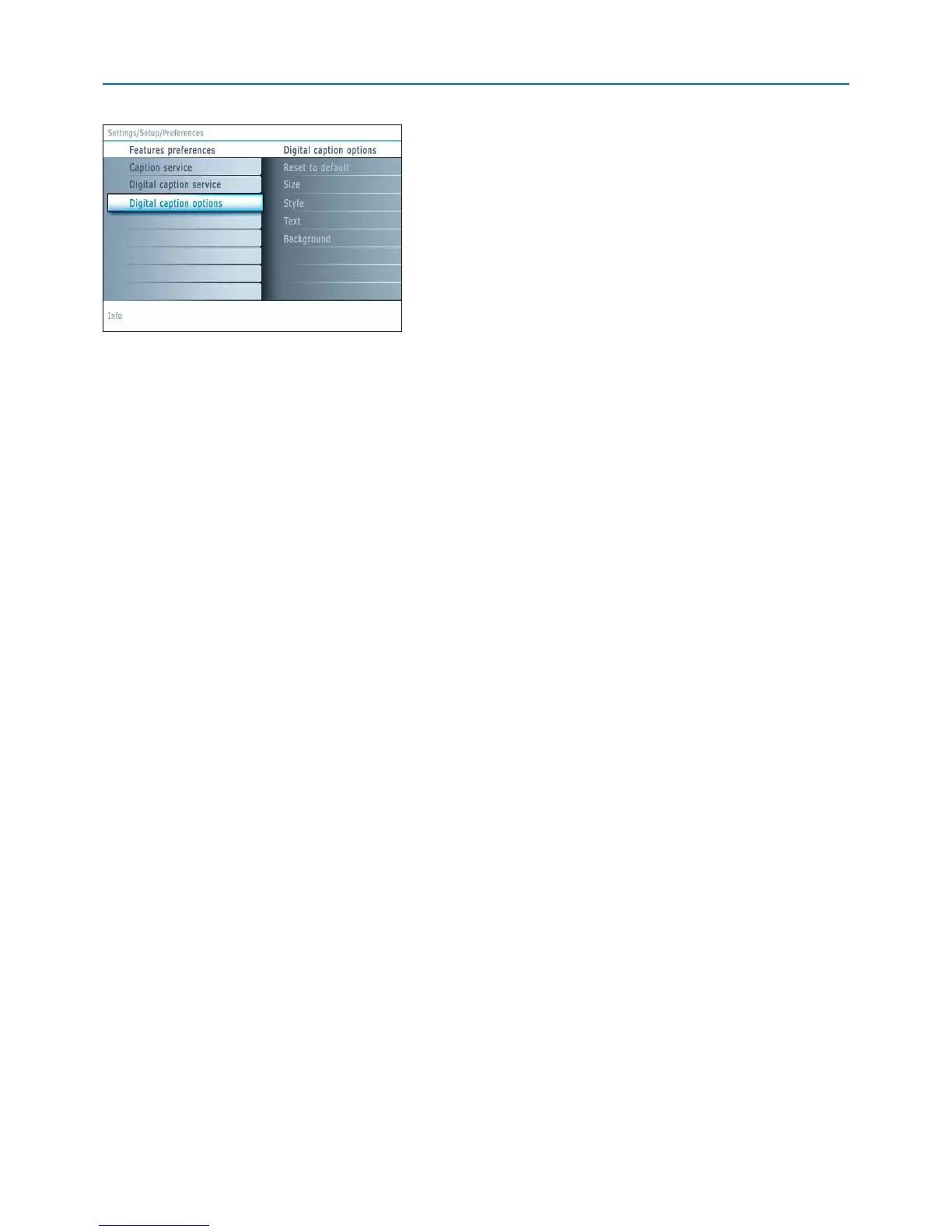
Digital caption options
T
his allows you to modify how digital captions are displayed on your TV.
Select from the following options to change the visual characteristics of
your TV’s digital captioning.
•
Reset to default
Select this option to reset the digital caption options back to the
captions provider default settings.
P
ress the
OK b
utton to confirm.
•
Size
Select this option to select the size of caption display according to your
own preference.
Select
Default (Automatic), Small, Standard or Large and press the
OK button to confirm.
•
Style
Select this option to select the font style of caption display according to
your own preference.
Select
Default, Monospaced serif, Serif, Monospaced sans serif, Sans
serif
, Casual, Cursive or Small caps.
•
Te x t
Select this option to select the text color or the opacity of the text
box of caption display according to your own preference.
Select a color and one of the opacity options.
•
Background
Select this option to select the character background color or one of
the background opacity options of caption display according to your
own preference.
Select a color and one of the opacity options.




 To Next Page