44
Manual software upgrade pr
ocedur
e
For a manual software upgrade copy the “autorun.upg” file in a directory
called “Upgrades” located in the root of the USB portable memory.
& Insert the portable memory that contains the downloaded software
upgrade.
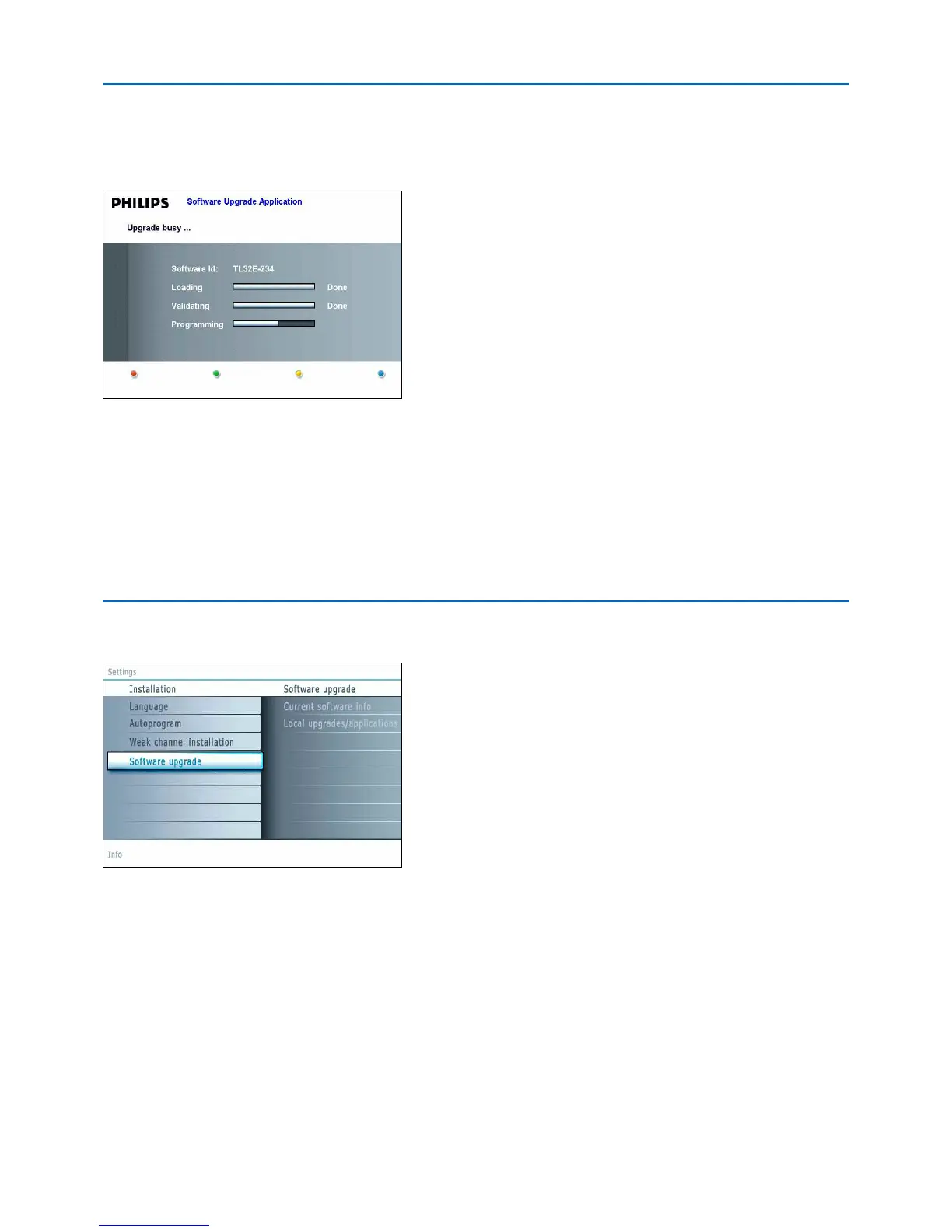
é Select Softwar
e Upgrade
in the Installation men
u. Go to
Local
upgrades/a
pplications
.
The
TV will list all compatible images available on the USB portable
memory and display the data for each selected upgrade image.
“ Select the correct upgrade image and press the red color button to start
the upgrade.
Y
our TV will r
estart and will automatically go to the upgrade mode.After a
f
ew seconds it will display the status of the upgrade procedure.
Warning:
If you try to upgrade to a software version equal or lower than the current version,
a confirmation will be asked. Downgrading to older software should only be done
in case of real necessity.
‘ When the software upgrade was successful, remove the USB portable
memory and restart your TV with the power switch
B at the right side of
the TV.
Your TV will start up with the new software.
A
utomatic software upgrade procedure
& Power off your TV and remove all memory devices.
é Insert the USB portable memory that contains the downloaded software
u
pgrade.
“ Switch on your TV with the power switch B at the right side of the TV.
‘ At startup the TV will scan the USB portable memory until it finds the
u
pdate content.The TV will automatically go to the upgrade mode. After a
f
ew seconds it will display the status of the upgrade procedure.
Warning:
• You are not allowed to remove the USB portable memory during the software
upgrade procedure!
• In case of a power drop during the upgrade procedure, don’t remove the USB
portable memory from the TV.The TV will continue the upgrade as soon as the
power comes back.
•
If you try to upgrade to a software version lower than the current version, a
c
onfirmation will be asked. Downgrading to older software should only be done in
case of real necessity.
• If an error occurs during the upgrade you should retry the procedure or contact
your dealer.
( When the software upgrade was successful, remove the USB portable
memory and restart your TV with the power switch
B at the right side of
the TV.
Y
our TV will start up with the new software.
Note: Once the upgrade is finished use your PC to remove the TV software from
your USB portable memory.




 To Next Page