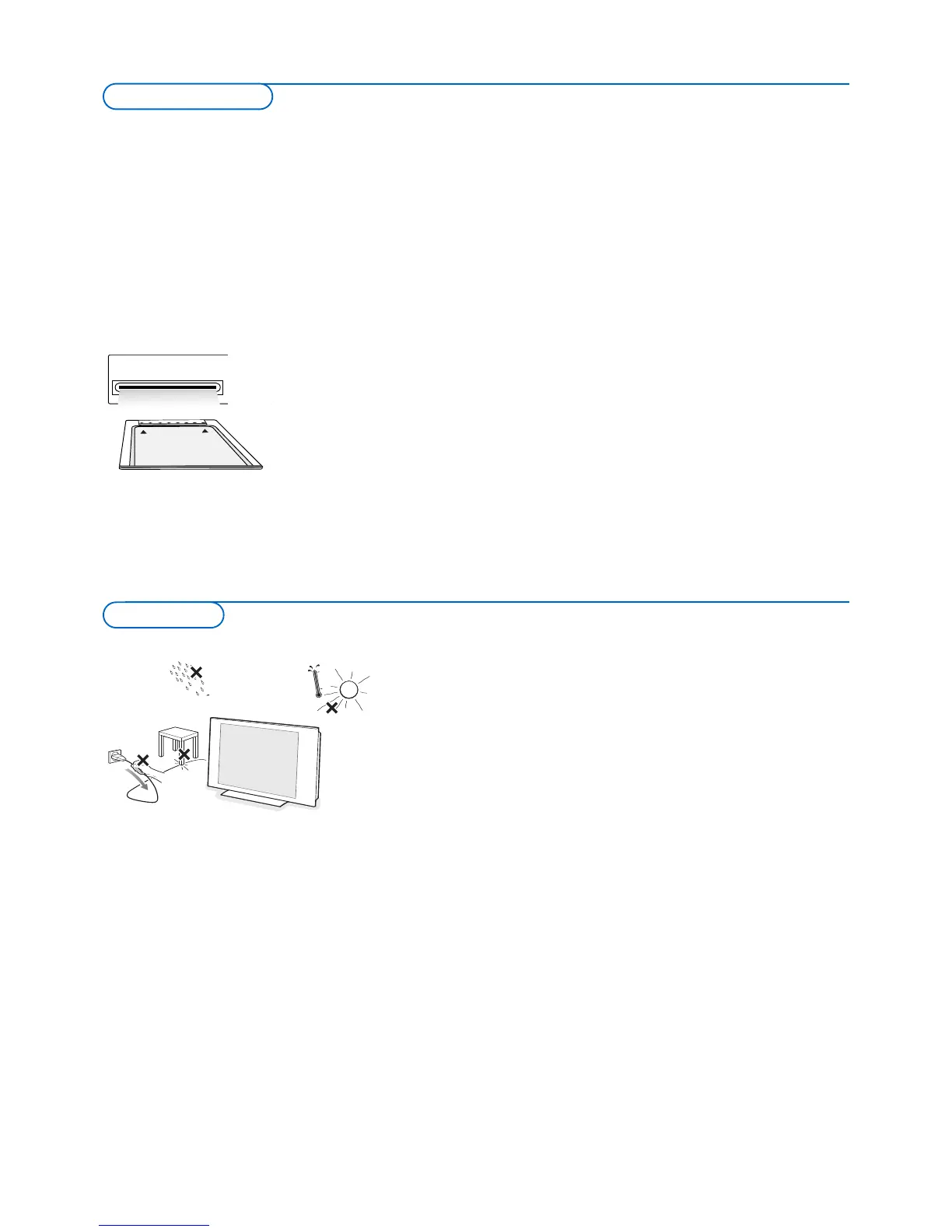
* CableCARD™ is a trademark of Cable Television
Laboratories, Inc.
Do not insert the power plug in a wall socket or hang the TV to the wall
before all connections are made.
& Place the TV on a solid surface or place the TV on the supplied stand.
For the mounting instructions of the stand, see the separate leaflet
supplied.
For ventilation, leave at least 4” to 6” free all around the TV.
Do not place the TV on a carpet.To prevent any unsafe situations, no naked
flame sources, such as lighted candles, should be placed in the vicinity.
A
void heat, direct sunlight and exposure to rain or water.
The equipment shall not be exposed to dripping or splashing.
Mounting the TV on the wall
This
TV pro
vides the VESA mounting interface (not supplied) and is
VESA
compatible with the 4 supplied
VESA studs to be inser
ted in the back of the
TV.
Caution: Installing the TV requires special skill that should only be
performed by qualified personnel.You should not attempt to do the work
y
ourself.
Philips bears no responsibility for improper mounting or mounting
that results in accident or injury.
Make sure that the wall mount is being fixed securely enough so that it
meets saf
ety standards.
Preparation
Your new TV is provided with a special slot called a CableCARD™ which
means that you do not need a separate set top box to receive digital cable
SDTV and HDTV programs. However it is still possible to connect a set top
box to your TV.
The CableCARD, which will be available from your cable system operator, is
d
esigned only for that particular digital cable TV system. If you need to get
d
igital cable TV from a different system, simple swap your old CableCARD for a
n
ew one.
Cable systems can provide a wide range of digital TV programs and even
specialized digital audio channels.
Cable TV systems can offer many local-interest channels you won’t see off-air
or from a satellite broadcast. Examples include local school and community
access channels.
CableCARD™ *
A CableCARD is a removable card distributed by cable companies, that is
inserted into the CableCARD slot at the bottom of your television.
CableCARD allows you to tune digital and high definition scrambled or
encrypted cable channels through the cable antenna. Consult your cable
company on the availability of CableCARD.The CableCARD is required to
receive premium digital TV channels and services (where available) through the
cable.
A CableCARD functionality includes conditional access and copy protection.
See settings menu, CableCARD applications, p. 18.
Note: Do not insert a PCMCIA card into the CableCARD slot.
Digital Cable TV










 To Next Page