1
Contents
Digital Cable TV . . . . . . . . . . . . . . . . . . . . . . . . . . . . . . . . . . . . . . . . . . . . . . 2
Preparation . . . . . . . . . . . . . . . . . . . . . . . . . . . . . . . . . . . . . . . . . . . . . . . . . . 2
Buttons on the right of the TV. . . . . . . . . . . . . . . . . . . . . . . . . . . . . . . . . . . 5
My Content . . . . . . . . . . . . . . . . . . . . . . . . . . . . . . . . . . . . . . . . . . . . . . . . . . 5
Use of the remote control RC4308 . . . . . . . . . . . . . . . . . . . . . . . . . . . . . . . 6
T
o use the menus . . . . . . . . . . . . . . . . . . . . . . . . . . . . . . . . . . . . . . . . . . . . . 9
I
ntroduction 9
How to navigate through the Settings menus 9
Demo . . . . . . . . . . . . . . . . . . . . . . . . . . . . . . . . . . . . . . . . . . . . . . . . . . . . . . . 9
Installation . . . . . . . . . . . . . . . . . . . . . . . . . . . . . . . . . . . . . . . . . . . . . . . . . . 10
Select the menu language 10
S
tore TV channels 10
Weak channel installation 11
Software upgrade 11
Setup menu . . . . . . . . . . . . . . . . . . . . . . . . . . . . . . . . . . . . . . . . . . . . . . . . . 12
Preferences 12
Source 16
(Clock) 17
CableCARD applications . . . . . . . . . . . . . . . . . . . . . . . . . . . . . . . . . . . . . . 18
TV menu . . . . . . . . . . . . . . . . . . . . . . . . . . . . . . . . . . . . . . . . . . . . . . . . . . . 19
Picture menu 19
Sound men
u21
Features menu 22
Ambilight menu 23
Channels menu 24
Home network browser . . . . . . . . . . . . . . . . . . . . . . . . . . . . . . . . . . . . . . . 27
Viewing content from a Memory card / USB device 27
Home network Browser menu 28
Connect Accessory Devices . . . . . . . . . . . . . . . . . . . . . . . . . . . . . . . . . . . . 29
Recorder (vcr-dvd+rw) 29
Recorder and other A/V devices 30
Recorder and cable box with RF output 30
Satellite Receiver / cable box with AV outputs 31
Recorder and Satellite Receiver / cable box with AV outputs 31
Digital Surround receiver 31
DVD Player or other accessory digital source devices 32
HDMI (High Definition Multimedia Interface) connectors 33
Side connections 33
To select connected devices . . . . . . . . . . . . . . . . . . . . . . . . . . . . . . . . . . . . 34
Record with your recorder . . . . . . . . . . . . . . . . . . . . . . . . . . . . . . . . . . . . . 34
Record a TV program 34
Record a program from monitor out 34
Audio- and video equipment buttons
. . . . . . . . . . . . . . . . . . . . . . . . . . . .
35
Setting the remote control to work accessory devices . . . . . . . . . . . . . . 36
Code setup 36
To cancel the selected mode 36
Learnable remote control . . . . . . . . . . . . . . . . . . . . . . . . . . . . . . . . . . . . . 38
T
o put the r
emote control function buttons back to the factory mode 39
Before Calling Service. . . . . . . . . . . . . . . . . . . . . . . . . . . . . . . . . . . . . . . . . 40
Tips . . . . . . . . . . . . . . . . . . . . . . . . . . . . . . . . . . . . . . . . . . . . . . . . . . . . . . . . 41
Glossary . . . . . . . . . . . . . . . . . . . . . . . . . . . . . . . . . . . . . . . . . . . . . . . . . . . . 42
Annex 1 - Philips TV software upgrade with portable memory . . . . . . . 43
Annex 2 - Philips TV Slideshow Format with background music . . . . . . 45
Annex 3 - Philips TV - Portable Memory and USB . . . . . . . . . . . . . . . . . 47
USB Memory Device Issues . . . . . . . . . . . . . . . . . . . . . . . . . . . . . . . . . . . . 48
R End of life directives
Philips is paying a lot of attention to producing
environmentally-fr
iendly in green f
ocal areas.
Your new TV contains materials which can be
recycled and reused. At the end of its life
specializ
ed companies can dismantle the
discarded TV to concentrate the reusable
materials and to minimize the amount of
mater
ials to be disposed of.
Please ensure you dispose of your old TV
according to local regulations.
Help?
If this instruction manual does not give
an answer or if ‘Before Calling Service’
does not solve your TV problem, you can
call your Local Philips Customer or
Service Centre. See the supplied World-
wide guarantee booklet.
Please, have the Model and Serial
n
umber which you can find at the back
o
f your television set or on the packaging,
ready, before calling the Philips helpline
1-888-PHILIPS (744-5477)
M
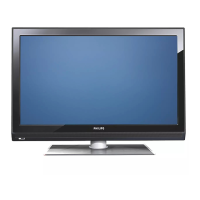
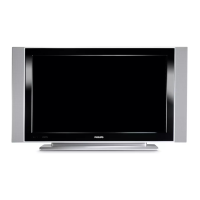
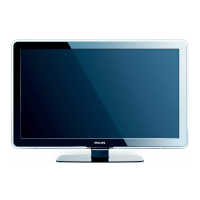
odel: 42PF9630A/37
5
0PF9630A/37
42PF9730A/37
Serial No: .................................................
Care of the screen
See Tips, p. 52.










 To Next Page