14 SettingtheClockIcont'd)
• • • • • • • • • • • • • • • • • • • • • • • • • • • • • • • • • • • • • • • • • • • • • • • • • • • • • • • • • • • • • • • • • • • • • • • • • • • • • • • • • • • • • • • • • • • • • • • • • • • • • • • • • • • • • e•
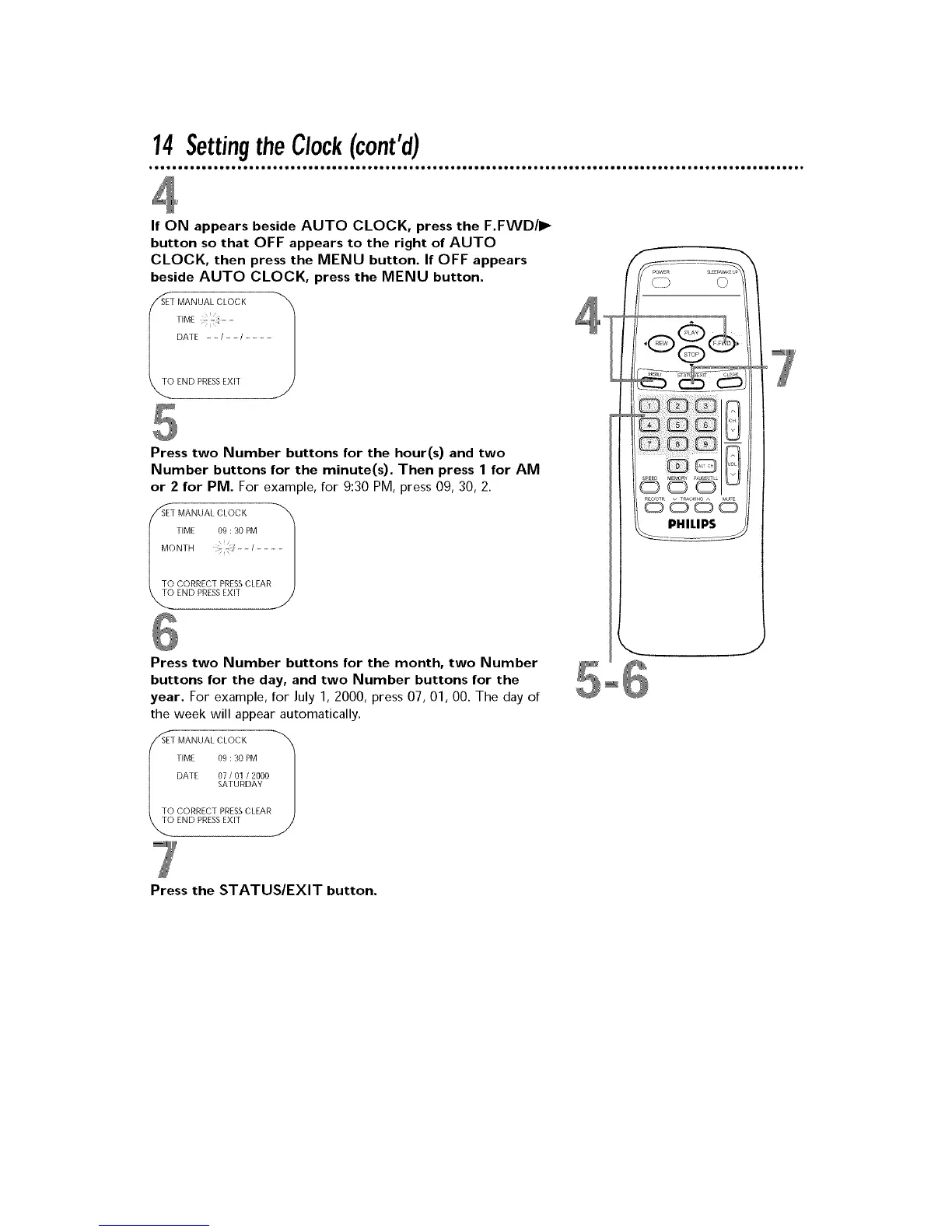
If ON appears beside AUTO CLOCK, press the F.FWD/I_
button so that OFF appears to the right of AUTO
CLOCK, then press the MENU button. If OFF appears
beside AUTO CLOCK, press the MENU button.
SET MANUAL CLOCK
I TIME - -
DATE - - / - - / ....
END PRESS EXIT
Press two Number buttons for the hour(s) and two
Number buttons for the minute(s). Then press 1 for AM
or 2 for PM. For example, for 9:30 PM, press 09, 30, 2.
SET MANUAL CLOCK
I TIME 09 : 30 PM
MONTH .;_- - / ....
TO CORRECT PRESS CLEAR
END PRESS EXIT
Press two Number buttons for the month, two Number
buttons for the day, and two Number buttons for the
year. For example, for July 1, 2000, press 07, 01, 00. The day of
the week will appear automatically.
SET MANUAL CLOCK
TIME 09 : 30 PM
DATE 07 / 01 / 2000
SATURDAY
TO CORRECT PRESS CLEAR
END PRESS EXIT
,,J
Press the STATUS/EXIT button.











 To Next Page