One.TouchRecordin9 31
• mmeeeoome= :::::::::::::::::::::::: :::::::::::::::::::::::: :::::::::::::::::::::::: :::::::::::::::::::::::: =mm*
The One-Touch Recording (OTR) function allows you to program
an immediate timed recording from 30 minutes to eight hours long
without setting the timer.
Before you begin, make sure:
_t; Channels are set up.
® There is a tape in the TV/VCR. The record tab must be intact.
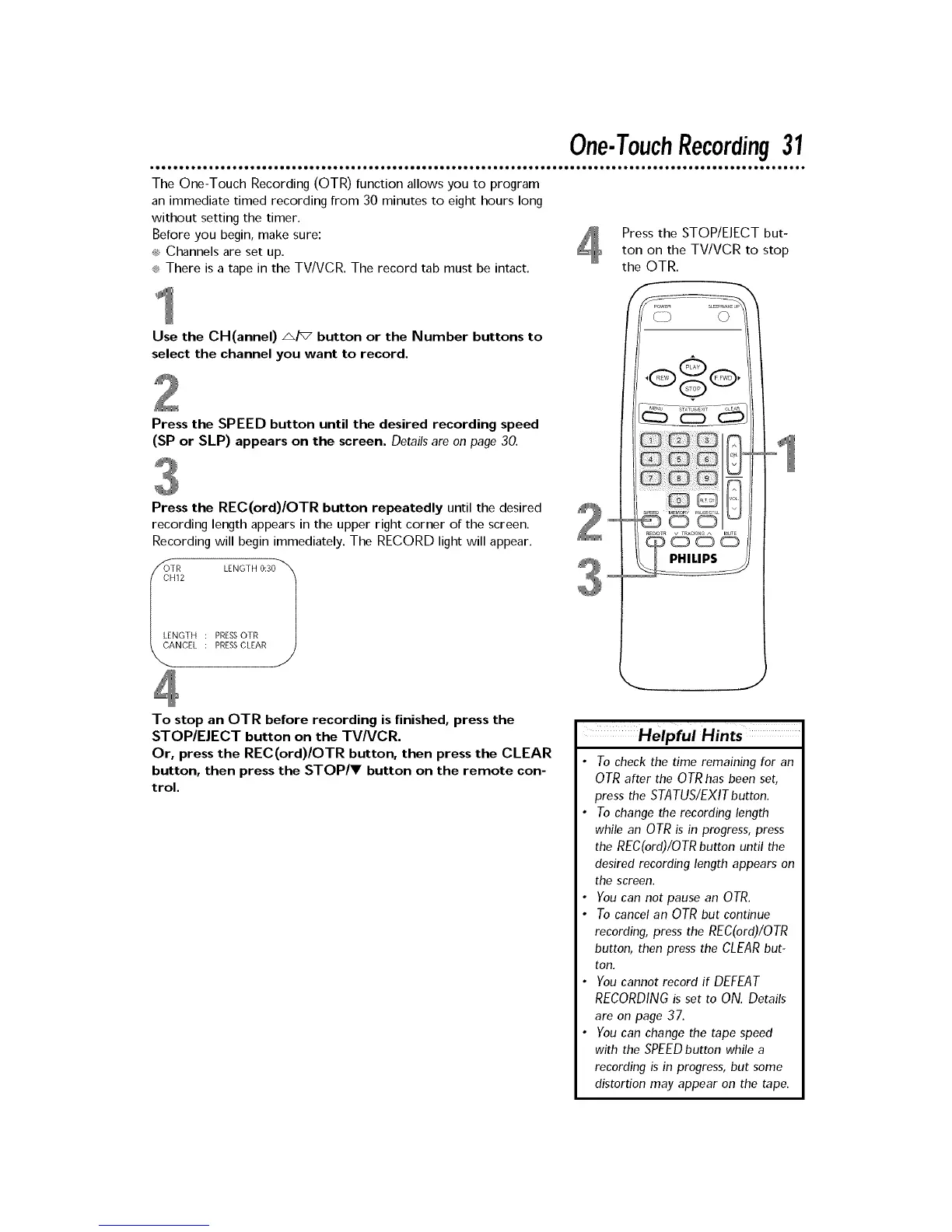
Press the STOP/EJECT but-
ton on the TV/VCR to stop
the OTR.
Use the CH(annel) A/v button or the Number buttons to
select the channel you want to record.
Press the SPEED button until the desired recording speed
(SP or SLP) appears on the screen. Details are on page 30,
Press the REC(ord)/OTR button repeatedly until the desired 2
recording length appears in the upper right corner of the screen.
Recording will begin immediately. The RECORD light will appear.
OIR LENGTH 0:31
CH12 3
LENGTH : PRESSOTR
NCEL PRESSCLEAR
To stop an OTR before recording is finished, press the
STOP/EJECT button on the TV/VCR.
Or, press the REC(ord)/OTR button, then press the CLEAR
button, then press the STOP/V button on the remote con-
trol.
Helpful Hints
• To check the time remaining for an
OTR after the OTR has been set,
press the STATUS/EXIT button.
• To change the recording length
while an OTR is in progress, press
the REC(ord)/OTR button until the
desired recording length appears on
the screen.
• You can not pause an OTR.
• To cancel an OTR but continue
recording, press the REC(ord)/OTR
button, then press the CLEAR but-
ton.
• You cannot record if DEFEAT
RECORDINGis set to ON. Details
are on page 37.
• You can change the tape speed
with the SPEED button while a
recording is in progress, but some
distortion may appear on the tape.











 To Next Page