WakeUp Timer45
• ooeeeeemee mmmeeeeeeeeeeoooeeeeemee mmmeeeeeeeeeeoooeeeeemee mmmeeeeeeeeeeoooeeeee,ee mmmeeeeeeeeeeoooeeeeemee mmm*
The Wake Up Timer turns on the TV/VCR automatically at a speci-
fied time within the next 24 hours. You may set the TV/VCR to turn
on at a TV channel (the channel at which the TV/VCR was set last) 23
or with VCR playback. To set the Wake Up Timer, follow the steps
below. Before you begin:
® Make sure the clock is set. If the clock has never been set,
CLOCK MUST BESETwill appear on the screen after you select
WAKE UP at step 2. Then the SETCLOCK menu will appear.
® Make sure a tape is in the TV/VCR if you want the TV/VCR to
start tape playback at the specified time.
® Make sure no timer recordings are set for the time at which you
want the TV/VCR power to come on.
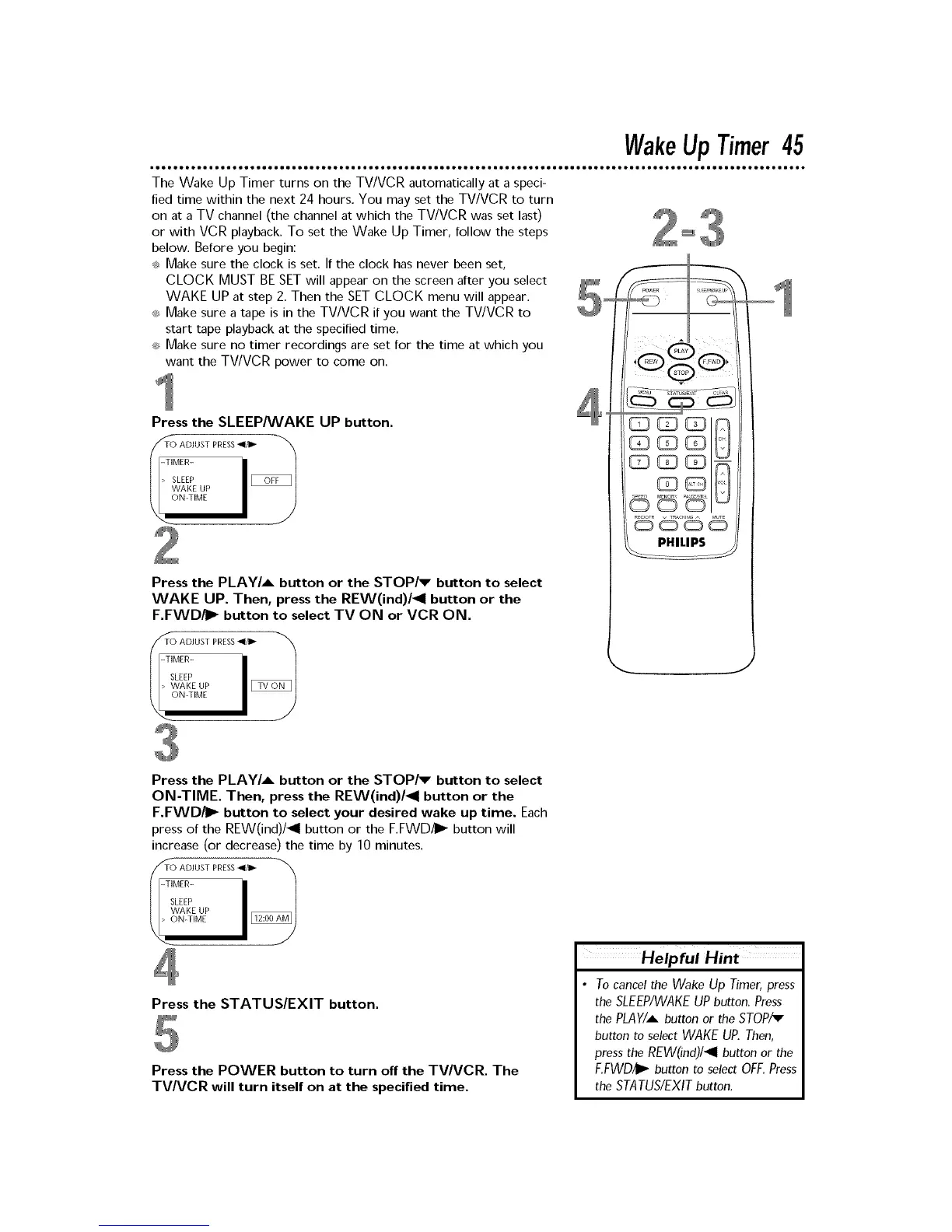
Press the SLEEP/WAKE UP button.
TO ADJUST PRESS_1/_
-TIMER-
> SLEEP
Press the PLAY/A button or the STOP/v button to select
WAKE UP. Then, press the REW(ind)/4 button or the
F.FWD/I_ button to select TV ON or VCR ON.
TO ADJUST PRESS_1/1_
-TIMER-
SLEEP
J
Press the PLAY/A button or the STOP/v button to select
ON-TIME. Then, press the REW(ind)/4 button or the
F.FWD/_ button to select your desired wake up time. Each
press of the REW(ind)/_l button or the F.FWD/I_ button will
increase (or decrease) the time by 10 minutes.
//_O ADJUST PRESS_1/11_ -'_
-TIMER-
SLEEP
WAKE UP
Press the STATUS/EXIT button.
Press the POWER button to turn off the TV/VCR. The
TVA/CR will turn itself on at the specified time.
Helpful
• To cancel the Wake Up Timer, press
theSLEEP/WAKEUP button. Press
thePLAY/Abutton or the STOP/v
button to select WAKE UP. Then,
press the REW(ind)/4 button or the
F,FWDiI_ button to select OFF, Press
theSTATUS/EXITbutton.











 To Next Page