AutomaticChannelSetup 1
AUthough the 1-ViVCR may automatically memorize the channeUs
you receive when you turn it on for the first time, you may set up
channeUs again by following the steps beUow, _
@
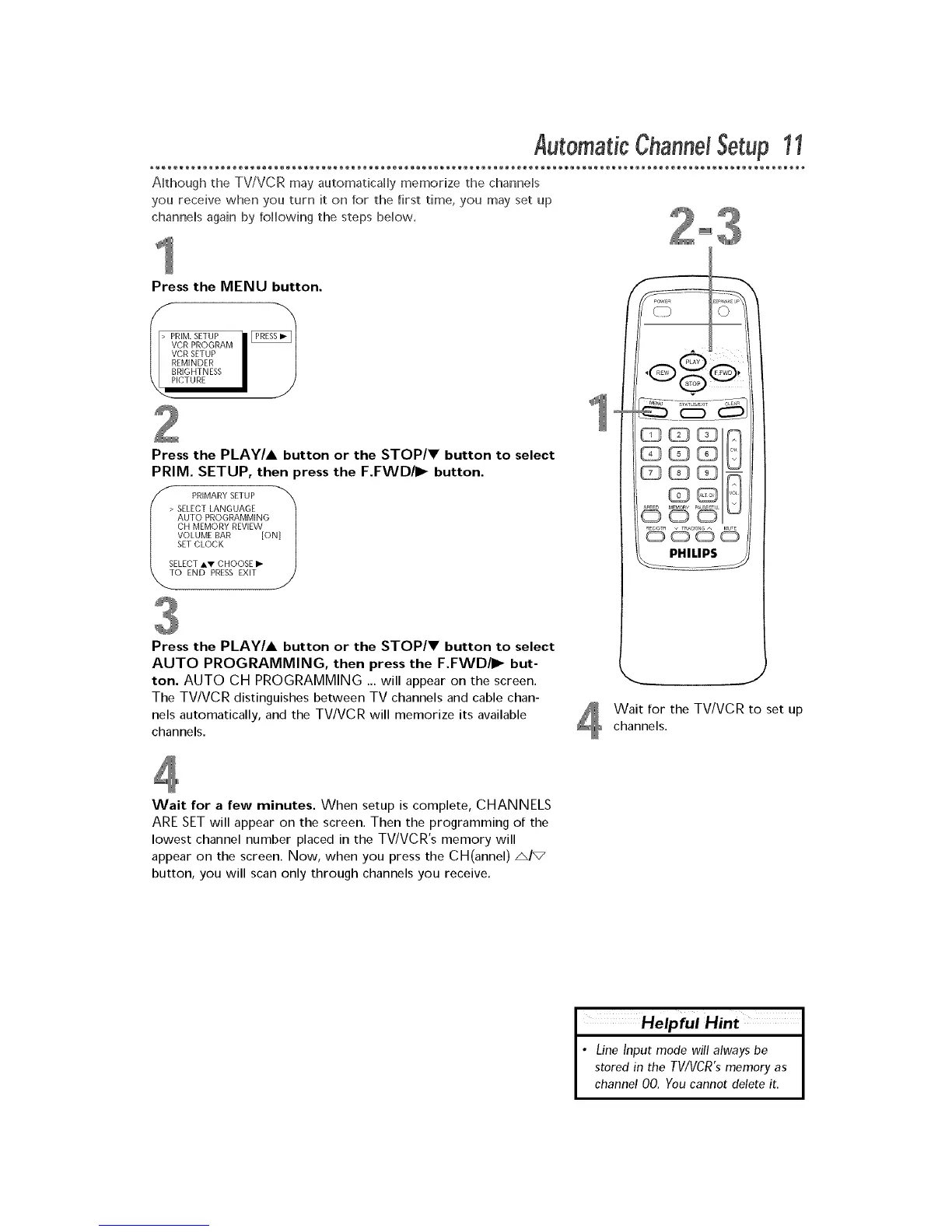
Press the MENU button.
VCR PROGRAM
VCR SETUP
REMINDER
BRIGHTNESS
PICTURE
\
Press the PLAY/A button or the STOP/V button to select
PRIM. SETUP, then press the F.FWD/I_ button.
PRIMARY SETUP N]_
> SELECT LANGUAGE
AUTO PROGRAMMING
CH MEMORY REVIEW
VOLUME BAR [O
_._ SET CLOCK /
SELECT _,V CHOOSE I_
O END PRESS EXIT
Press the PLAY/A button or the STOP/V button to select
AUTO PROGRAMMING, then press the F.FWD/I_ but-
ton. AUTO CH PROGRAMMING _. will appear on the screen.
The TVNCR distinguishes between TV channels and cable chan-
nels automatically, and the TVNCR will memorize its available
channels.
J
Wait for the TV/VCR to set up
channels.
Wait for a few minutes. When setup is complete, CHANNELS
ARE SET will appear on the screen. Then the programming of the
lowest channel number placed in the TV/VCR's memory will
appear on the screen. Now, when you press the CH(annel) A/_
button, you will scan only through channels you receive.
Helpful Hint
• Line Input mode will always be
stored in the TWVCR'smemory as
channel 00. You cannot delete it.











 To Next Page