44 SleepTimer
• •eeeemee mmmeeeeeeeeeeoooeeeeemee mmmeeeeeeeeeeoooeeeeemee mmmeeeeeeeeeeoooeee,,,e, mmmeeeeeeeeeeoooeeeeemee mmmeee
Use the sleep timer to program the TV/VCR to shut off in a cer-
tain amount of time.
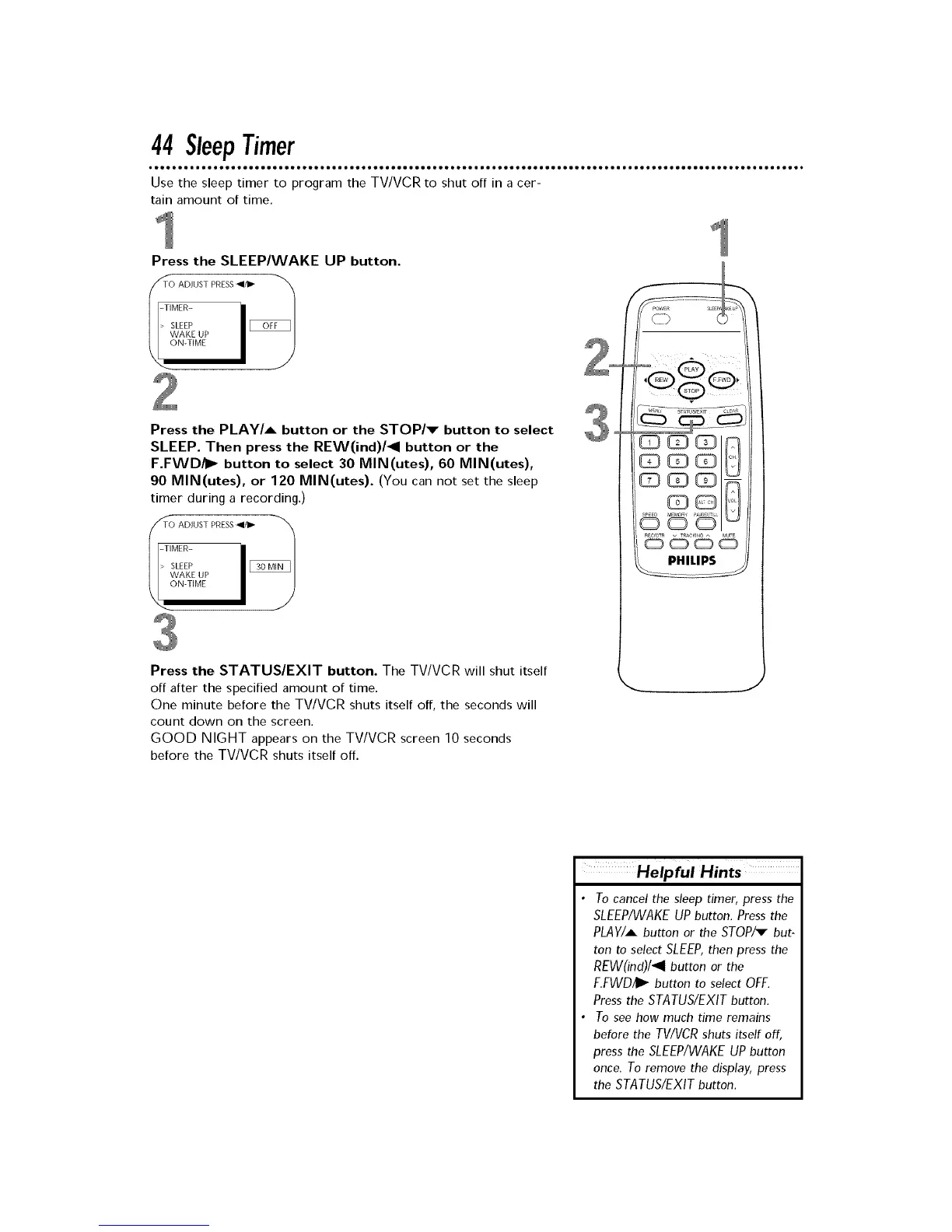
Press the SLEEP/WAKE UP button.
/_TO ADJUSTPRESS_ "_
I
Press the PLAY/A button or the STOP/v button to select
SLEEP. Then press the REW(ind)/41 button or the
F.FWD/I_ button to select 30 MIN(utes), 60 MIN(utes),
90 MIN(utes), or 120 MIN(utes). (You can not set the sleep
timer during a recording.)
_TO ADJUST PRESS_el/ll_
|
ON-TIME I J
Press the STATUS/EXIT button. The TV/VCR will shut itself
off after the specified amount of time.
One minute before the TV/VCR shuts itself off, the seconds will
count clown on the screen.
GOOD NIGHT appears on the TV/VCR screen 10 seconds
before the TV/VCR shuts itself off.
• To cancel the sleep timer, press the
SLEEP/WAKE UP button. Press the
PLAY/A button or the STOP/_ but-
ton to select SLEEP,then press the
REW(ind)/411 button or the
F.FWD/II_ button to select OFF.
Press the STATUS/EXIT button.
• To see how much time remains
before the TV/VCR shuts itself off,
press the SLEEP/WAKE UP button
once. To remove the display, press
the STATUS/EXIT button.











 To Next Page