TimerRecording33
Follow the steps below to program the TV/VCR to record TV
programs while you're away from home, The TV/VCR will turn
itself on, record, and turn itself off automatically, Before you begin,
make sure:
® The clock is set. If not, CLOCK MUST BE SET appears, fol-
lowed by the SETCLOCK menu.
® Channels are set up.
® There is a tape in the TV/VCR. (Make sure the tape's record
tab is intact and the tape is long enough to record the pro-
gram.)
Complete each step within 60 seconds of completing the
previous step. If you don't, you may start again at step 1.
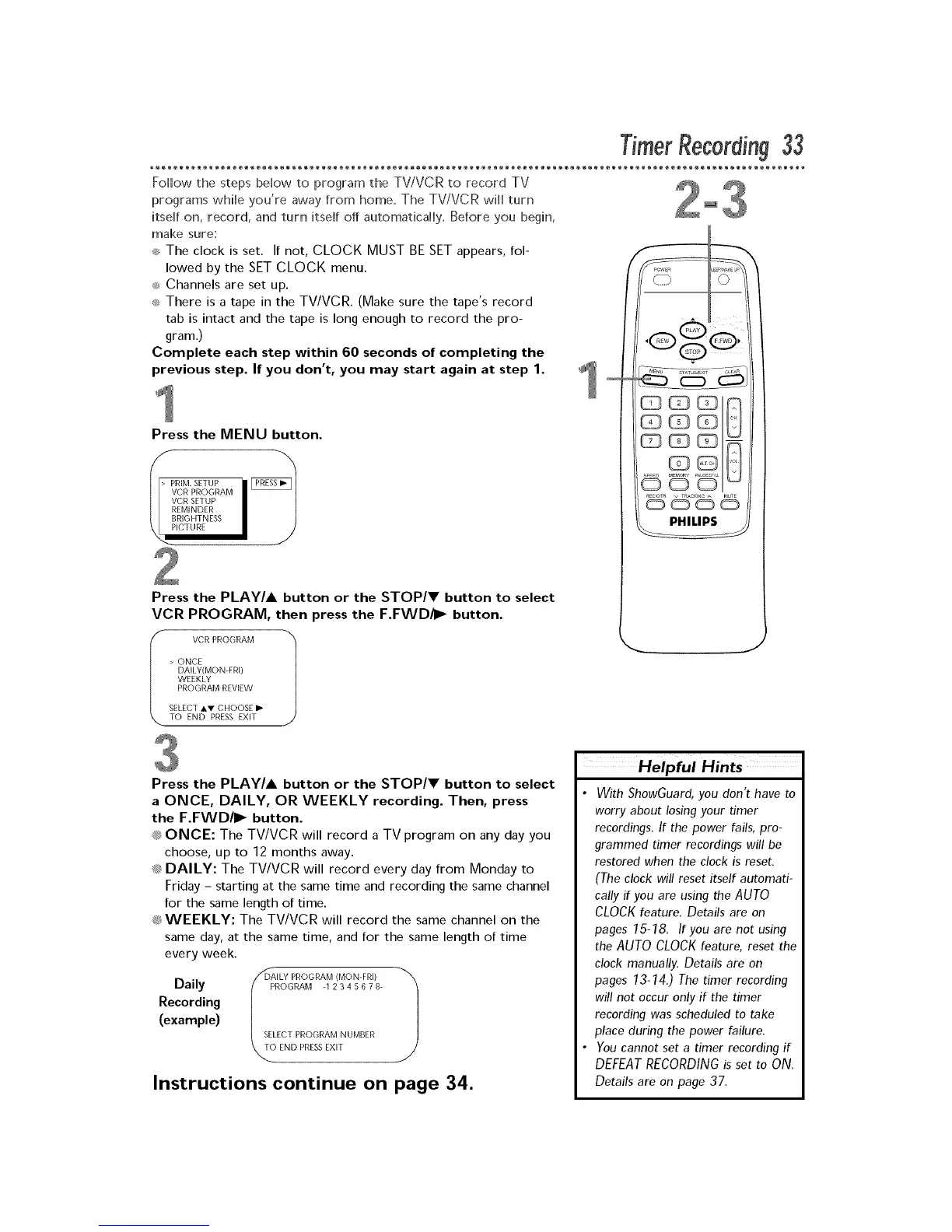
Press the MENU button.
I
VCR PROGRAM
VCR SETUP
REMINDER
BRIGHTNESS
ICTURE
Press the PLAY/A button or the STOP/V button to select
VCR PROGRAM, then press the F.FWD/I_ button.
f VCR PROGRAM _/
> ONCE
DAILY(MON-FRI)
WEEKLY
PROGRAM REVIEW
SELECT AV CHOOSE I_
TO END PRESS EXIT Y
J
Press the PLAY/A button or the STOP/V button to select
a ONCE, DAILY, OR WEEKLY recording. Then, press
the F.FWD/I_ button.
_;_ONCE: The TV/VCR will record a TV program on any day you
choose, up to 12 months away.
_;_DAILY: The TV/VCR will record every day from Monday to
Friday - starting at the same time and recording the same channel
for the same length of time.
_;_WEEKLY: The TV/VCR will record the same channel on the
same day, at the same time, and for the same length of time
every week.
//_AILY PROGRAM (MON-FRI) _"_
Daily / P OGRAM _1 2 3 4 5 6 7 B-
J
Recording
(example)
SELECT PROGRAM NUMBER
END PRESSEXIT
Instructions continue on page 34.
Helpful Hints
• With ShowGuard, you don't have to
worry about losing your timer
recordings. If the power fails, pro-
grammed timer recordings will be
restored when the clock is reset.
(The clock will reset itself automati-
cally if you are using the AUTO
CLOCKfeature. Details are on
pages 15-18. If you are not using
theAUTO CLOCKfeature, reset the
clock manually. Details are on
pages 13-14.) The timer recording
will not occur only if the timer
recording was scheduled to take
place during the power failure.
• You cannot set a timer recording if
DEFEATRECORDINGis set to ON.
Details are on page 37.











 To Next Page