15
2 Tap on [12Hr] or [24Hr] to select clock
mode.
Set time
1 Tap [Time].
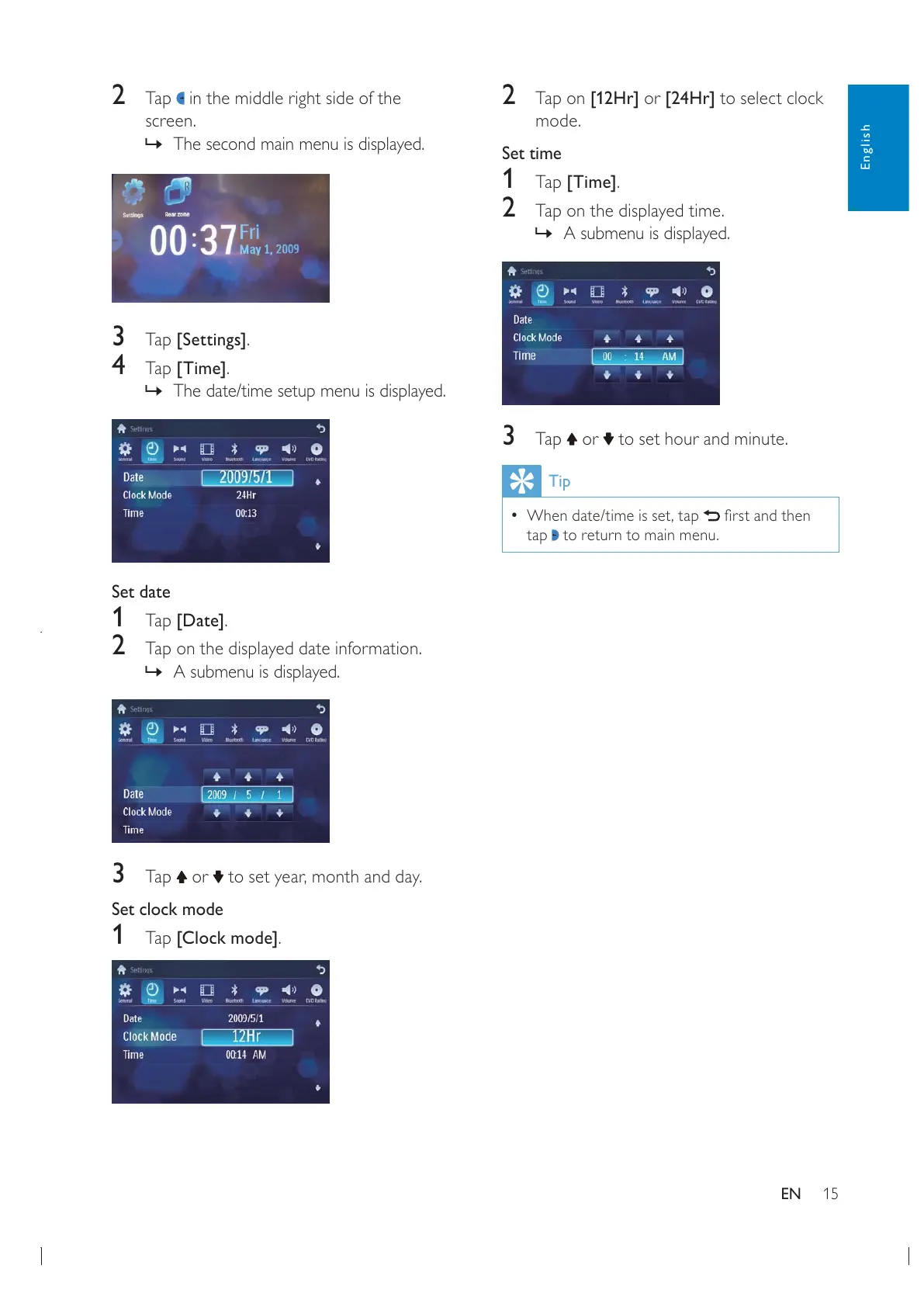
2 Tap on the displayed time.
» A submenu is displayed.
3 Tap or to set hour and minute.
Tip
tap
to return to main menu.
2 Tap in the middle right side of the
screen.
» The second main menu is displayed.
3 Tap [Settings].
4 Tap [Time].
» The date/time setup menu is displayed.
Set date
1 Tap [Date].
2 Tap on the displayed date information.
» A submenu is displayed.
3 Tap or
Set clock mode
1 Tap [Clock mode].
English
EN


 To Next Page