16
Note
You can play DVD disc with the following
region code:
Region code Country
Russia
Connect USB device
Note
Ensure that the device contains playable content.
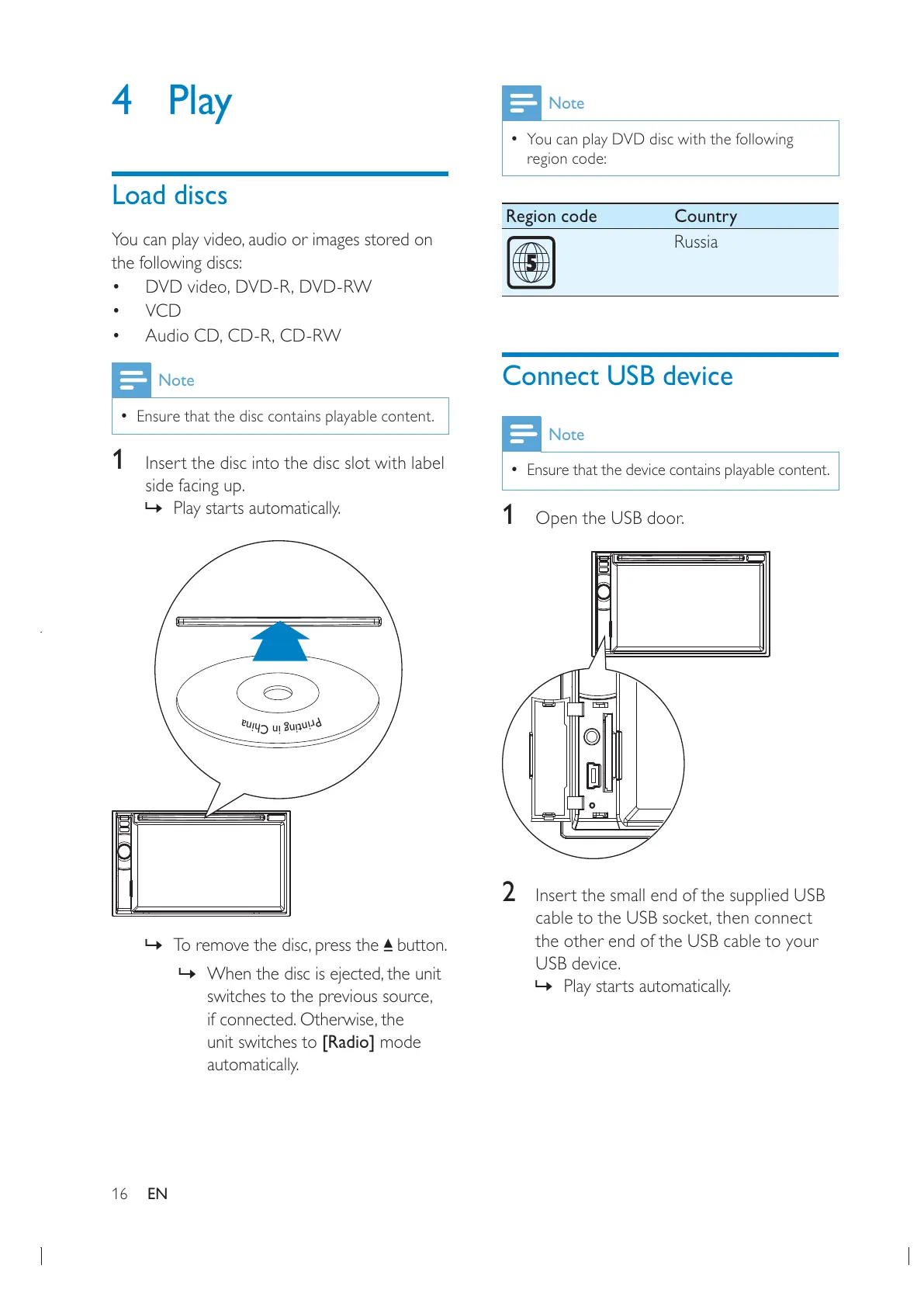
1 Open the USB door.
2 Insert the small end of the supplied USB
the other end of the USB cable to your
USB device.
» Play starts automatically.
4 Play
Load discs
the following discs:
VCD
Note
Ensure that the disc contains playable content.
1 Insert the disc into the disc slot with label
side facing up.
» Play starts automatically.
P
r
i
n
t
i
n
g
i
n
C
h
i
n
a
P
r
i
n
t
i
n
g
i
n
C
h
i
n
a
» button.
»
unit switches to [Radio] mode
automatically.
EN


 To Next Page