31
Video
settings
Options Description
[NTSC] Used in the United
and some other
countries.
[PAL]
western European
countries (except
and some other
countries.
[Secam]
Russia and other
countries.
[Rear
camera]
[Normal] When you drive in
view is displayed
normally.
[Mirror] When you drive in
view is displayed in
mirror.
[Parking] [On] Disable video view
during drive.
[Off] Enable video view
during drive.
[DivX
registration
code]
View code for DivX
registration.
3 Tap to exit.
Sound
settings
Options Description
[160Hz]
[DBB] [On] The Dynamic Bass Boost
(DBB) function is on.
[Off] The DBB function is off.
[DRC] [On] Makes loud sound level
softer and soft sound
level louder so that you
can watch the DVD
without disturbing others
[Off] The DRC function is off.
3 Tap to exit.
Adjust video settings
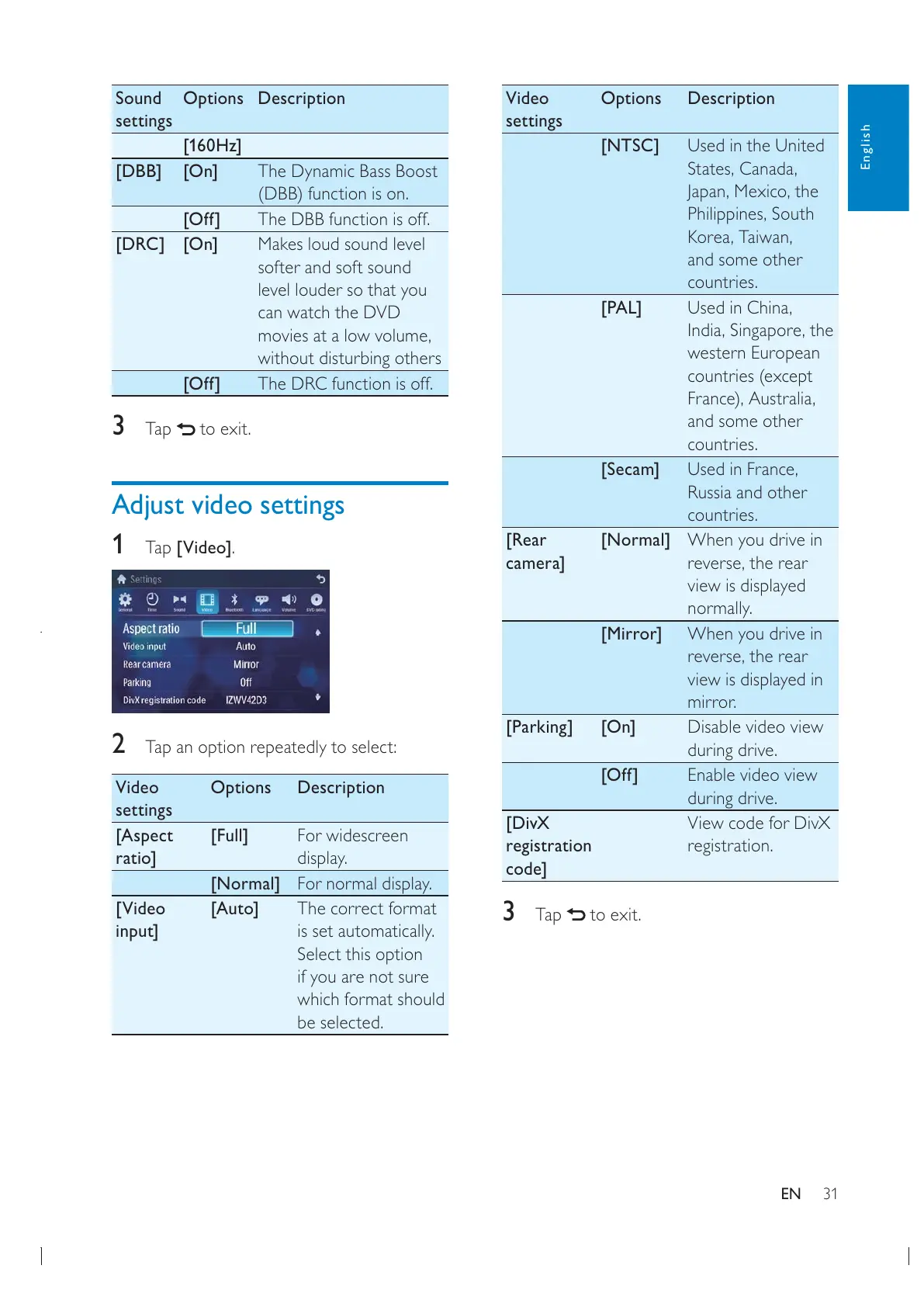
1
Tap [Video].
2 Tap an option repeatedly to select:
Video
settings
Options Description
[Aspect
ratio]
[Full] For widescreen
display.
[Normal] For normal display.
[Video
input]
[Auto] The correct format
is set automatically.
Select this option
if you are not sure
which format should
be selected.
English
EN



 To Next Page