14
Turn on
Caution
Risk of road accidents! Never watch video or
adjust settings while you drive.
1 Press to turn on the unit.
» The available OSD (On-Screen
Display) languages are displayed.
2
» The OSD language is changed to the
selected language immediately.
for 3 seconds.
Set date and time
1
Tap to display main menu.
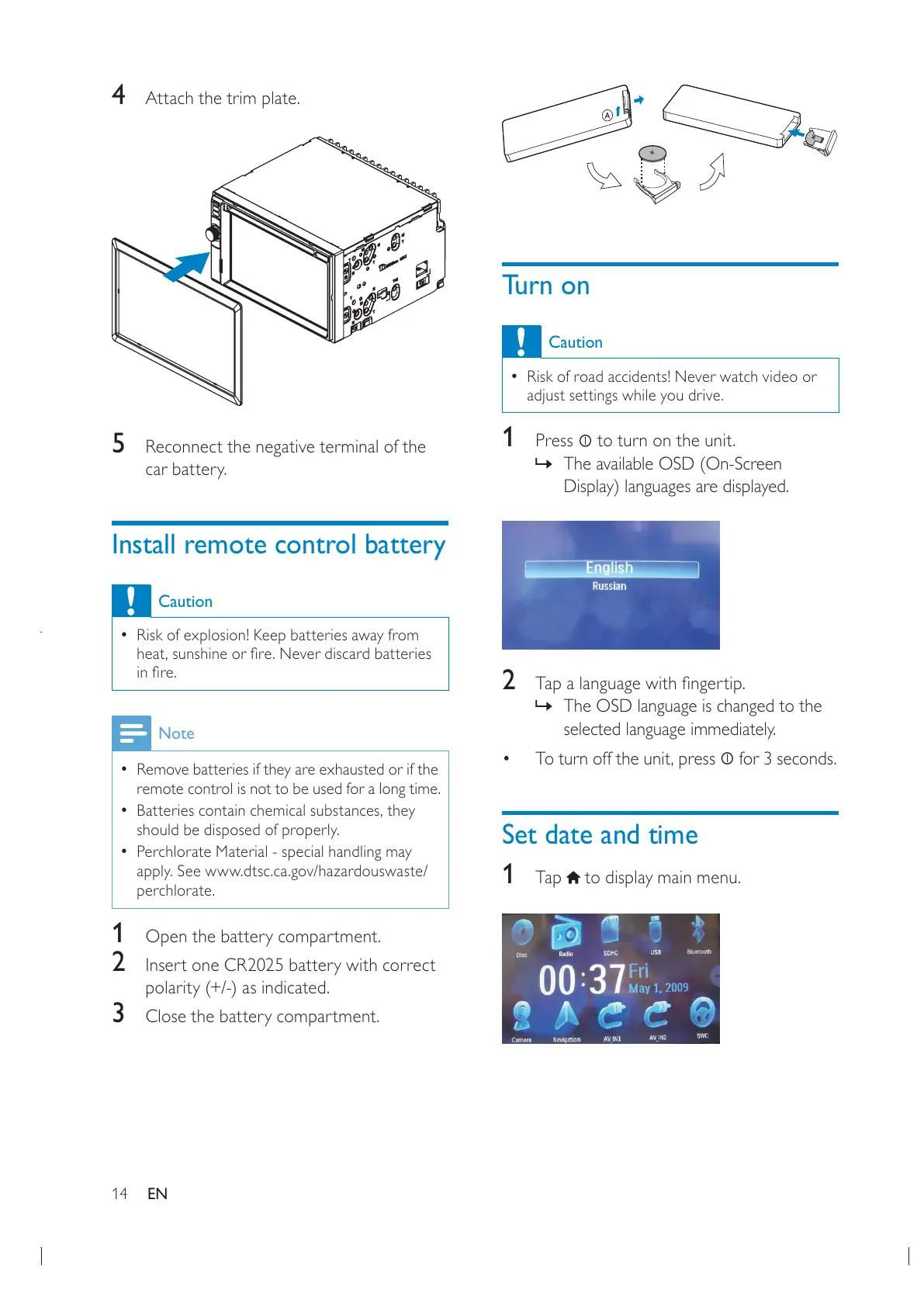
4 Attach the trim plate.
5 Reconnect the negative terminal of the
car battery.
Install remote control battery
Caution
Risk of explosion! Keep batteries away from
Note
Remove batteries if they are exhausted or if the
remote control is not to be used for a long time.
should be disposed of properly.
Perchlorate Material - special handling may
apply. See www.dtsc.ca.gov/hazardouswaste/
perchlorate.
1 Open the battery compartment.
2 Insert one CR2025 battery with correct
polarity (+/-) as indicated.
3 Close the battery compartment.
EN


 To Next Page