26
Adjust Bluetooth settings
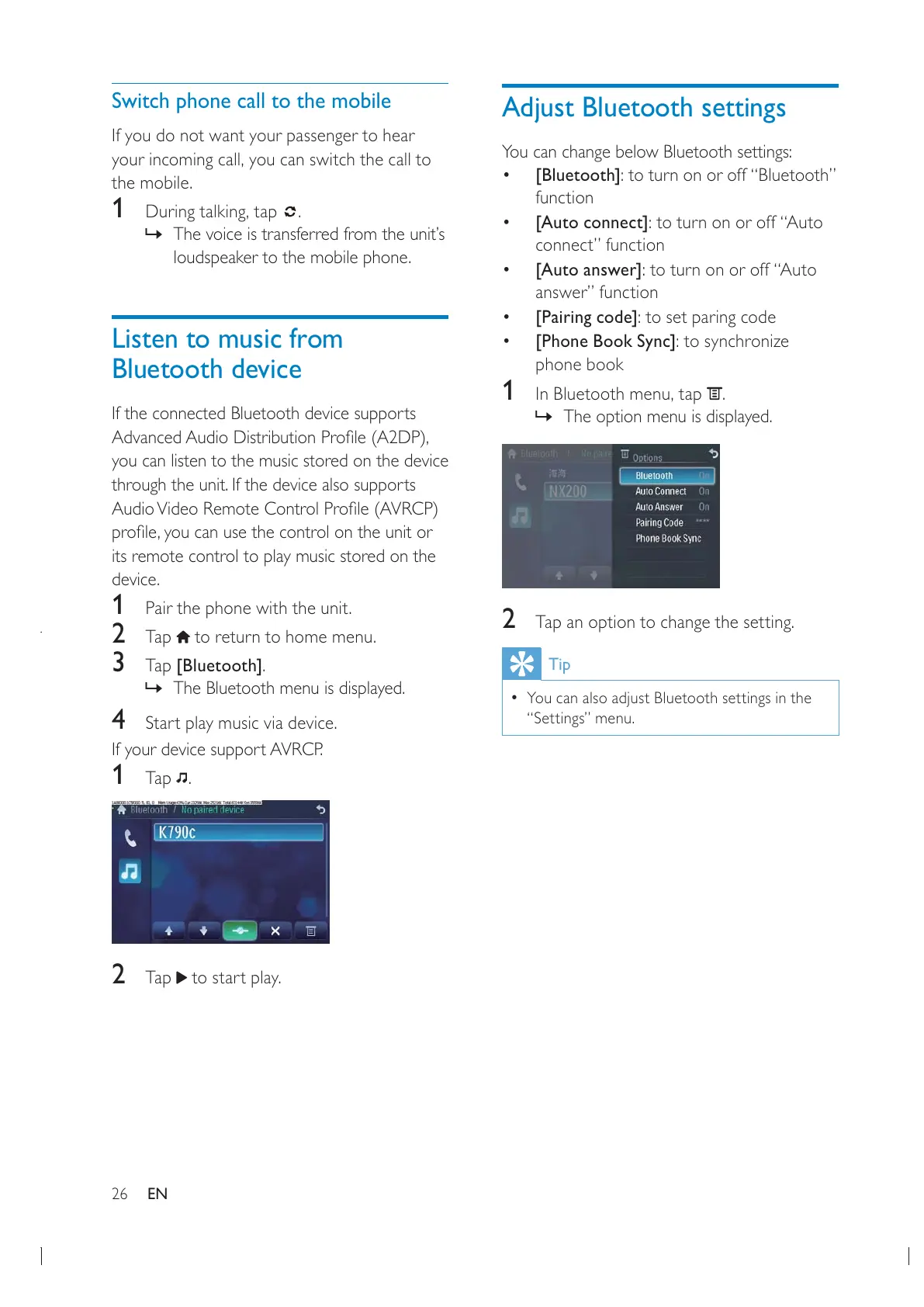
You can change below Bluetooth settings:
[Bluetooth]: to turn on or off “Bluetooth”
function
[Auto connect]: to turn on or off “Auto
connect” function
[Auto answer]: to turn on or off “Auto
answer” function
[Pairing code]: to set paring code
[Phone Book Sync]: to synchronize
phone book
1 .
» The option menu is displayed.
2 Tap an option to change the setting.
Tip
You can also adjust Bluetooth settings in the
“Settings” menu.
Switch phone call to the mobile
If you do not want your passenger to hear
the mobile.
1 .
» The voice is transferred from the unit’s
loudspeaker to the mobile phone.
Listen to music from
Bluetooth device
If the connected Bluetooth device supports
you can listen to the music stored on the device
through the unit. If the device also supports
its remote control to play music stored on the
device.
1 Pair the phone with the unit.
2 Tap to return to home menu.
3 Tap [Bluetooth].
» The Bluetooth menu is displayed.
4 Start play music via device.
If your device support AVRCP.
1 Tap .
2 Tap to start play.
EN


 To Next Page