7
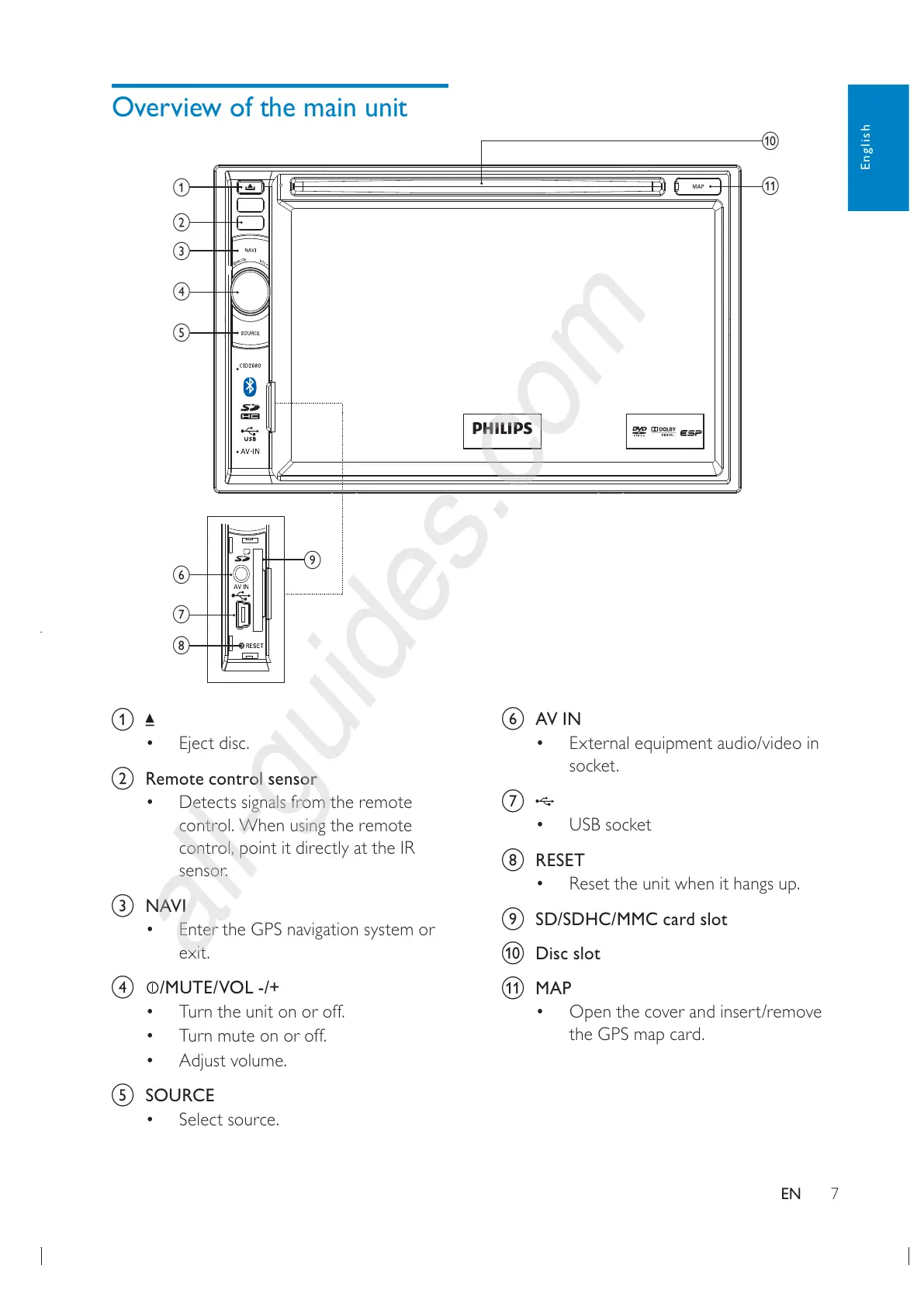
f AV IN
External equipment audio/video in
socket.
g
USB socket
h RESET
Reset the unit when it hangs up.
i SD/SDHC/MMC card slot
j Disc slot
k MAP
Open the cover and insert/remove
the GPS map card.
Overview of the main unit
a
Eject disc.
b Remote control sensor
Detects signals from the remote
control. When using the remote
sensor.
c NAVI
Enter the GPS navigation system or
exit.
d
/MUTE/VOL -/+
Turn the unit on or off.
Turn mute on or off.
Adjust volume.
e SOURCE
Select source.
a
b
c
k
j
d
e
f
i


 To Next Page