25
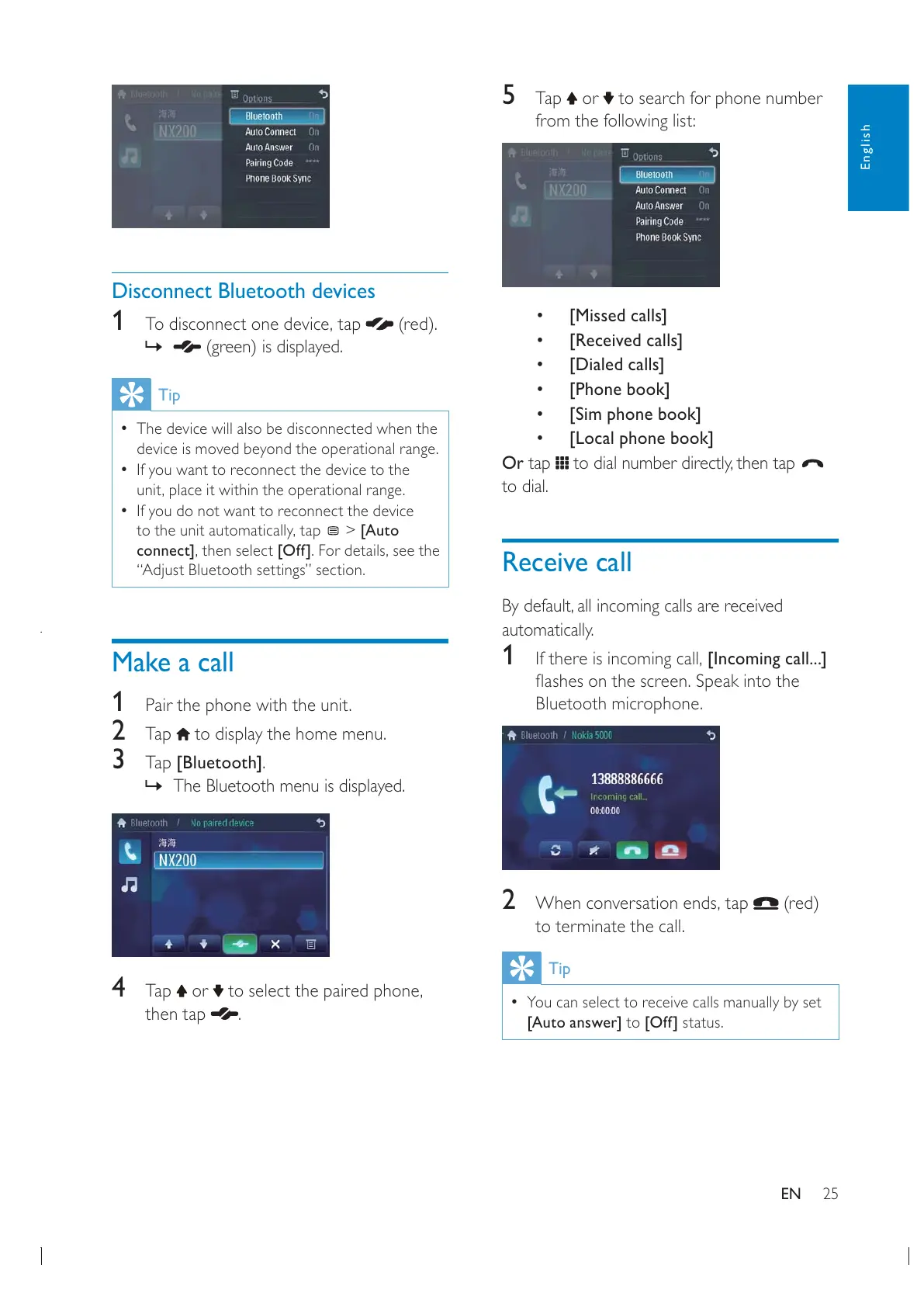
5 Tap or to search for phone number
from the following list:
[Missed calls]
[Received calls]
[Dialed calls]
[Phone book]
[Sim phone book]
[Local phone book]
Or tap
to dial.
Receive call
automatically.
1 [Incoming call...]
Bluetooth microphone.
2 (red)
to terminate the call.
Tip
You can select to receive calls manually by set
[Auto answer] to [Off] status.
Disconnect Bluetooth devices
1 (red).
»
(green) is displayed.
Tip
The device will also be disconnected when the
device is moved beyond the operational range.
If you want to reconnect the device to the
If you do not want to reconnect the device
> [Auto
connect][Off]
“Adjust Bluetooth settings” section.
Make a call
1
Pair the phone with the unit.
2 Tap to display the home menu.
3 Tap [Bluetooth].
» The Bluetooth menu is displayed.
4 Tap or
then tap
.
English
EN


 To Next Page