EasyManua.ls Logo

Philips CID2680 - Reset; Remove the Unit; Replace Fuse

Philips CID2680
41 pages
Print Icon
To Next Page IconTo Next Page
To Previous Page IconTo Previous Page
Loading...
36
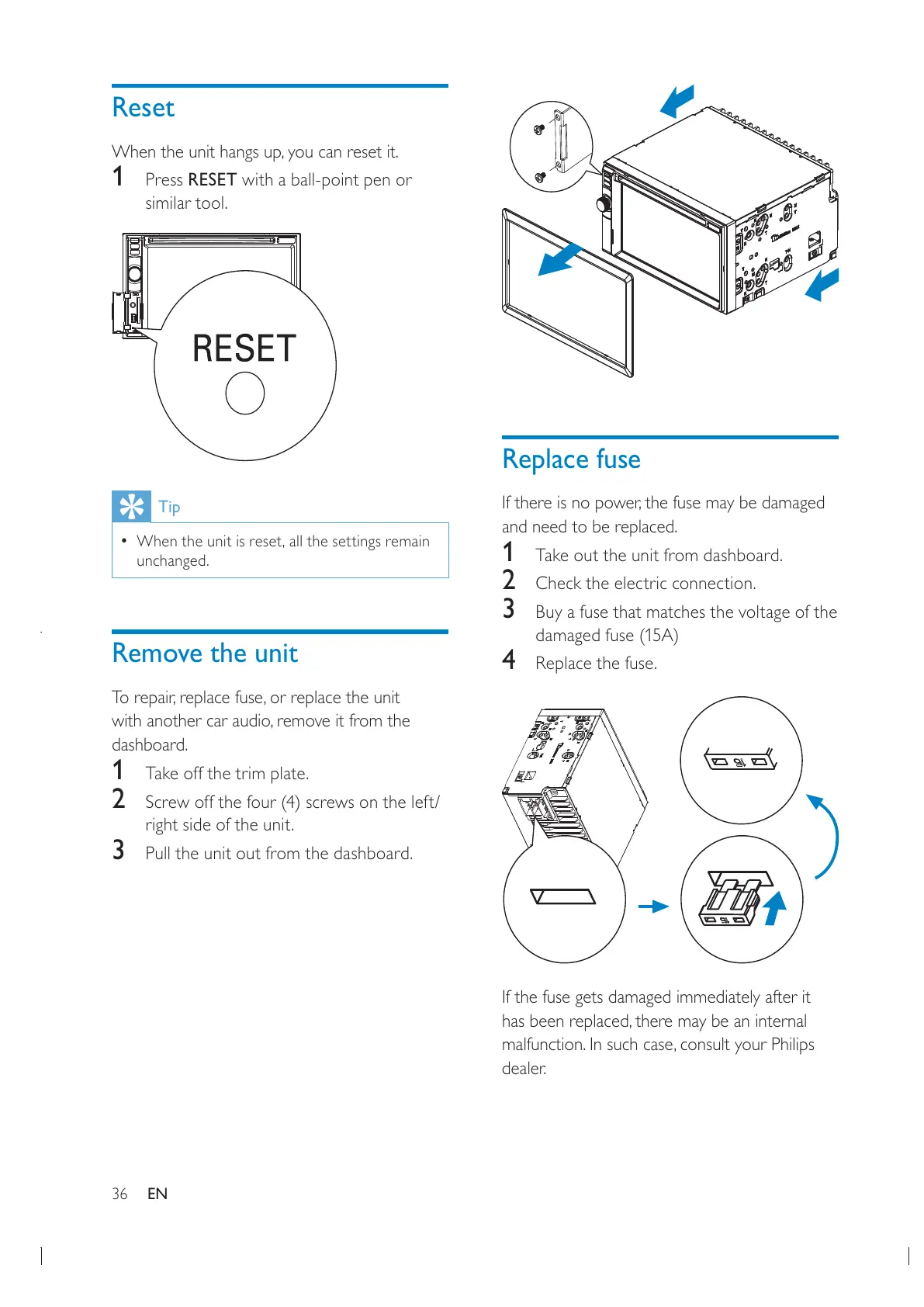
Replace fuse

and need to be replaced.
1 Take out the unit from dashboard.
2 Check the electric connection.
3 Buy a fuse that matches the voltage of the
damaged fuse (15A)
4 Replace the fuse.
If the fuse gets damaged immediately after it


dealer.
Reset

1 Press RESET with a ball-point pen or
similar tool.
Tip

unchanged.
Remove the unit


dashboard.
1 Take off the trim plate.
2 Screw off the four (4) screws on the left/
right side of the unit.
3 Pull the unit out from the dashboard.
EN

All manuals and user guides at all-guides.com

Other manuals for Philips CID2680

Related product manuals