10
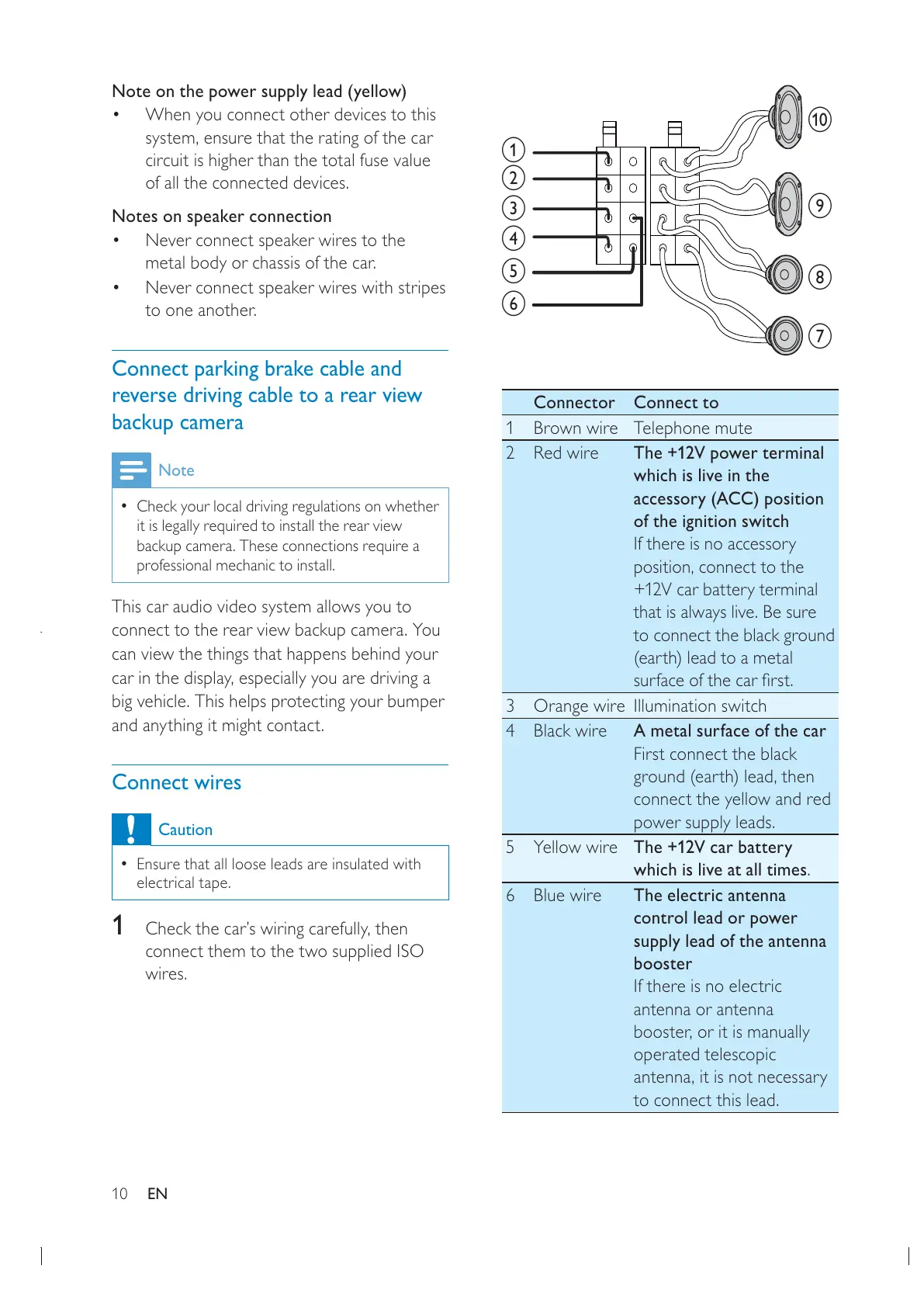
Connector Connect to
1 Brown wire Telephone mute
2Red wire The +12V power terminal
which is live in the
accessory (ACC) position
of the ignition switch
If there is no accessory
+12V car battery terminal
that is always live. Be sure
to connect the black ground
(earth) lead to a metal
3 Orange wire Illumination switch
4Black wire A metal surface of the car
First connect the black
connect the yellow and red
power supply leads.
5Yellow wireThe +12V car battery
which is live at all times.
6Blue wire The electric antenna
control lead or power
supply lead of the antenna
booster
If there is no electric
antenna or antenna
operated telescopic
to connect this lead.
a
g
h
i
j
b
c
d
e
f
Note on the power supply lead (yellow)
When you connect other devices to this
circuit is higher than the total fuse value
of all the connected devices.
Notes on speaker connection
Never connect speaker wires to the
metal body or chassis of the car.
Never connect speaker wires with stripes
to one another.
Connect parking brake cable and
reverse driving cable to a rear view
backup camera
Note
Check your local driving regulations on whether
it is legally required to install the rear view
backup camera. These connections require a
professional mechanic to install.
This car audio video system allows you to
connect to the rear view backup camera. You
can view the things that happens behind your
big vehicle. This helps protecting your bumper
and anything it might contact.
Connect wires
Caution
Ensure that all loose leads are insulated with
electrical tape.
1
connect them to the two supplied ISO
wires.
EN



 To Next Page