EN 10
Note
Note
• Placing the handset in the charger will
bypass the set date and time, and voice
guide.
• For best performance, keep the handset
in the charger when not in use.
• The battery is fully charged after 8 hours
of continuous charging.
• If you place the handset in the charger
without plugging in the battery, the
screen displays [No battery].
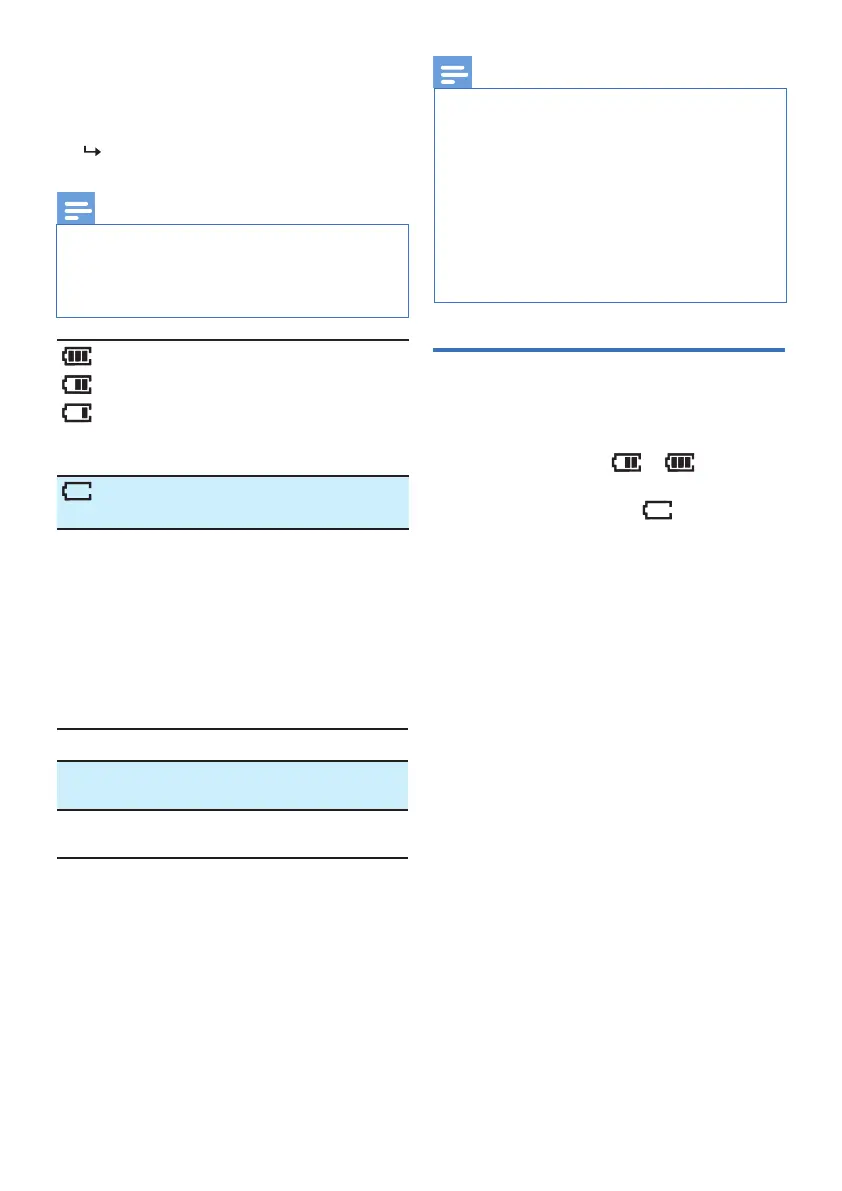
Check the battery level
After you have installed the battery, check the
battery level on the handset screen.
• If the battery icon is or , then go
to ‘Set the date and time’.
• If the screen is blank, or ashes, then
the battery needs to be charged. Go to
‘Charge the handset battery’ before you
do any setting or operation.
Place the handset on the base station to
charge the handset. When the handset is
placed correctly on the base station, you hear
a docking sound .
The handset starts charging.
The handset turns o if the batteries are
empty. If you are on the phone, you hear
warning tones when the batteries are almost
empty. The call gets disconnected after the
warning.
When it is fully charged, you can expect the
following performance:
* Operating times vary depending on your
actual use and the age of the battery.
** Handset is not charging or in use.
When the handset is o the base
station, the bars indicate the battery
level (full, medium and low).
When the handset is on the base
station/charger, the bars ash until
charging is complete.
The empty battery icon ashes. The
battery is low and needs recharging.
Operation Operating time
While in handset
use (talking*)
14 hours
While not in use
(standby**)
180 hours
Once you have installed the battery, the
battery icon on the handset LCD displays
the current battery level (see the table
below).



 To Next Page