11
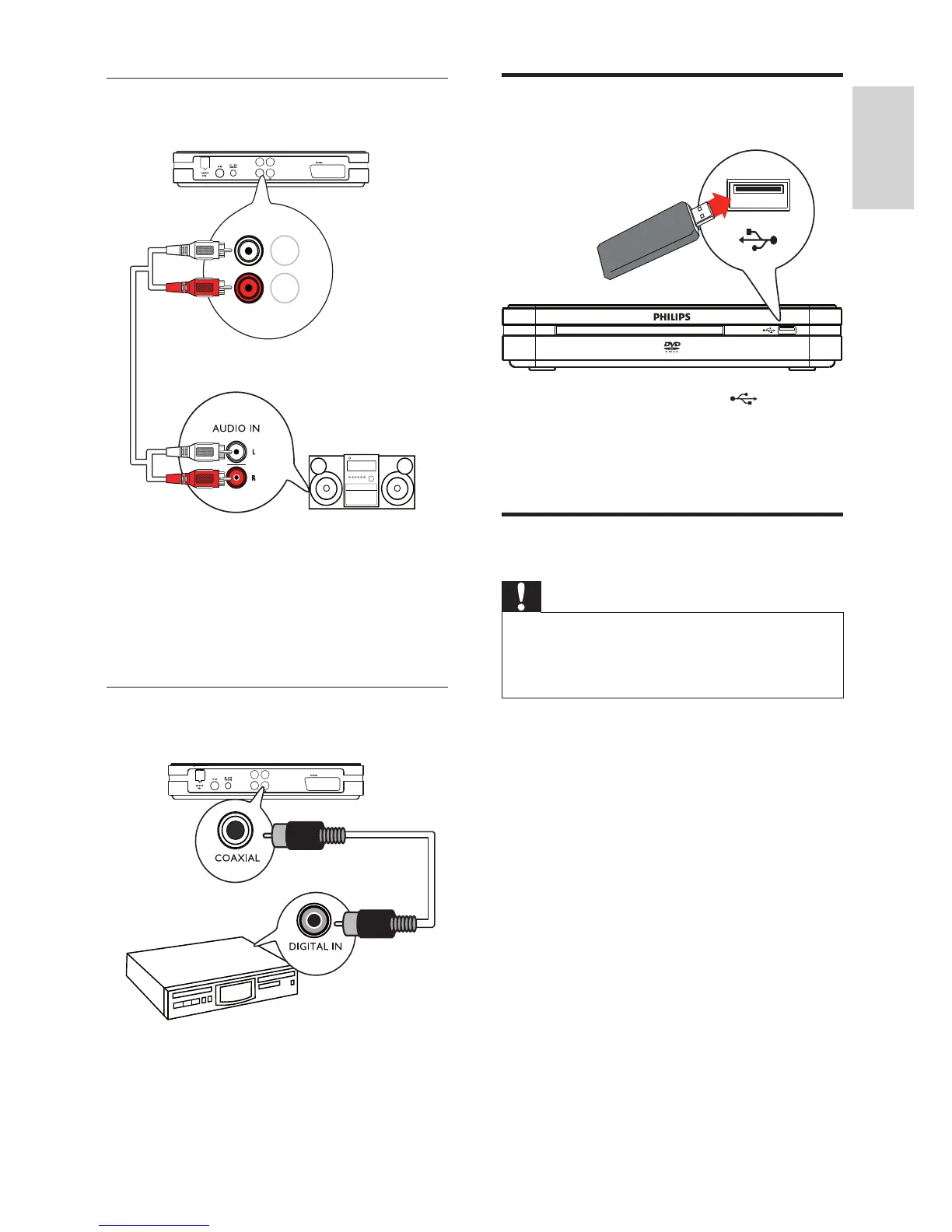
Connect a USB device
Connect the USB device to the ( USB ) jack
on the digital receiver.
To play the fi les: press • HOME , select
[USB] and press OK .
Connect to socket
Caution
Risk of product damage! Ensure that the •
power supply voltage corresponds to the
voltage printed on the back or the underside
of the digital receiver.
Connect the power cord to the socket.
The digital receiver is ready to be set »
up for use.
Option 2: Connect to analogue audio
device
Connect an audio cable (red/white ends
— not supplied) to the AUDIO L/R jacks
on the digital receiver and to the matching
AUDIO L/R input jacks on the analogue audio
device.
Option 3: Connect to digital audio
device
Connect a coaxial cable (not supplied) to the
COAXIAL jack on the digital receiver and the
COAXIAL / DIGITAL input jack on the digital
audio device.
COAXIAL
Audio L
Audio R
CVBS



 To Next Page