17
Play music
Play MP3 fi les
The digital receiver plays most MP3 audio fi les
recorded on a recordable disc, commercial
disc or USB fl ash drive.
1 Insert a disc or connect a USB fl ash drive
to the digital receiver.
2 Press HOME , select [USB] or [DVD] and
press OK .
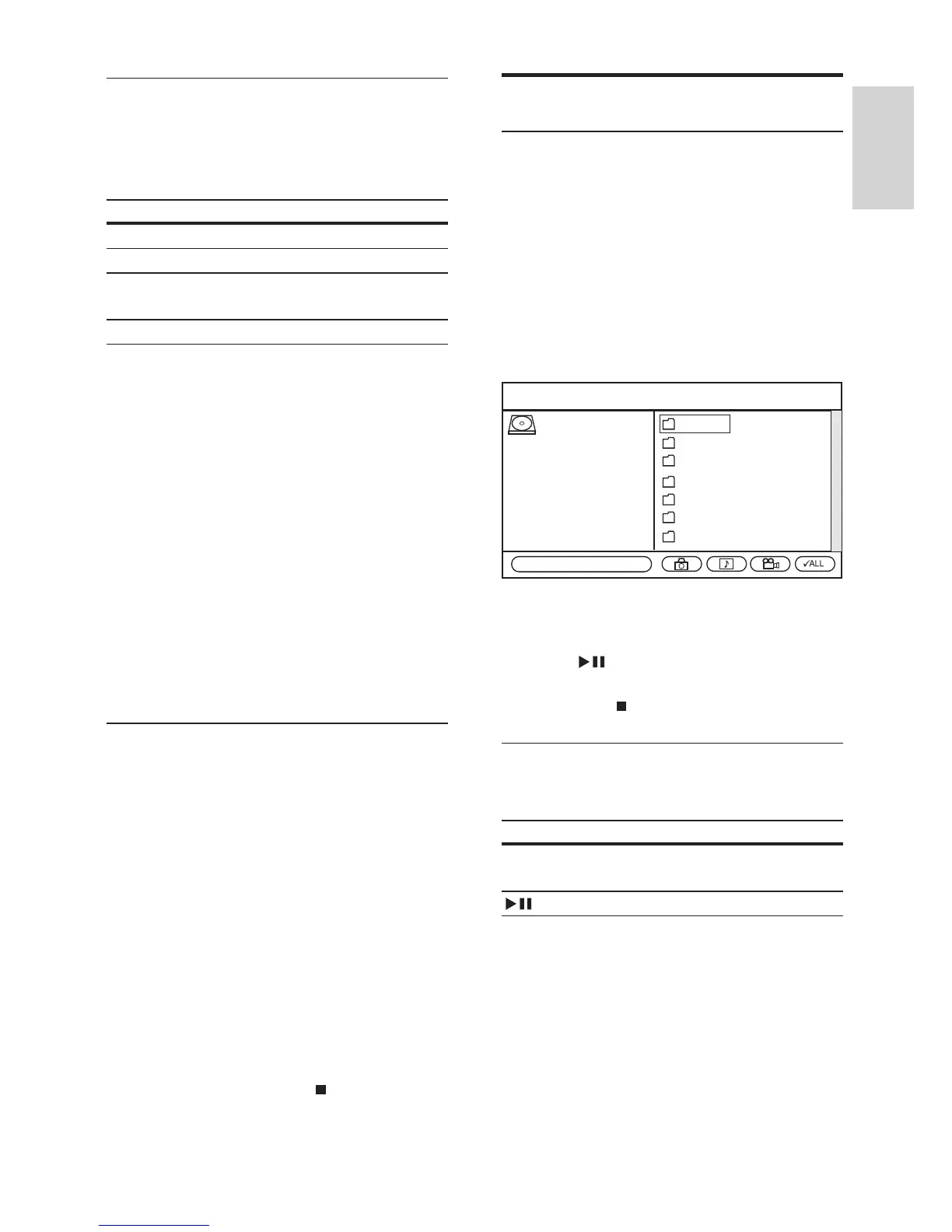
The contents menu is displayed. »
3 Select the folder containing the fi les and
press OK .
4 Press to play the fi les in the selected
folder
Press •
to stop playing music.
Control audio
To control audio during play:
Button Action
REPEAT Cycles through various repeat
options.
Pauses or resumes play.
Folder 1
Folder 2
Folder 3
Folder 4
Folder 5
Folder 6
Folder 7
ROOT
Total Files: 7
Set repeat play
The repeat play options may vary according to
the disc type. During disc play, press REPEAT
to toggle through the options:
Option Description
[All] Repeats all titles on the disc.
[Chapter] Repeats the current chapter.
[Title] or
[Track]
Repeats the current title or
track.
[Off] Switches off repeat play.
Repeat a specifi c scene (A–B)
Repeat play of a specifi c segment within a title
or chapter. Mark the start point (A) and the
end point (B) of the segment you want.
1 During disc play, press REPEAT A-B at
the desired start point.
The start point (A) is marked. »
2 At the desired end point, press REPEAT
A-B once.
The end point (B) is marked. The »
marked segment (A–B) is played
repeatedly.
To stop repeat play, press » REPEAT A-B
repeatedly to select [A–B Off].
Set playback control (PBC)
For VCDs/SVCDs recorded with playback
control (PBC), you can access the disc
contents through an interactive menu.
1 Insert a (Super) Video CD.
If the disc menu is displayed, select •
an option and press OK .
2 During disc play, press OPTIONS .
3 Select [PBC] and press OK .
4 Press OK to toggle on or off.
• [On] : An index menu is displayed
when you load a disc for play.
• [Off] : Skip the disc menu and start
play from the fi rst title.
5 To stop disc play, press .
English
EN



 To Next Page