16
Note
If the device does not fi t into the USB jack, •
connect it through a USB extension cable.
If you connect a multiple USB card/device •
reader, only one card or device can be accessed.
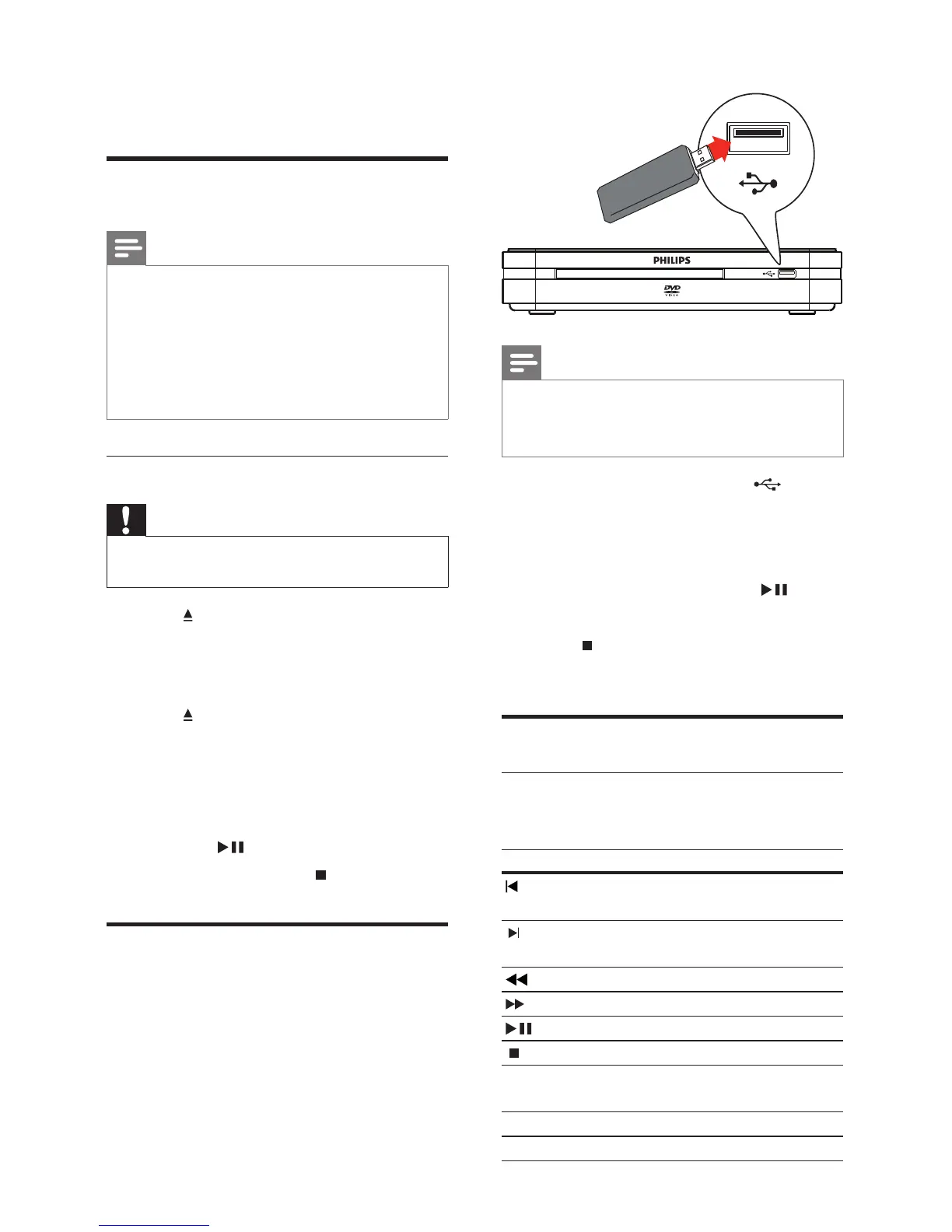
1 Connect a USB device to the (USB)
jack.
2 Press HOME , select [USB] and press OK .
The contents menu is displayed. »
3 Select a fi le to play, then press .
Play starts. »
4 Press or remove the USB device to
stop play.
Play video
Control video
To control video during play:
Button Action
Moves to the previous title
or track.
Moves to the next title or
track.
Searches backwards.
Searches forwards.
Pauses or resumes play.
Stops disc play.
INFO Displays information for the
title playing currently.
AUDIO Switches audio language.
SUBTITLE Switches subtitle language.
6 Play
Play from disc
Note
DVDs and DVD players are designed with •
regional restrictions. Ensure that the DVD
video you play is for the same region zone as
your player (indicated on its reverse).
This product supports play of the following fi le
•
formats: MP3/JPEG.
To play DVD-R, DVD+R or DVD-RW, the disc
•
must be fi nalised.
Play a disc
Caution
Never place any objects other than discs into •
the disc compartment.
1 Press to open the disc compartment.
2 Insert a disc with its label facing up.
For double-sided discs, load the •
playing side face down.
3 Press to close the disc compartment.
To view disc play, turn on the TV and •
choose an AV input or the preset
channel to which the digital receiver
is assigned.
If play does not start automatically, •
press
.
4 To stop disc play, press .
Play from USB
The digital receiver plays/displays MP3 •
and JPEG fi les saved on a USB stick.
EN



 To Next Page