10
Connect audio cables
Choose to connect to analogue or digital jack
depending on the device capabilities.
Option 1: Connect to a TV•
Option 2: Connect to an analogue audio •
device
Option 3: Connect to a digital amplifi er •
or receiver
Option 1: Connect to TV
Connect an audio cable (red/white ends) to
the AUDIO L/R jacks on the digital receiver
and to the matching AUDIO L/R input jacks
on the TV.
COAXIAL
Audio L
Audio R
CVBS
CVB
AUDIO L
AUDIO R
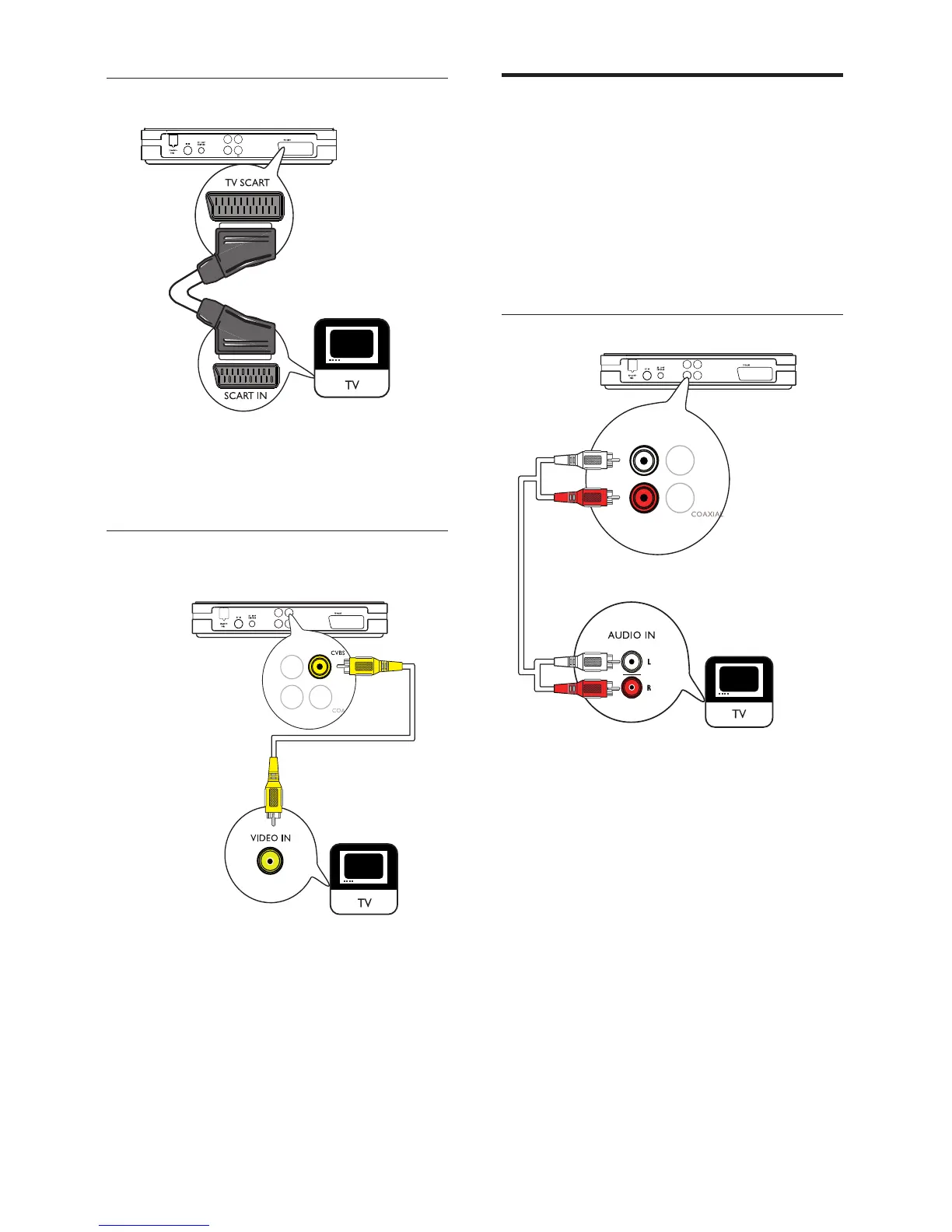
Connect to a SCART jack
Connect a SCART cable (not supplied) to the
SCART jack on the digital receiver and to the
SCART jack on the TV.
Connect to a CVBS jack
Connect a CVBS cable (not supplied) to the
CVBS jack on the digital receiver and to the
CVBS jack on the TV.
COAXIAL
Audio L
Audio R
CVBS
COAXIAL
Audio L
Audio R
CVBS



 To Next Page