25
2 Press HOME , select [System Setting] and
press OK .
3 Select [TV/Radio Setting] and press OK .
4 Select [Parental Control] and press .
See the explanations of the available •
options in the following topics.
Channel Lock
Enable or disable selected channels for
restricted viewing.
1 Select [Channel Lock] and press .
2 To enable locked channels, select [Yes]
and press OK .
3 To disable locked channels, select [No]
and press OK .
Parental Setting
Lock channels for restricted view.
1 Select [Parental Setting] and press OK .
2 Press the Numeric buttons to enter
‘ 0000 ’ or the last set password, then
press OK .
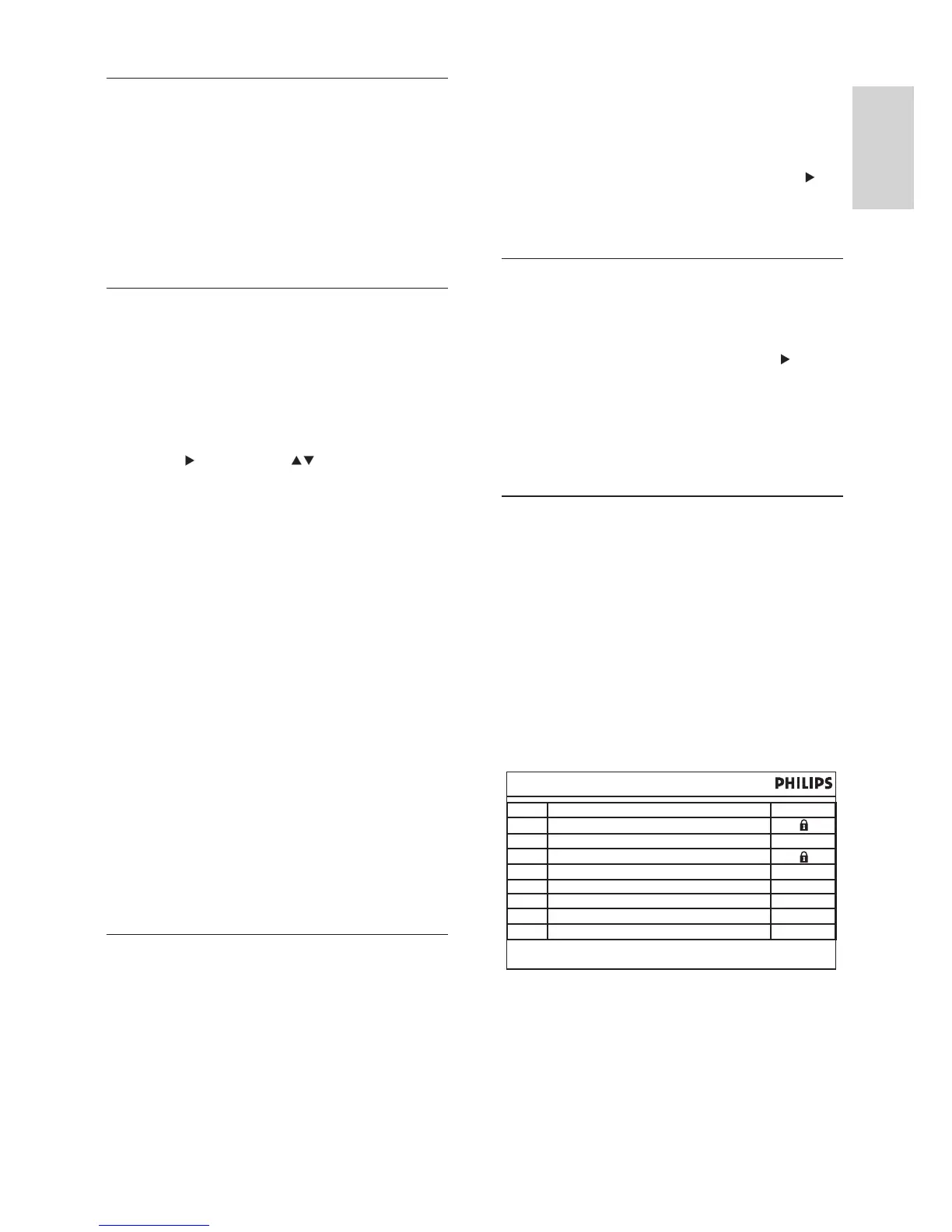
3 To lock a channel, select the programme
name, then press OK . A padlock-
shaped symbol is indicated next to the
programme name.
Press HOME to exit menu
Parental Setting
STAR SPORTS
No.
1
2
3
4
5
6
7
8
Cartoon Network
CNN
BBC News
ESPN
AXN
CNBC Singapore
TV Mobile
Programme Name Lock
Automatic channel search
Search and install all channels automatically.
This option overwrites all preset channels.
1 Select [Automatic Search] and press OK .
2 To start channel search, select [OK] and
press OK . To cancel, select [Cancel] ,
then press OK .
Manual search
Install new channels manually. This option adds
new channels without changing the current
channels list.
1 Select [Manual Search] , then press OK .
The channel search screen is displayed.
2 Press followed by to select the
channel frequency.
3 To add the channel, press OK .
If a channel is found, it is saved and »
added to the channels list.
If the channel cannot be found, the »
message [No Signal] is displayed.
[Auto Channel Update]
Automatic update of new channels.
• [On (with notifi cation)] : Enables
automatic channel update with
notifi cation. New channels are added
once available.
• [On (without notifi cation)] : Enables
automatic channel update without
notifi cation. New channels are added
once available.
• [Off] : Disables automatic channel update.
New channels have to be added manually
using the automatic channel search.
Adjust parental control settings
Prevent children or unauthorised viewing of
selected channels.
To access the options:
1 Press HOME , select [DVB-T Radio] or
[Live TV] and press OK .
English
EN



 To Next Page