22 23
Types of alarms and alarm modes
Triggering: After waking up, the system will
run an automatic examination on the battery
voltage. If the voltage is too low, the lock give
an alarm and a voice prompt of “Low battery.
Please replace all batteries”.
Alarm mode: A voice prompt of “Low battery.
Please replace all batteries” during unlocking.
Turning o: The alarm will be automatically
turned o.
Triggering: The lock is opened by a key
Alarm mode: Continuous repeated alarms
Turning o: The alarm will be automatically
turned o or after a successful verication.
8 Troubleshooting
Mechanical key opening alarm
Low battery alarm, prompting you to replace the batteries in time
Anti-dismantle alarm
Triggering: The door is pried open and there
is no t in the door.
Alarm mode: Continuous repeated alarms.
Turning o: Auto-close, or close after a
successful key verication, or close after the
normal indoor unlock.
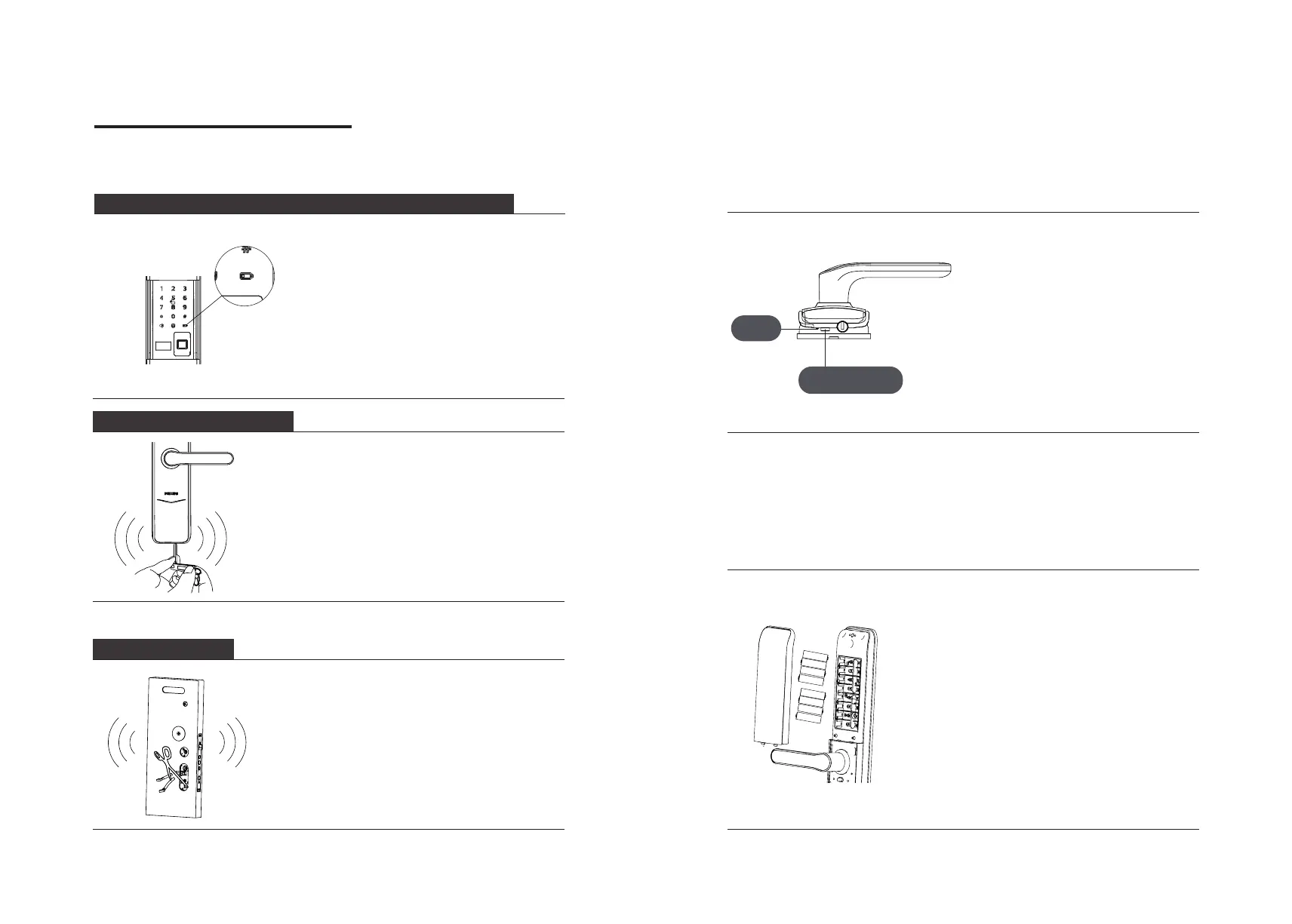
How to use an emergency power
How to replace batteries
When the battery voltage is insucient,
and the door cannot be power up from
the outside, you can power the lock
through the Micro USB interface by using
a 5V power bank as an emergency power
supply. After opening the door lock,
please replace the batteries immediately.
In case of a system crash and it's
impossible to open the door from outside,
please press the Reset button and then
release to let it reboot automatically.
The lock is powered by four 1.5V alkaline
batteries. There are two sets of working
power inside the battery cabinet. Eight
batteries can be put in to extend the
battery life and reduce battery replacement
frequency. The battery cabinet is located at
the upper end of the inside escutcheon. By
pushing the cover upwards, you can remove
it and then replace the batteries.
Emergency
power interface
Reset
button






 To Next Page