8 EN
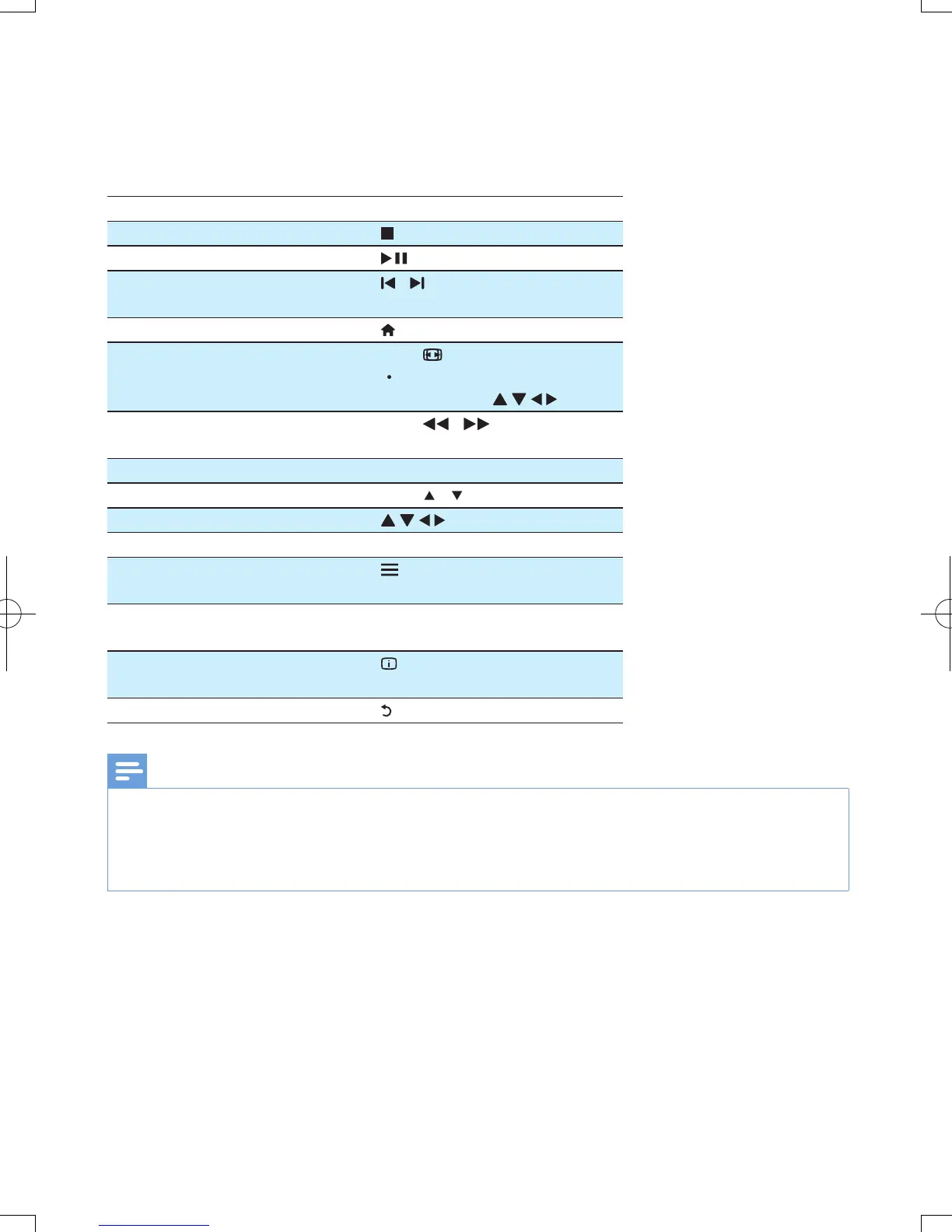
1 Control and play
Use your remote control to control the play.
Function Buttons / Actions
Stop the play.
Pause or resume the play.
Skip to the previous/ next media
le.
/
Return to the home page.
Zoom in or out. Press repeatedly.
To pan through an enlarged
photo, press
.
Search backward/forward fast. Press
/ repeatedly to
select a speed.
Access subtitle settings. SUBTITLE
Rotate a photo. Press
/ .
Navigate menus.
Conrm a selection or entry. OK
Access option menus during play
or in the le list.
Access the le editing menu in the
le folder list.
EDIT
Display current playback
information.
Return to the previous menu.
Note
•
You can only play DivX videos that were rented or purchased with DivX
®
registration code in this player. (Refer to "Setup' >
"MISC" > [DivX
®
VOD Code])
• Subtitle les with the following lename extensions (.srt, .smi, .sub, .ssa, .ass, .txt) are supported but not displayed in the le list.
• The subtitle lename has to be the same as the lename of the DivX video (the le extension excluded).
• The DivX video le and the subtitle le must be saved under the same directory.


 To Next Page
 Loading...




