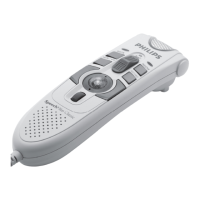
Activate the Digital Pocket Memo3.7
The Digital Pocket Memo is turned on and o
by sliding the
ON/OFF switch. When using it for
the first time, you will be prompted to set the
language, date and time.
Set the language3.7.1
When using the Digital Pocket Memo for the
first time, you will be prompted to set the
language.
Press the 1 + or – button
1
on the Digital
Pocket Memo to select a language.
Press the 2
OK smart button
2
to confirm
the selection. The selected language will be
displayed.
2
1
Format a new memory card3.6
When a new, unformatted memory card (or a
memory card that was formatted with a non-
Digital Pocket Memo device) is inserted, the
Digital Pocket Memo will display a prompt to
format the memory card.
A
To confirm and start the formatting process, 1
press the
OK smart button
1
.
To cancel the formatting process, remove 2
the memory card or press the
CANCEL
smart button
2
.









 To Next Page

