centimeters) away from your mouth.
A beep will sound when the battery level •
drops below 10 % or the remaining recording
time reaches two minutes.
Press the •
INDEX smart button during
recording or playback to insert an index mark.
See Work with index marks on page 21 for
more information.
Press and hold the •
INSTR smart button during
recording to record a spoken instruction. See
the next chapter for more information.
Record a spoken instruction4.1.2
Spoken instructions are recorded comments
by the author that are directed to the person
transcribing the dictation.
To insert a spoken instruction into a dictation
file:
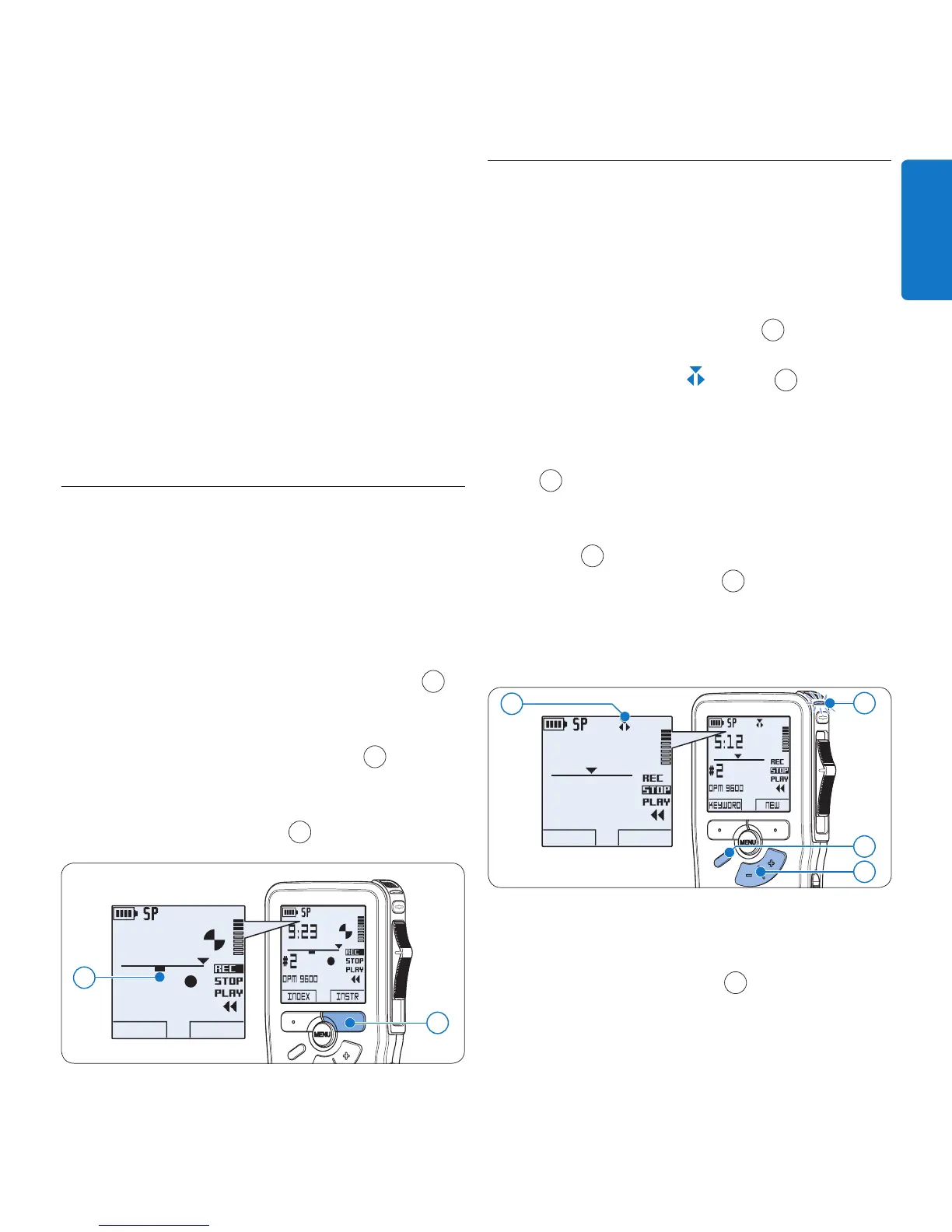
Press and hold the 1
INSTR smart button
1
while recording.
Dictate the instruction.2
Release the 3
INSTR smart button
1
when
the spoken instruction is complete. The
spoken instruction is displayed as a solid line
on the file position bar
a
.
DPM 9600
INDEX INSTR
9:23
#2
1
a
4.1.3 Add to a recording (insert/
overwrite)
Files are recorded in overwrite mode by default.
Follow these steps to switch to insert mode to
make additions to a recording:
Press the 1
FUNCTION button
1
while
stopped to switch between insert or
overwrite mode. The
symbol
a
is
displayed when in insert mode.
In • insert mode, the record position of the
slide switch reads
iREC and the status LED
2
glows in green while recording.
In • overwrite mode, the record position of
the slide switch reads
REC and the status
LED
2
glows in red while recording.
Press the 2 + or – button
3
to select the file
into which the insertion should be made.
Play, forward or rewind to the position 3
where the insertion should be made.
DPM 9600
KEYWORD NEW
5:12
#2
a
3
1
2
To insert an additional recording:4
On the • Digital Pocket Memo 9600,
move the slide switch
4
to the iREC
position and start speaking. The insertion
will not overwrite the recording.
On the • Digital Pocket Memo 9620,









 To Next Page