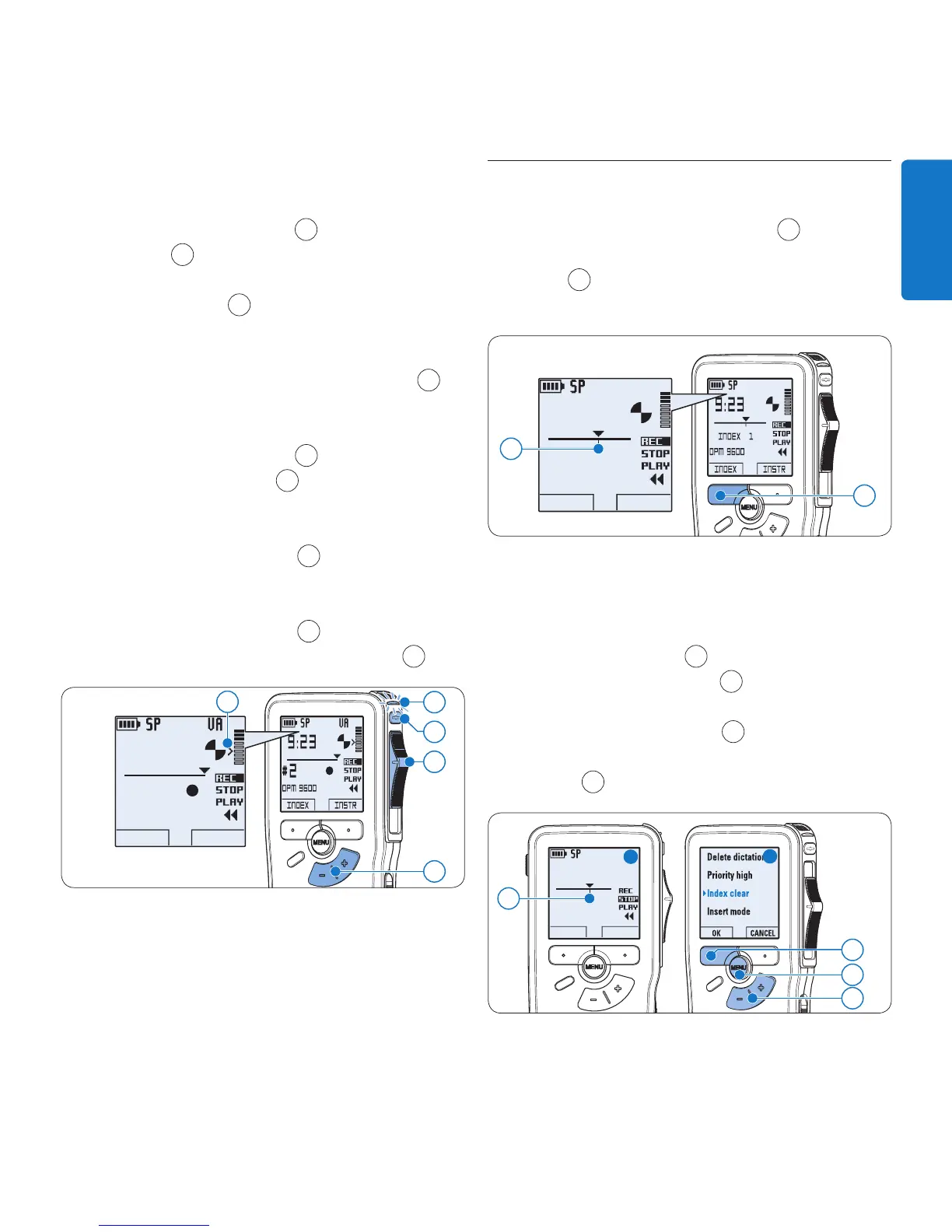
position and start speaking.
On the • Digital Pocket Memo 9620,
press the
REC button
5
, move the slide
switch
6
to the REC position and start
speaking.
The status LED
7
glows in red (in
overwrite mode) or green (in insert mode)
while recording. When the sound level
drops below the threshold sound level
a
,
recording pauses after three seconds and
the status LED flashes.
Press the 7 + or – button
8
to adjust the
threshold sound level
a
while recording.
To stop recording:8
On the • Digital Pocket Memo 9600,
move the slide switch
6
to the STOP
position.
On the • Digital Pocket Memo 9620,
move the slide switch
6
to the RECP
position and press the
REC button
5
.
DPM 9600
INDEX INSTR
9:23
#2
5
6
7
a
8
Work with index marks5.3
Index marks can be used to mark certain points
in a recording as points of reference. A point
of reference may be the beginning of a major
section, or a part of the recording that you may
want to revise later or access quickly.
Insert an index mark5.3.1
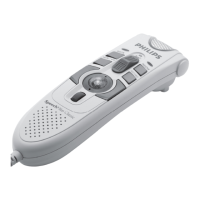
Press the 1
INDEX smart button
1
during
recording or playback to insert an index
mark
a
. The index number is displayed for
two seconds.
DPM 9600
INDEX INSTR
9:23
INDEX 1
1
a
Delete an index mark5.3.2
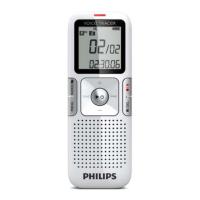
Play, fast forward or fast rewind to the index 1
mark to be deleted
a
.
Press the 2
MENU button
1
while in the stop
position to open the menu.
Press the 3 + or – button
2
to select the
Index clear menu and press the
OK smart
button
3
.
DPM 9600
KEYWORD NEW
6:32
#2









 To Next Page