Use your Digital Pocket 4
Memo
Recording4.1
Create a recording4.1.1
Follow these steps to create a recording with
the Digital Pocket Memo:
A memory card must be inserted into the 1
memory card slot. See Insert and eject the
memory card on page 9 for more information.
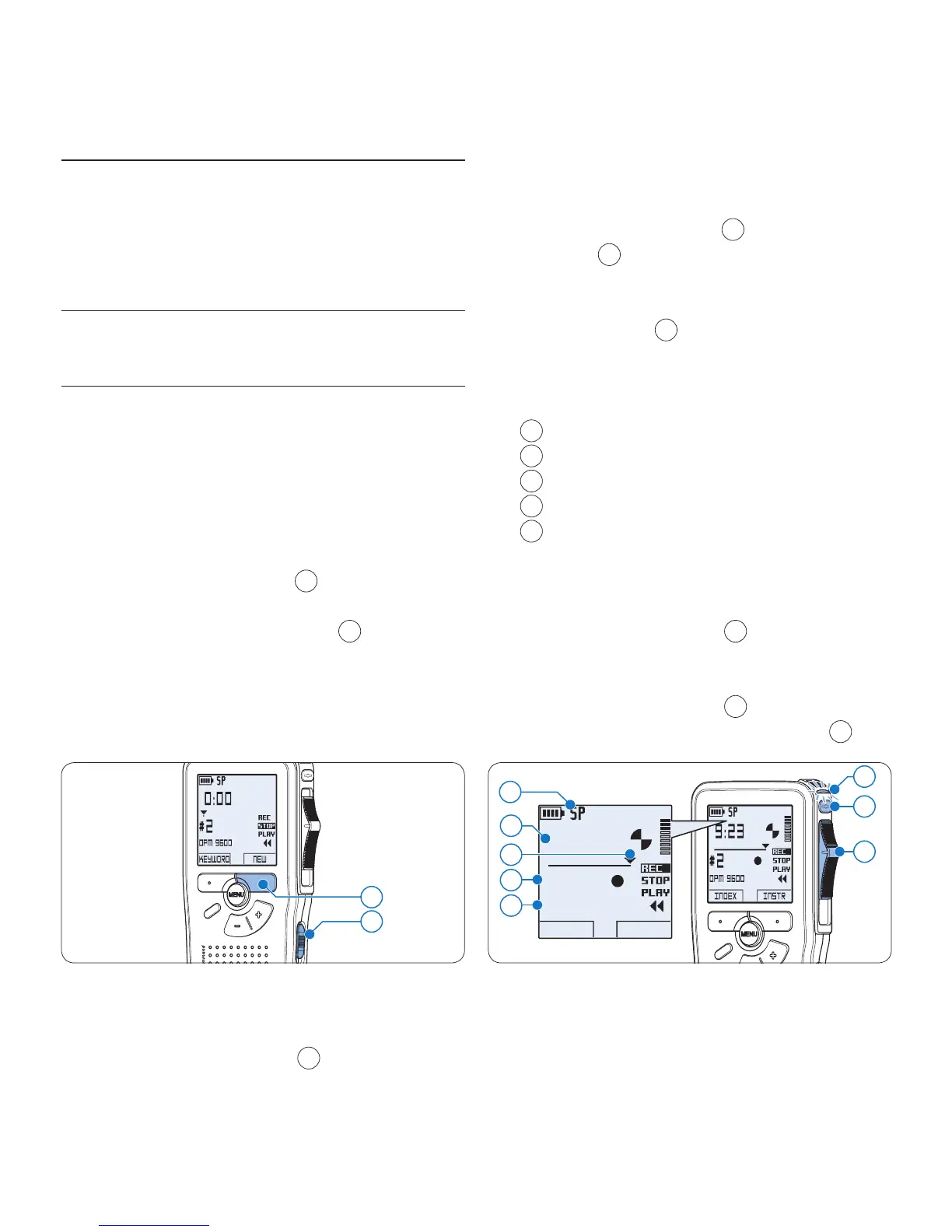
Slide the On/O switch 2
1
to the ON posi-
tion to switch on the Digital Pocket Memo.
Press the 3
NEW smart button
2
to create a
new recording.
D Note
The
NEW smart button is not displayed if
the current recording is empty.
2
1
To start recording:4
On the • Digital Pocket Memo 9600,
move the slide switch
4
to the REC
position and start speaking.
On the • Digital Pocket Memo 9620,
press the
REC button
3
, move the slide
switch
4
to the REC position and start
speaking.
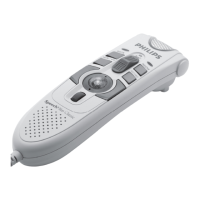
The status LED
5
glows in red (in
overwrite mode) or green (in insert mode)
while recording. The following information is
displayed:
a
Recording format
b
Recording time
c
Current position in the recording
d
File number
e
Keyword 1 (author name)
To stop recording:5
On the • Digital Pocket Memo 9600,
move the slide switch
4
to the STOP
position.
On the • Digital Pocket Memo 9620,
move the slide switch
4
to the RECP
position and press the
REC button
3
.
5
b
4
c
3
d
e
a
D Note
For best results, speak clearly and keep •
the microphone about four inches (ten









 To Next Page