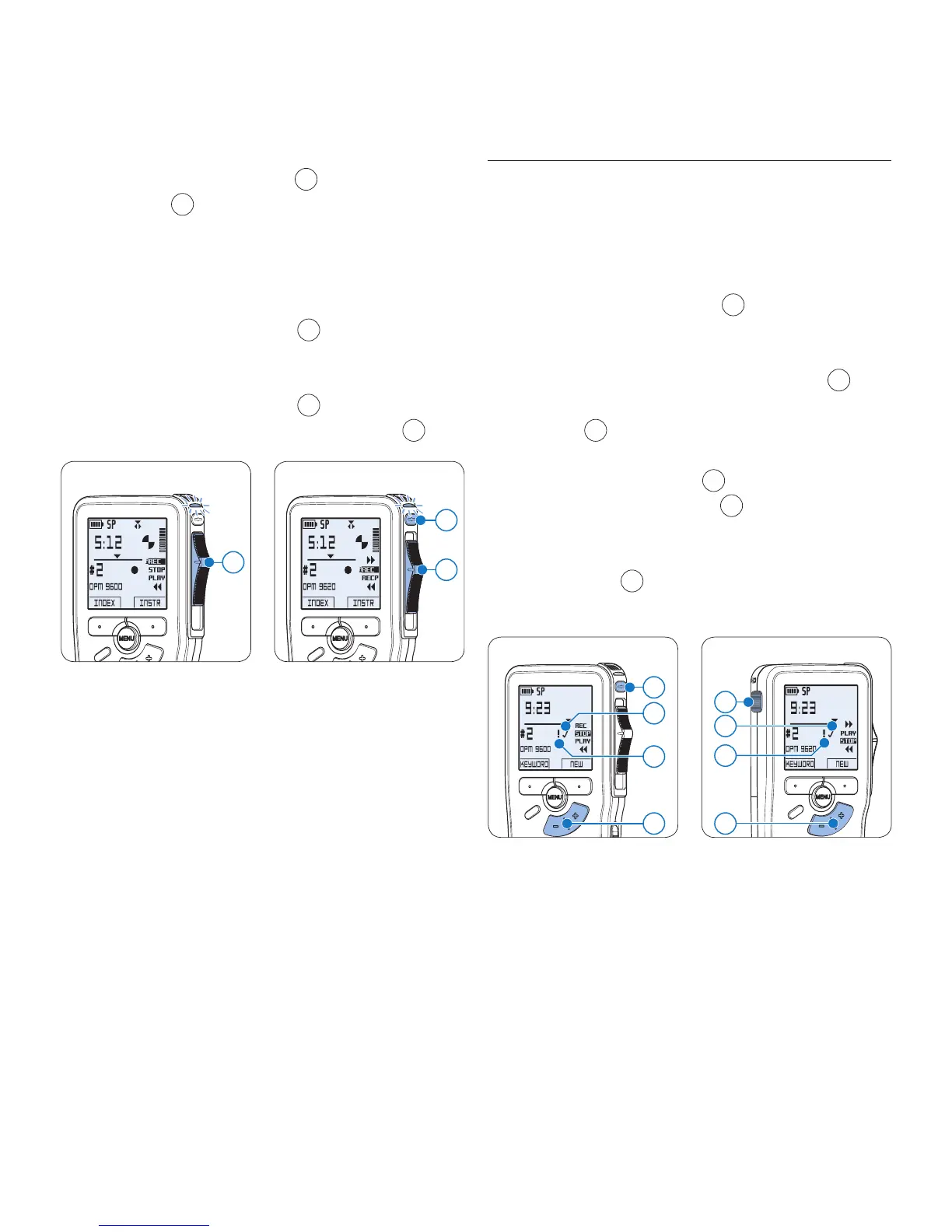
press the REC button
5
, move the slide
switch
4
to the iREC position and start
speaking. The insertion will not overwrite
the recording.
To end the inserted recording:5
On the • Digital Pocket Memo 9600,
move the slide switch
4
to the STOP
position.
On the • Digital Pocket Memo 9620,
move the slide switch
4
to the RECP
position and press the
REC button
5
.
Digital Pocket Memo 9600
4
4
5
Digital Pocket Memo 9620
If the recording is not finished, simply fast 6
forward to the end of the file and continue
recording.
Repeat from step 7 1 to return to overwrite
recording mode.
4.1.4 Finish (lock) a recording
When a recording is finished and no additional
changes will be made, follow these steps to
mark it as finished and protect it from being
accidentally deleted:
Press the 1 + or – button
1
while in the
stop position to select the recording to be
marked finished.
Press the end-of-letter (2
EOL) button
2
to
lock the file and mark it as finished. The
symbol
a
is displayed.
To assign priority status to the recording, 3
press the
EOL button
2
again within half
a second. The ! symbol
b
is displayed,
indicating that the file has priority status.
To make changes to the recording, press the 4
EOL button
2
again to remove the finished
mark.
Digital Pocket Memo 9600
2
b
a
1
2
b
a
Digital Pocket Memo 9620
1
E Tip
Philips SpeechExec software can be configured to
download only those files from the Digital Pocket
Memo to the PC that are marked finished.
C Caution
Locked files are deleted when the memory card
is formatted or the delete-all-dictations function
is used.









 To Next Page