17EN
5 Connections
On Pi7000, you can
Connect to the Internet through Wi-Fi;
Connect to your home Wi-Fi network
that connects Philips connected
devices, such as DLNA-compatible TVs,
audio systems, or media players;
(HDTV) through the HDMI cable (sold
separately);
Connect to Bluetooth devices;
Connect to a computer through the
USB cable;
Use a Micro SD card (up to 32 GB).
Connect to Wi-Fi
Connect Pi7000 to a wireless router (Access
Point). You can connect Pi7000 to the network
that is built around the router.
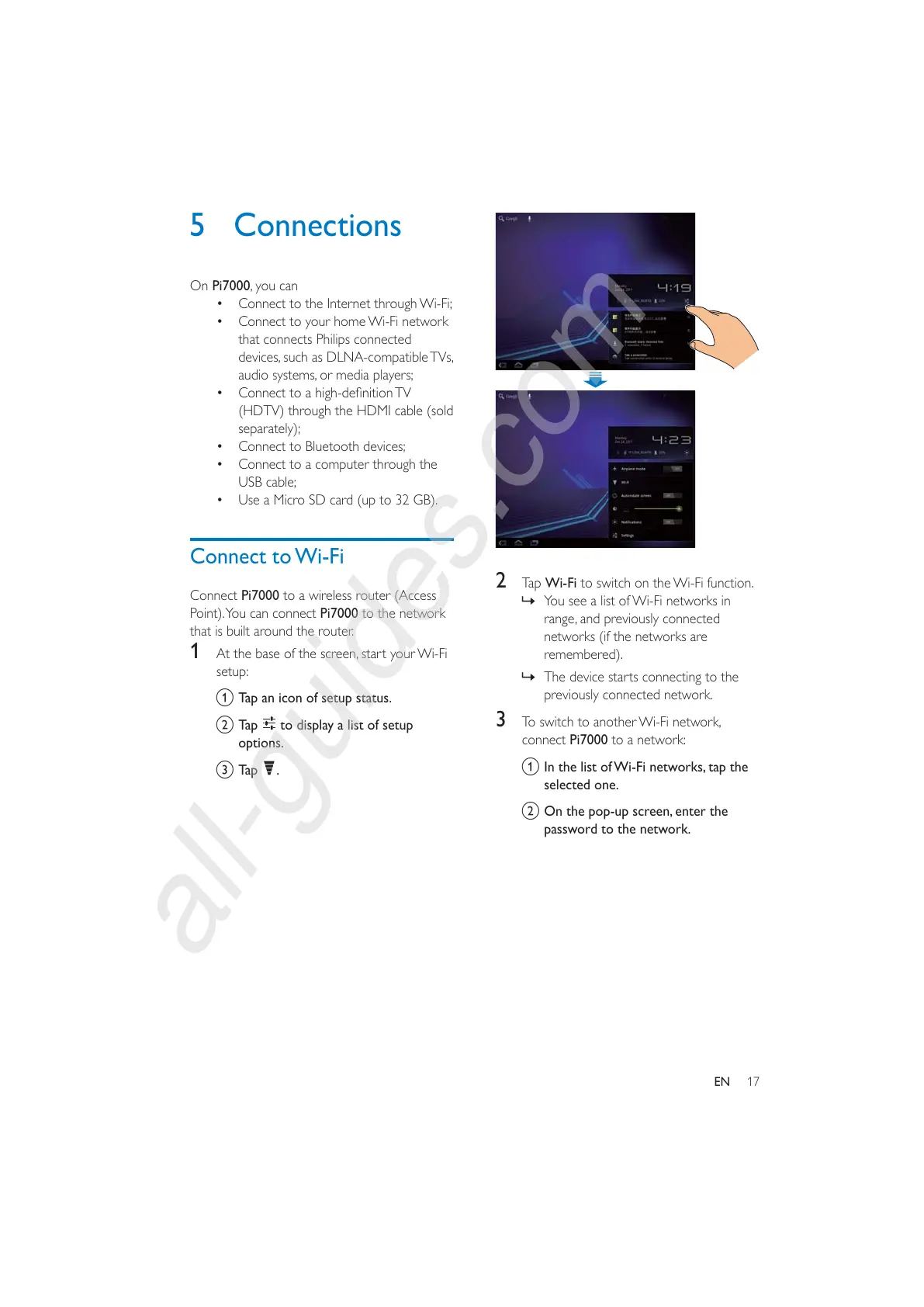
1 At the base of the screen, start your Wi-Fi
setup:
a Tap an icon of setup status.
b Tap
to display a list of setup
options.
c Tap
.
2 Tap Wi-Fi to switch on the Wi-Fi function.
» You see a list of Wi-Fi networks in
range, and previously connected
networks (if the networks are
remembered).
» The device starts connecting to the
previously connected network.
3 To switch to another Wi-Fi network,
connect Pi7000 to a network:
a In the list of Wi-Fi networks, tap the
selected one.
b On the pop-up screen, enter the
password to the network.



 To Next Page