MOLTIO 07 DISASSEMBLY
10/11
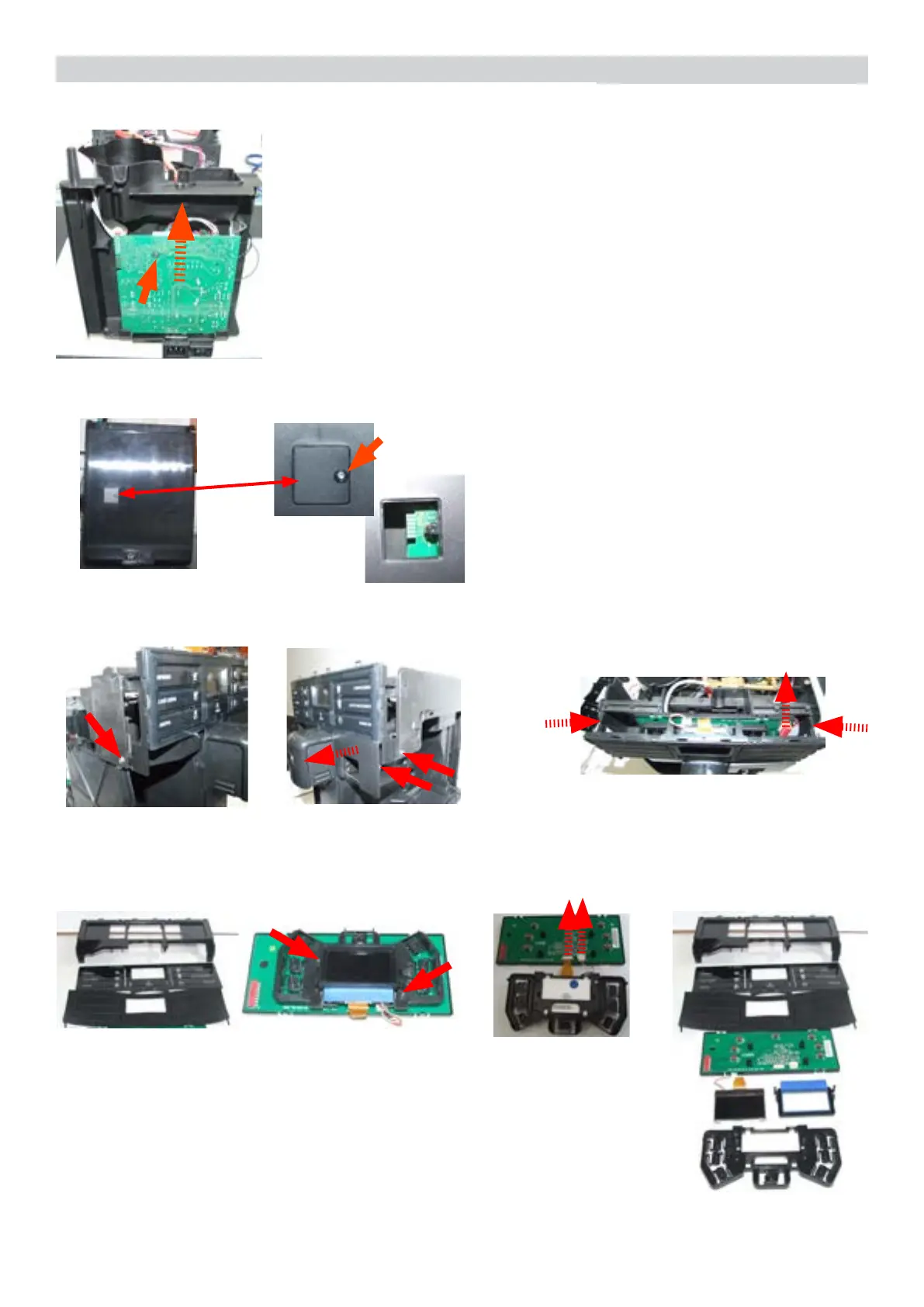
7.16. KYB interface and display
Disconnect the electrical connections.
Press to right and left and lift the
assembly KYB.
Loosen the screws slide the
card off the support and
disconnect the electrical
connections.
Loosen the screw for
remove the cover.
7.14. CPU board
7.15. Programming access for SSC (Saeco Service Center)
Loosen the screw.
Loosen the screws and
remove the cover evidenced.
(Moltio One Touch Milk
Carafe)
Remuve the covers and loosen the screws
evidenced.
Disconnect the electrical
connections evidenced.





 To Next Page