MOLTIO 03 BRIEF INSTRUCTIONS
3/5
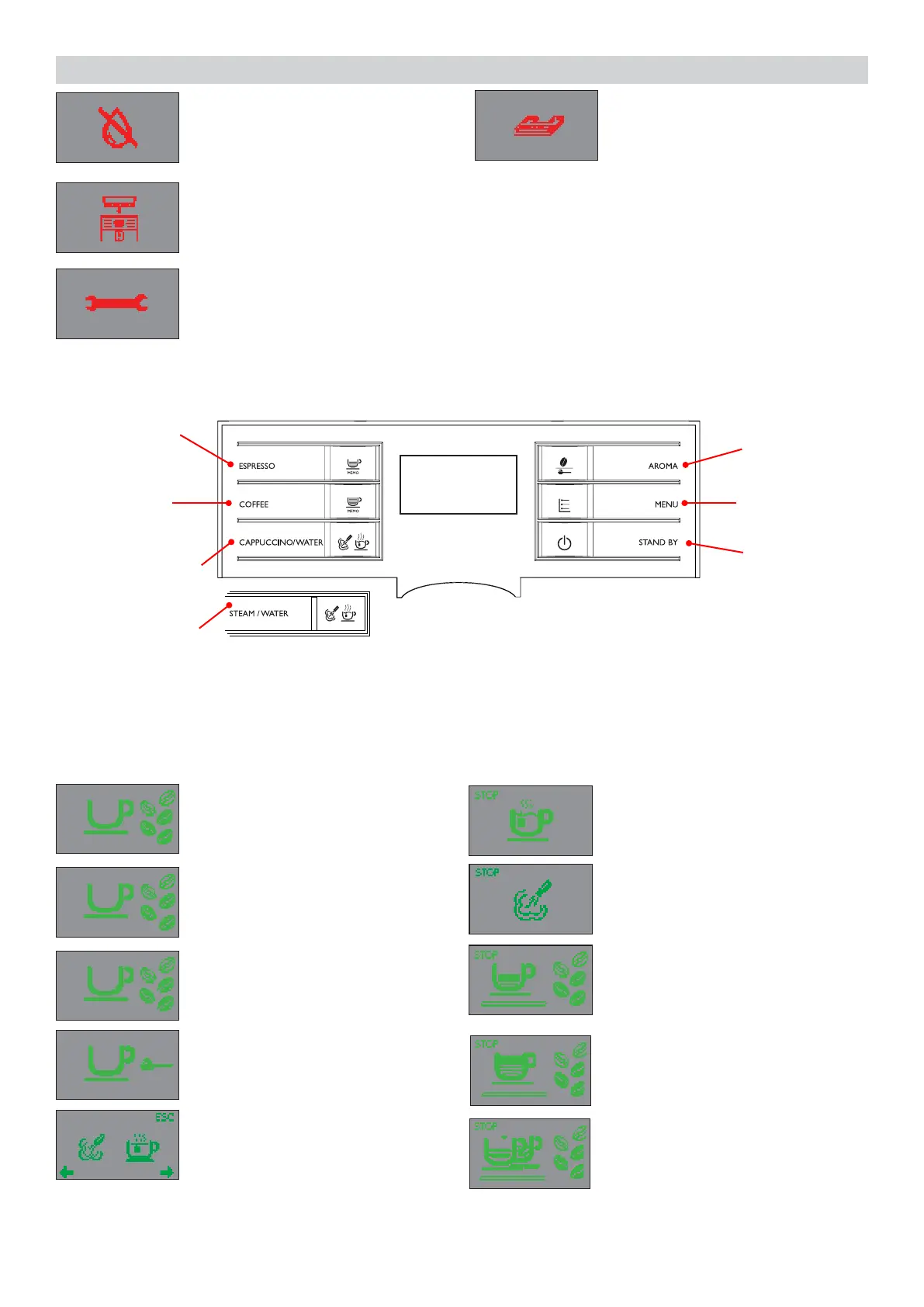
Fill the water tank.
Steam or hot water selection.
The machine is brewing two
cups of espresso.
Steam or hot water selection.
Steam dispensing
The machine is brewing one cup
of espresso.
The machine is brewing one cup
of espresso.
Insert the coffee bean hopper.
Insert drip tray.
Turn off the machine. After 30-seconds, turn it back on. Try this 2 or 3 times.
If the machine does not start, contact the Philips SAECO hotline in your
country and communicate the Error-code which you see on the display.
The machine is ready to brew
coffee with Arabica coff ee beans
The machine is ready to brew
coffee with Robusta coffee beans
The machine is ready to brew
coffee with a mix of coffee beans
The machine is ready to brew
pre-ground coffee.
3.1.2. Customer menu in the Automatic and Classic.
ON/OFF
button
MENU button
Espresso
brew button
Coffee
brew button
Cappuccino/hot
water button
Steam/hot wa-
ter button
“Aroma”
Pre-ground
coffee button
Automatic
Classic
This machine is equipped with a colour-coded system to make your understanding of the display
signals easier.
The icons are colour-coded according to the traf c light principle.
Machine ready signals (GREEN colour)




 To Next Page