10
II. Preparation Before Use
Installing the Batteries
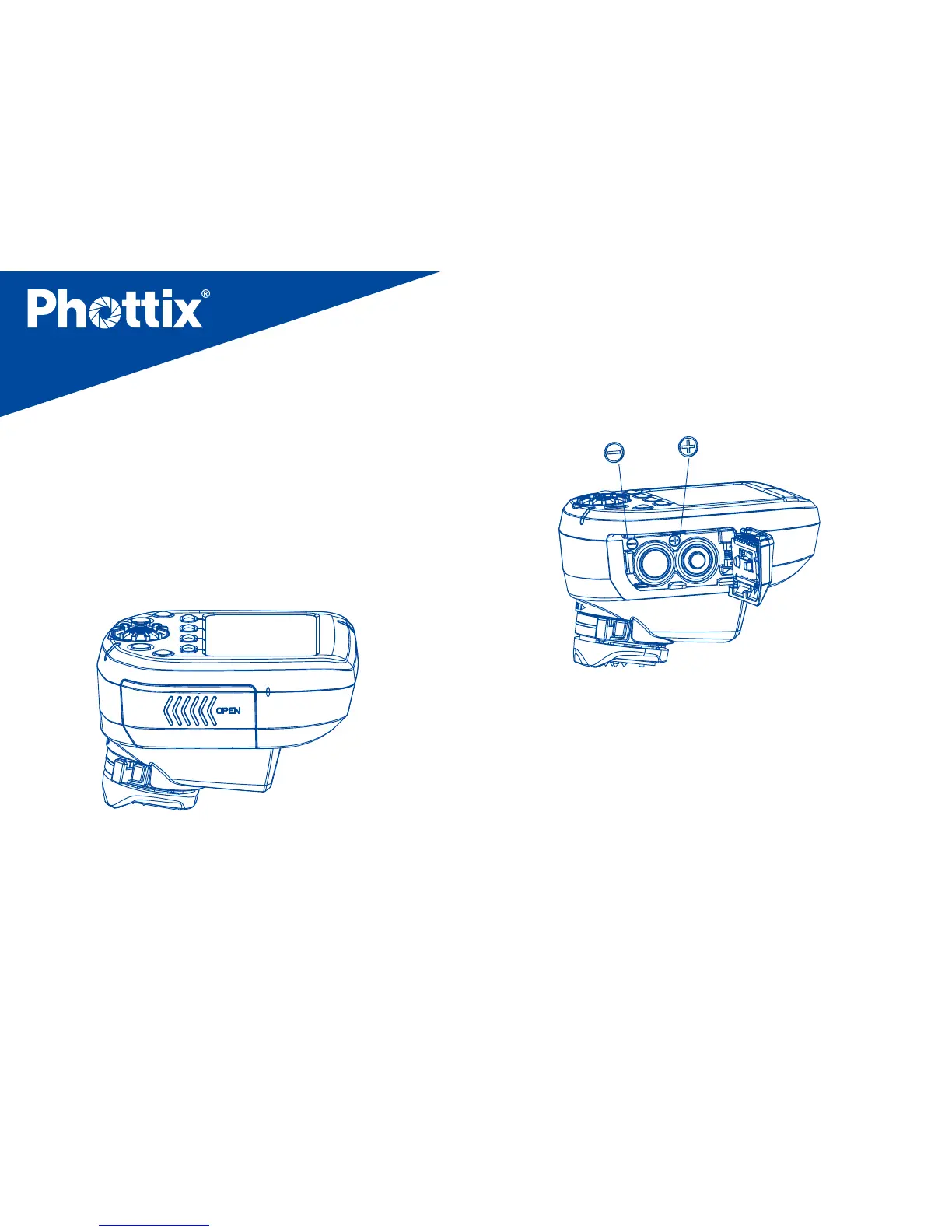
1. Press the battery compartment cover and
slide it left as shown to open the battery
cover. (See Picture 1)
Picture 1
Picture 2
2. Insert the batteries as shown. Make sure
the “+” and“-”battery contacts are correctly
oriented as shown. (Note: Please use 2 AA
alkaline batteries or NI-MH batteries). (See
Picture 2)
3. Replace the battery cover and push back
into the locked position.



 To Next Page