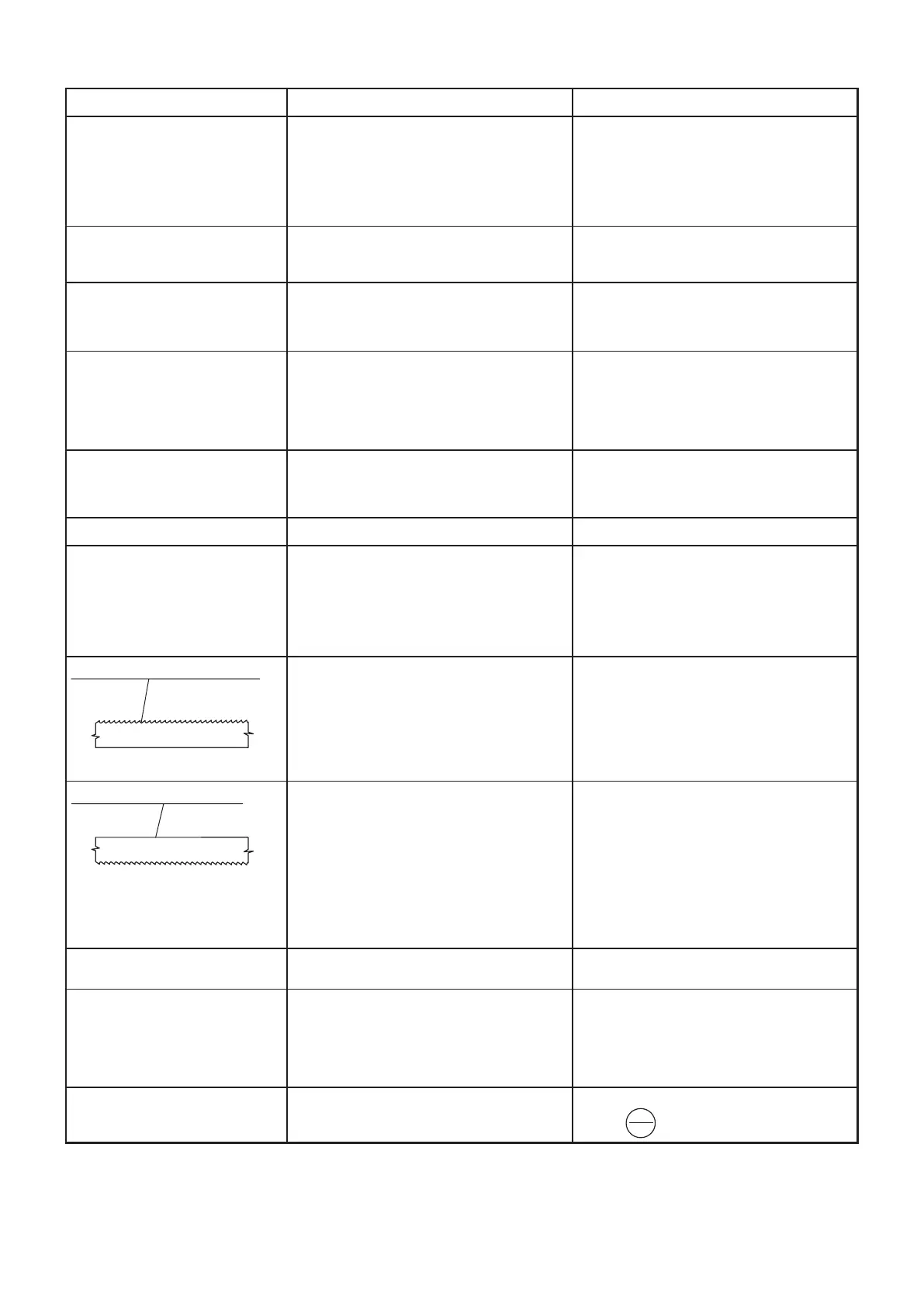
Saw blade feed cannot start
The motor is on, but the saw blade
is not moving
Irregular cooling
Vibration during cutting
Broken teeth stuck in the cutting
channel in the workpiece
The cut is not rectangular
The blade cuts under
Saw blade cracking between teeth
Saw blade cracking on the face
The feed to the cut is not constant,
sinks
The arm descends even when
the relief valve is closed
Red light on the control panel
indicating a frequency converter error
Failure
• The power switch is off
• The TOTAL STOP button is locked.
• The protective overcurrent relay is off
• The end switch of the arm cover not actuated
• The control board fuse is burnt
• The saw arm is in the lowest position,
the limit switch is pressed
• The saw blade slips on the blade wheel
• Broken blade
• Other fault in the gearbox
• Coolant used up
• The coolant tank and/or supply pipes or
the ball valves are contaminated
• Broken pump
• The feed to the cut occurs within
a non-desirable range
• Wrong selection of saw blade tooth size
• Incorrectly adjusted guide heads,
hardened steel blade guides, bearings
• Incorrectly clamped material
• Incorrectly set cutting angle
• Blunt saw blade
• Wrong selection of saw blade tooth size
• Feed to the cut is too quick
• The blade slid under guide bearings
• Clearance between hardened steel blade guides
• The workpiece is not placed parallel with
the vice loading surface
• Wrong selection of saw blade tooth size
• Feed to the cut is too quick
• Incorrectly adjusted or damaged guidance
through heads (hardened steel blade guides,
bearings)
• The moving guide head is too far from
the workpiece
• Insufficient cooling
• Incorrectly clamped workpiece while cutting
a bundle
• Saw blade incorrectly placed on wheels
(runs into the fitting)
• Wrong selection of saw blade tooth size
• Feed to the cut is too quick
• Incorrectly adjusted or damaged guidance
through heads (hardened steel blade guides,
bearings)
• The moving guide head is too far from
the workpiece
• Not enough oil in the oil damper system
• Loosened M4 screw on control valve's wheel -
turns loosely
• Valve seat is worn out
• Cylinder sealing is worn out
• Valve failure (impurities)
• The protective function for frequency
converter overload has responded
Possible cause
• Turn on the power switch
• Unlock the TOTAL STOP button
• Check motor protective switch
• Check the arm cover
• Replace the fuse
• The saw arm must be raised when the saw
blade starts
• Tension the blade properly
• Replace it (see section 4.7.)
• Call the service technician
• Check the coolant
• Clean the coolant tank and supply pipes
• Replace the pump
• Set 5% less/more feed to the cut
• Check the tooth size
• Adjust it, see section 4.8.
• Check workpiece clamping
• Do not cut into an old cutting channel with
a new blade! Otherwise you damage the new
blade with the first cut
• See Section 4.4.2.
• Replace the blade
• Check the tooth size, see section 8.2.
• Adjust the feed
• Insert the blade properly
• Adjust it, see section 4.8.
• Align the roller conveyor, check workpiece
clamping
• Check the tooth size, see section 8.2.
• Adjust the feed
• Adjust (see section 4.8.) or replace them
• Move it closer, see section 4.5.
• Increase the coolant supply
• Clamp the workpiece properly
• Check, see section 4.7.
• Check the tooth size, see section 8.2.
• Adjust the feed
• Adjust (see section 4.8.) or replace them
• Move it closer, see section 4.5.
• Call the authorised service centre
• Tighten it
• Tighten M4 lock screw, turn wheel approx. 10°
to the left and tighten
• Call the authorised service centre
• Call the authorised service centre
• Press STOP button on the frequency converter
RESET
(see section 4.7.)
(see section 4.7.)
Remedy
The adjustment of guide heads is a matter of regular maintenance and that is why such fault is not covered
by the guarantee.
7. Failures - Potential Causes and Remedies
STOP
RESET


 To Next Page