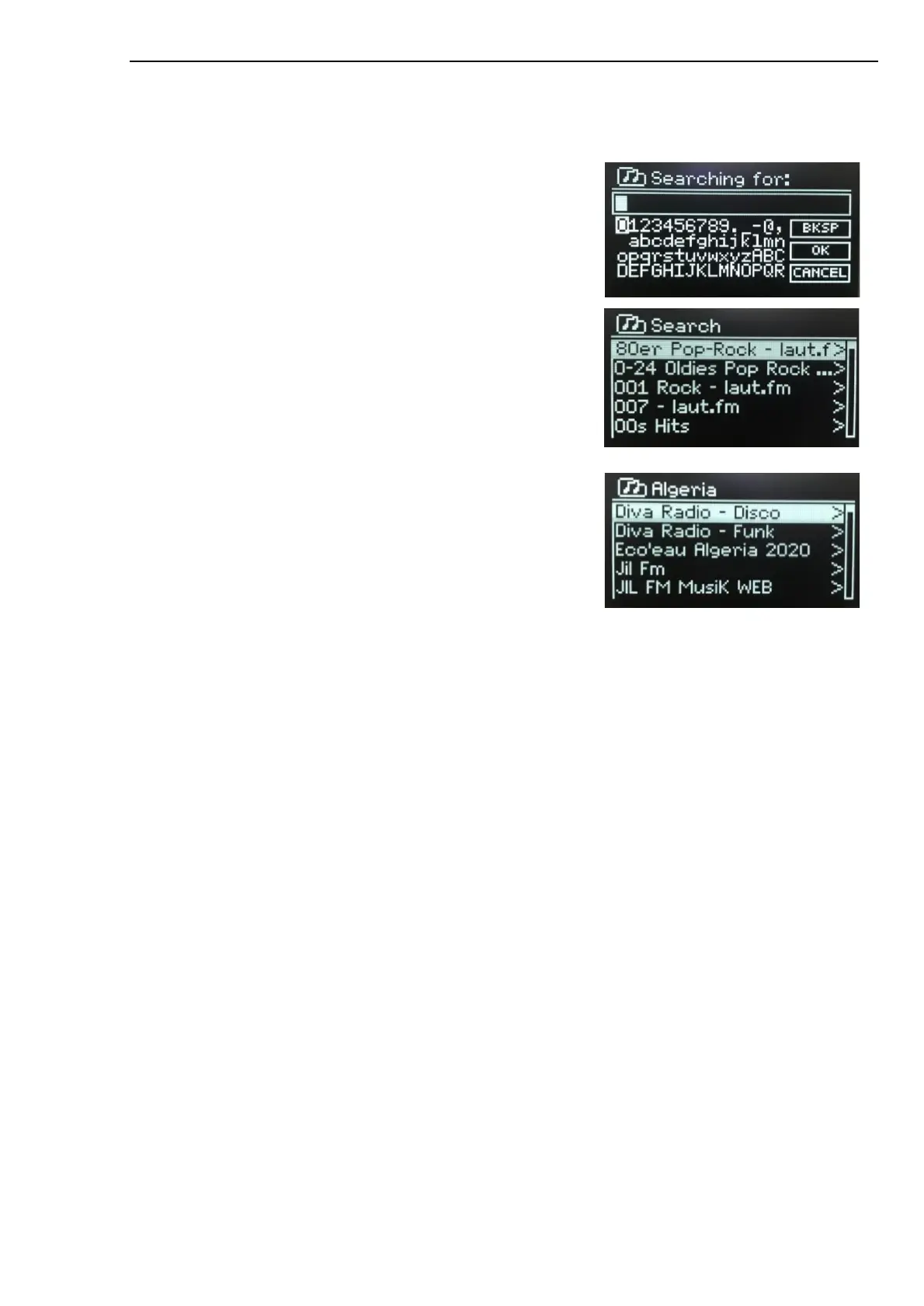
Search
You can also search through Internet broadcasts for stations with particular keywords in their title.
To search, press MENU > Search
Enter a keyword by selecting characters in turn, then OK.
Select a broadcast from the list.
Location
To select an Internet broadcast from a particular location, press
MENU > Location. Select a continent from the menu and a list of
countries available is presented, select a country and the available
internet radio stations are presented.
Choose a radio station from the list to tune to that station.
Popular
Presents a list of the most popular internet stations from around the world.
Discover
Allows you to select from a list of stations defined by either their origin (Country), Genre (style of music) or
language. Navigate through the category options, once you have made your selection a screen confirms
your selected category and the number of stations within that category. To see the list, select the option
showing the number of available stations.
Now playing information
While the stream is playing, the screen shows its name and description. If artist and track information is
available, this is also shown. To view further information, long press MENU. Each time you long press
MENU, another set of information is displayed, cycling through the following details:
•
Slogan (default; where available)
•
Language/Location
•
Codec and sampling rate
•
Playback buffer
•
Today’s Date



 To Next Page