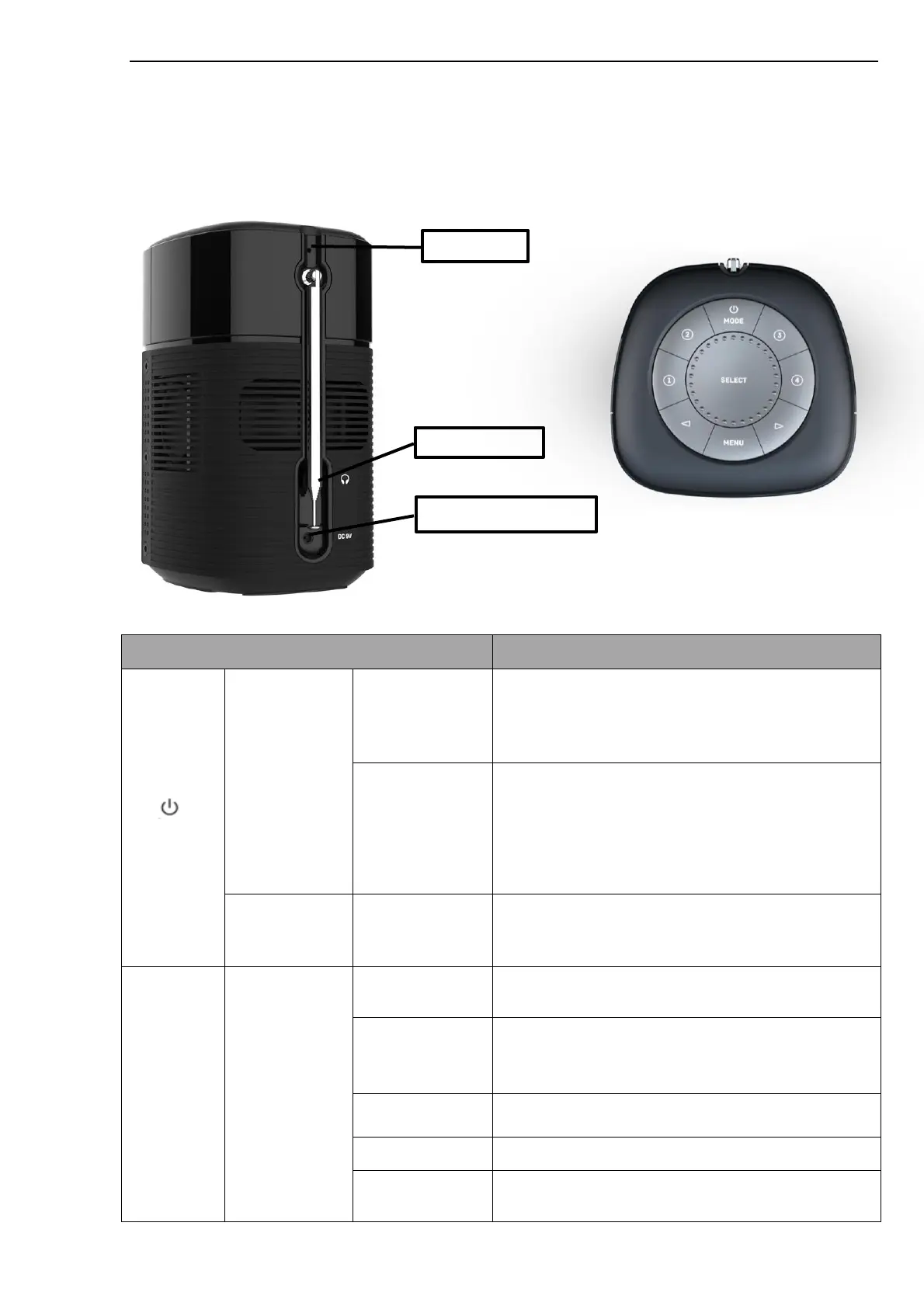
Controls, connectors and display
Main controls and connectors
Short Press/
Long Press 3S
Powering by battery:
1. Short press to turn on, the screen lights up and
enter into the main interface
2. Long press 3S, release turning off warning,
release your hand to turn off
Short Press/
Long Press 3S
Powering by adapter:
1. The screen lights up and enters into the Standby
state, display the clock
2. Short press to power on, enter into the main
interface
3. Long press: enter into the Standby state display
clock (the display shows the charging icon)
Short press in the power-on state, switch among
Internet Radio, Podcasts, DAB+, FM, Bluetooth,
Spotify modes;
Rotate to clockwise or anticlockwise to adjust the
volume based on the current mode page
Rotate to clockwise or anticlockwise switch to menu,
list of items or station list. The current item is
highlighted in reverse text (dark characters on a light
background). Press to select the highlighted item.
FM mode: short press to enter into searching
channels automatically
Play/Pause on Bluetooth mode
Confirmation function between on menu, item list or
site list;



 To Next Page