Screens
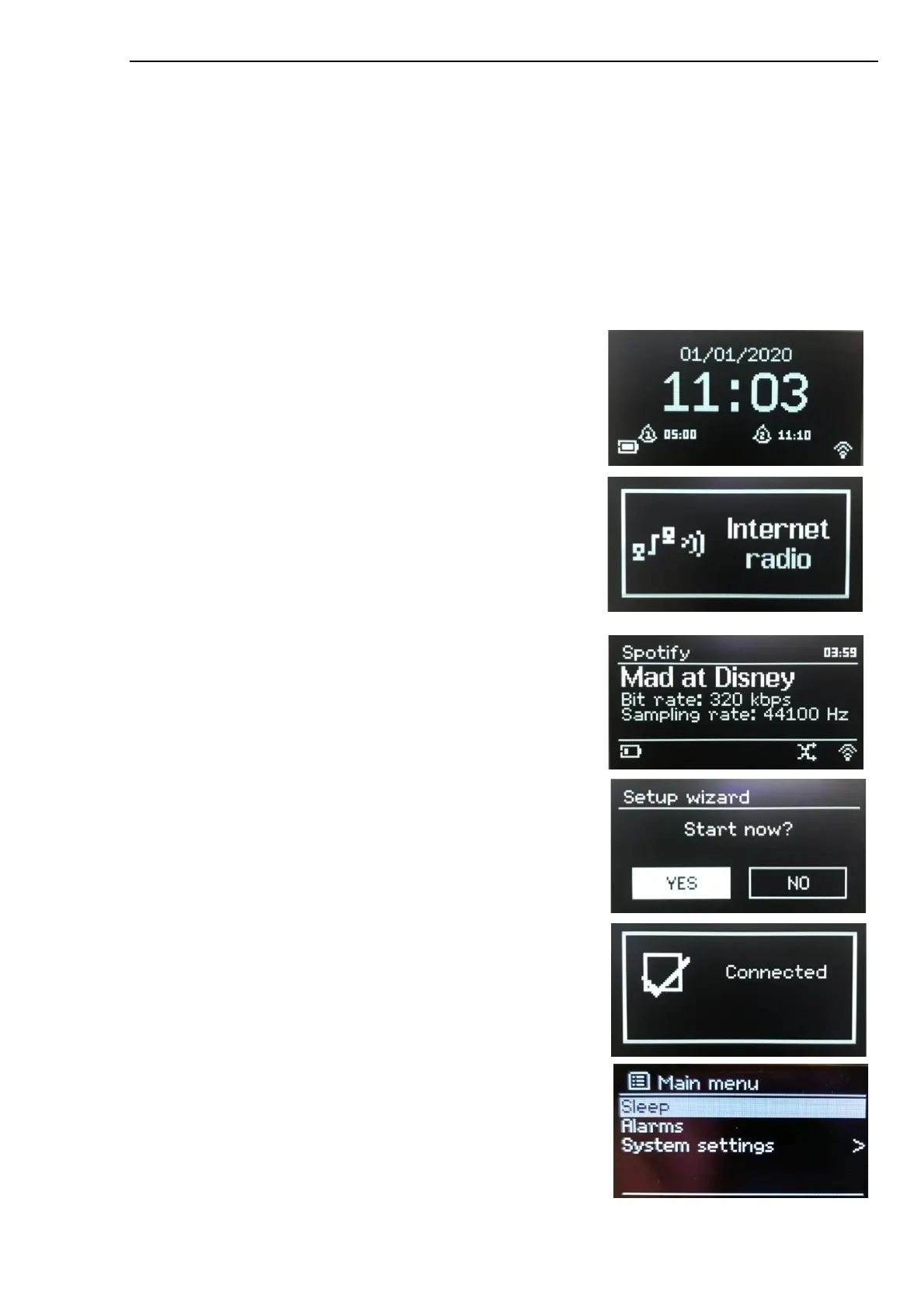
The screen shows various menus, dialogues and displays. There are basically six types of screens:
•
Standby (clock)
•
Splash (mode)
•
Now playing
•
Dialogue
•
Error/Information
•
Menu
Where there is more text than can be fitted onto a screen, the text automatically scrolls right to left after a
brief pause.
The Standby screen shows the time, date and any active alarm
times.
If the Network is set to be active during Standby the Network Icon
is shown.
A Splash screen is displayed for each mode.
Now playing screens show information about the audio source and
track now playing, where available.
Dialogue screens are shown to allow the user to change settings.
They vary in complexity from simple Yes/No options up to the
scrollable network passphrase input screen.
The selected option is highlighted with a white background.
Dialogue screens mark the currently saved setting with an asterisk
(*).
Error/Information screens give specific messages for a few
seconds, then change automatically to the next screen.
Menu screens – for details of the selected mode.



 To Next Page