EasyManua.ls Logo

Piper SENECA III - Page 326

Piper SENECA III
408 pages
Print Icon
To Next Page IconTo Next Page
To Previous Page IconTo Previous Page
Loading...
SECTION
9
PIPER
AIRCRAFT CORPORATION
SUPPLEMENT 11
PA-34-220T,
SENECA
III
SECTION 2
-
LIMITATIONS
No
changes
to
the
basic limitations provided by
Section
2
of this
Pilot's
Operating
Handbook
are
necessary
for
this supplement.
SECTION 3
-
EMERGENCY
PROCEDURES
No
changes
to
the
basic Emergency
Procedures provided by
Section
3
of
this
Pilot's
Operating
Handbook
are
necessary
for this
supplement.
SECTION 4
-
NORMAL
PROCEDURES
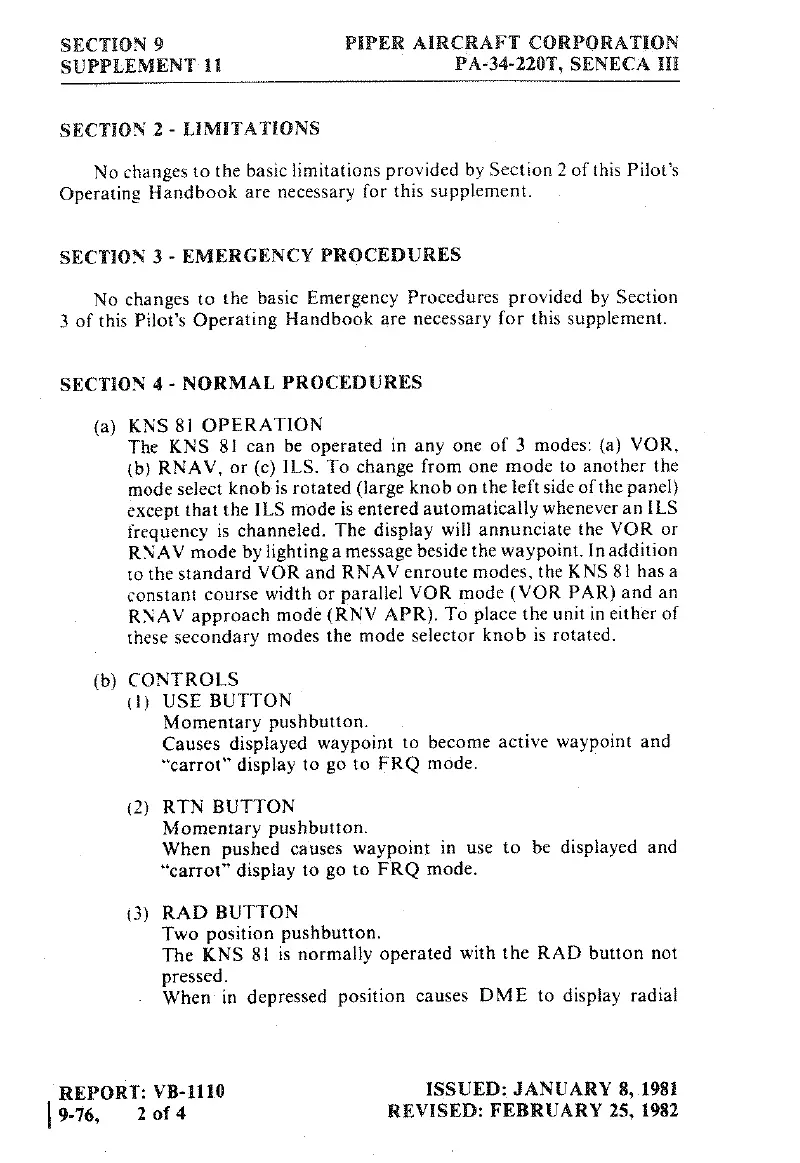
(a)
KNS 81
OPERATION
The
KNS
81
can
be
operated
in
any
one
of 3
modes:
(a)
VOR,
(b)
RNAV,
or
(c)
ILS. To
change
from
one
mode
to
another
the
mode select
knob
is
rotated
(large
knob
on
the
left
side
of the panel)
except
that
the
ILS
mode
is entered
automatically
whenever
an
ILS
frequency
is channeled. The
display
will
annunciate
the
VOR
or
RNAV
mode
by
lighting
a
message
beside
the
waypoint.
In
addition
to
the
standard
VOR
and RNAV
enroute
modes,
the KNS
8
i
has
a
constant
course
width
or
parallel
VOR
mode
(VOR
PAR)
and
an
RNAV
approach
mode
(RNV
APR).
To place the
unit
in either of
these
secondary
modes
the mode
selector
knob
is
rotated.
(b)
CONTROLS
(1)
USE
BUTTON
Momentary
pushbutton.
Causes
displayed
waypoint
to
become
active
waypoint
and
"carrot"
display
to
go
to
FRQ
mode.
(2)
RTN BUTTON
Momentary
pushbutton.
When pushed
causes
waypoint
in
use
to
be
displayed
and
"carrot"
display
to
go
to
FRQ
mode,
(3)
RAD
BUTTON
Two
position
pushbutton.
The
KNS
81
is
normally
operated
with
the
RAD button
not
pressed.
When
in
depressed
position
causes
DME
to
display
radial
REPORT:
VB-1110
ISSUED:
JANUARY 8,.1981
9-76,
2
of 4
REVISED:
FEBRUARY 25,
1982

Table of Contents

Related product manuals