EasyManua.ls Logo

Piper SENECA III - Page 351

Piper SENECA III
408 pages
Print Icon
To Next Page IconTo Next Page
To Previous Page IconTo Previous Page
Loading...
PIPER
AIRCRAFT CORPORATION
SECTION
9
PA-34-220T, SENECA
III SUPPLEMENT 15
CONTROl
DISPI
AY
FUNCTION
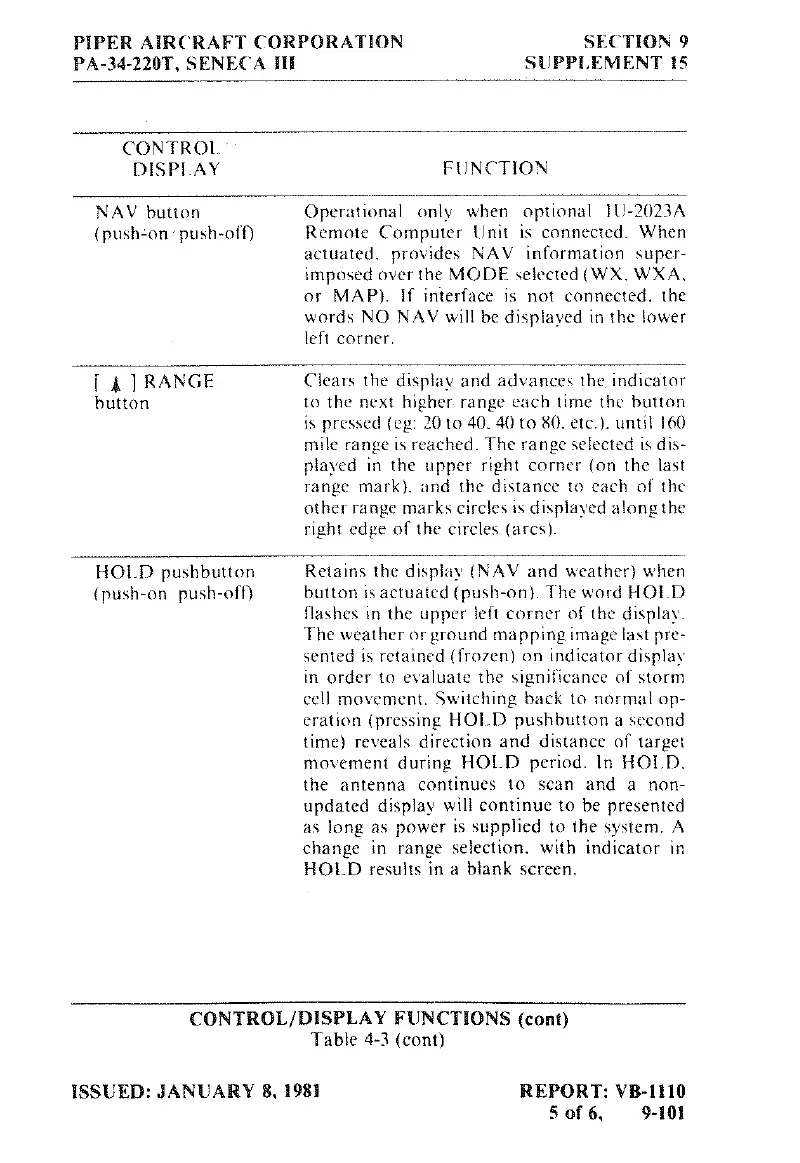
NAV
button
Operational
only when
optional
HJ-2023A
(push-on
a
push-off)
Remote
Computer
Unit is
connected
When
actuated.
provides
NAV
information
super-
imposed
over
the
MODE
selected
(WX, WXA,
or
MAP).
If
interface is
not
connected,
the
words
NO
NAV
will
be
displayed in
the lower
left
corner.
[
g
]
RANGE
Clears
the
display
and
advances the
indicator
button
to
the
next
higher
range
each
time
the
button
is
pressed
(eg:
20
to
40. 40
to
80,
etc.).
until
160
mile
range
is
reached.
The
range
selected
is dis-
played
in
the
upper
right
corner
(on
the
last
range
mark). and the
distance
to
each
of
the
other
range
marks
circles
is displayed
alongthe
right
edge
of
the
circles
(arcs).
HOLD
pushbutton
Retains
the
display
(NAV and
weather) when
(push-on
push-ofT) button is
actuated
(push-on). The
word
HOLD
flashes in
the
upper
left
corner
of
the
display.
The
weather
or
ground
mapping
image
last
pre-
sented
is
retained
(fTO7en)
on
indicator display
in order
to
evaluate
the
significance
of
storm
cell
movement.
Switching
back
to
normal
op-
eration
(pressing HOLD pushbutton
a
second
time) reveals
direction
and
distance
of
target
movement
during HOLD
period.
In HOLD,
the
antenna
continues
to
scan
and
a non-
updated
display
will
continue
to
be presented
as
long
as power
ís
supplied
to
the
system.
A
change
in
range
selection, with
indicator
in
HOLD
results
in
a
blank
screen.
CONTROL/DISPLAY FUNCTIONS
(cont)
Table
4-3
(cont)
ISSUED:
JANUARY 8,
1981
REPORT:
VB-1110
5
of
6,
9-101

Table of Contents

Related product manuals