J693 9
u
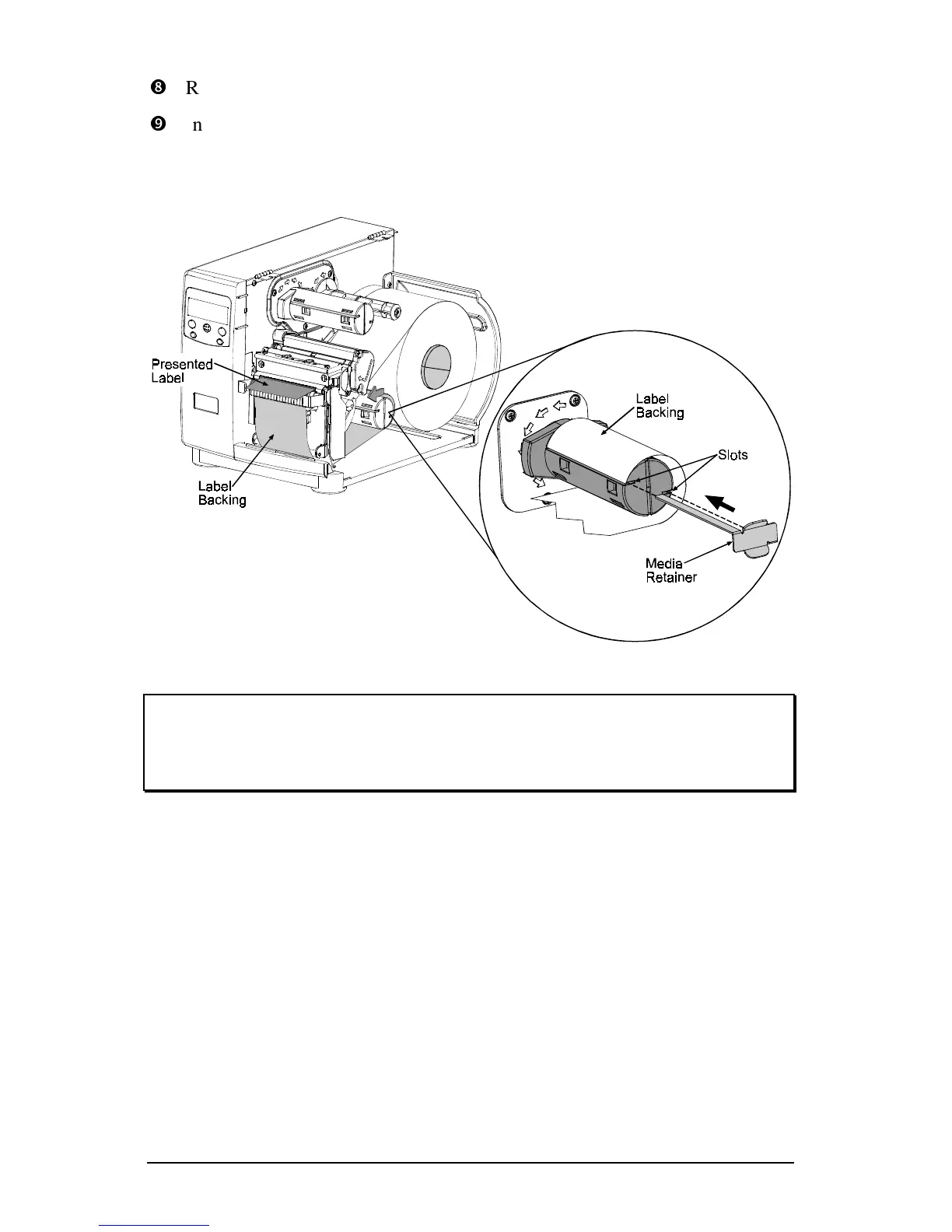
Route the Label Backing back to, and around the Rewind Hub, as shown.
v
Insert the leading edge of the Label Backing into the Slot on the Rewind
Hub and then insert the Label Retainer into the Slot on the Rewind Hub.
Rotate the Rewind Hub to remove the slack in the Label Backing. Be sure
the printhead latch is down and in the locked position.
)
After finishing, close the Access Cover and then push and hold the FEED
key for four seconds to secure the backing material and calibrate the label
TOF.
Label Backing Removal:
Grasp the used backing on the Rewind Hub, and while gently pulling out on
the hub, compress the hub and pull off the backing.



 To Next Page