J693 15
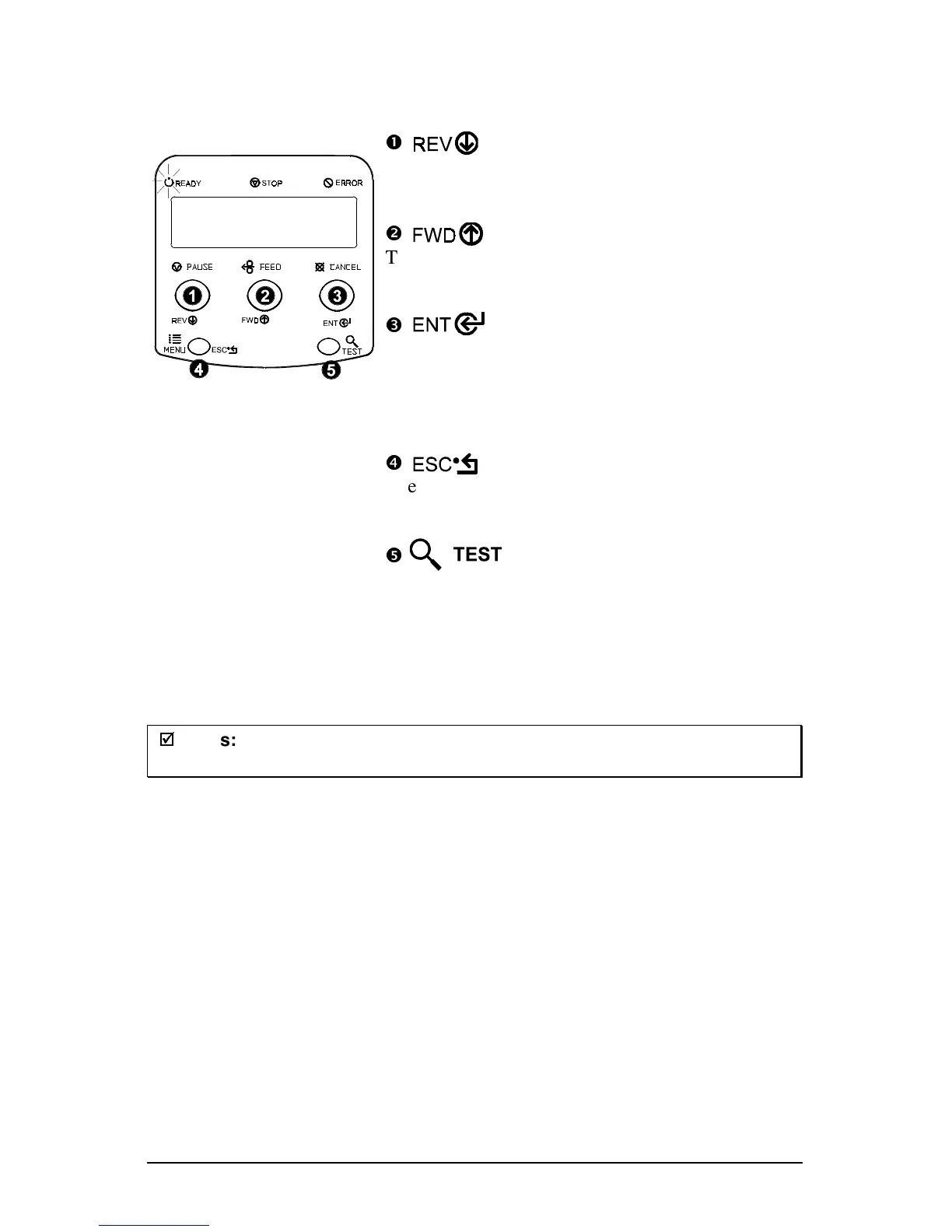
4.0.3 Quick Test Mode:
Print Test Labels
n
The DOWN ARROW key scrolls to the previous
test function.
o
The UP ARROW key scrolls to the next test
function.
p
The ENTER key will change the selected test
label quantity of 2, 100, 1000, or 9999 (except the
‘Configuration Label’, this quantity is always
one). Holding down the key scrolls quantities.
q
The ESCAPE key will exit the Quick Test Mode
without printing.
r
The TEST key will print the selected test label at
the selected quantity.
During test label printing, this key can also
perform as a cancel key (the printer will prompt
for confirmation before cancellation occurs).
;
;
Notes:
The test functions are disabled while processing data from
communications interfaces until the Host Timeout value expires.



 To Next Page