58 J693
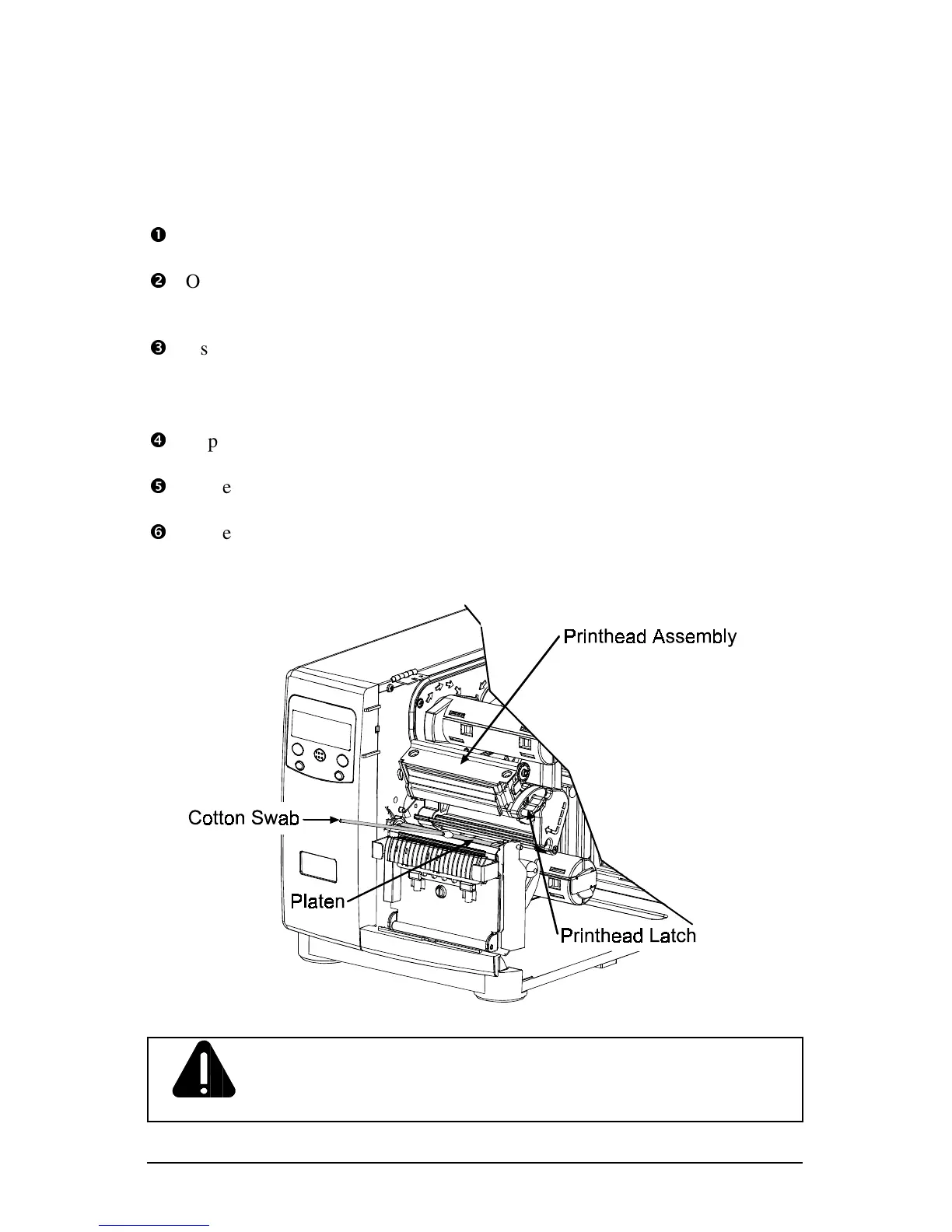
5.5.2 Cleaning the Platen Roller
A platen roller contaminated with grit, label adhesive, or ink can cause a decline
in print quality and, in extreme cases, cause labels to stick and wrap around the
roller. To clean the platen roller:
n
Turn ‘Off’ and unplug the printer.
o
Open the access cover. Unlock the Printhead Latch and raise the Printhead
Assembly. Remove media and ribbon.
p
Using a Cotton Swab dampened with isopropyl alcohol, clean the Platen
Roller; manually rotate the roller and repeat, cleaning the entire surface.
Allow the Platen Roller to dry.
q
Replace ribbon and media.
r
Lower the Printhead Assembly and lock the Printhead Latch.
s
Close the access cover. Plug in and turn ‘On’ the printer. Feed several labels
to normalize tracking.
CAUTION
NEVER use a sharp object to clean the Platen Roller.



 To Next Page