J693 31
4.2 Understanding the Display Messages
The printer generates and displays four different types of information (if not in
the menu system or Quick Test Mode):
¾
User Prompts and Condition Messages
¾
Application Update Messages (see Section 5.6)
¾
Fault Messages (see Section 6.1)
¾
Warning Messages (see Section 6.1)
4.2.1 The User Prompts and Condition Messages
User Prompts indicate a required user operation. When outside the menu system,
Condition Messages indicate a current printer operation or state.
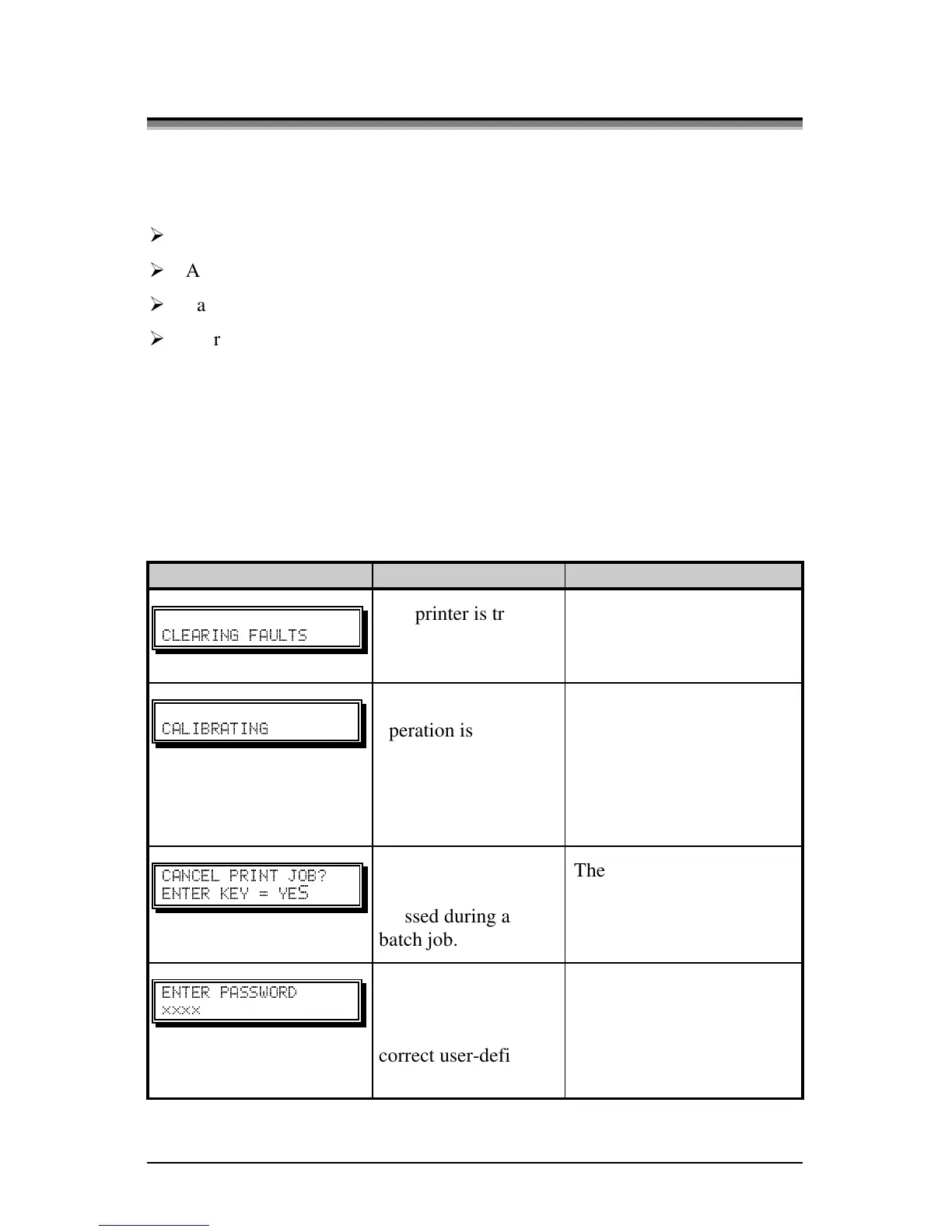
User Prompts and Condition Messages:
Displayed Message Description Condition(s)
" "
The printer is trying
to clear a fault
condition.
Occurs when the FEED
key is pressed after the
correction of a fault.
"#"
A calibrated feed
operation is being
performed.
The FEED key was pressed
and held four seconds, or
during a label feed when
the TOF was expected but
the media sensor did not
detect one.
" #`
^
The CANCEL or
TEST key was
pressed during a
batch job.
The current print batch will
be cancelled if ENTER is
pressed; the remaining
labels will not be printed.
"
;;;;
Security protection is
enabled on the
printer. Provide the
correct user-definable
password to proceed.
You are attempting to enter
Menu Mode; however, a
password entry is required
for access.
(Continued next page)



 To Next Page