J693 13
4.0 Operating the Front Panel
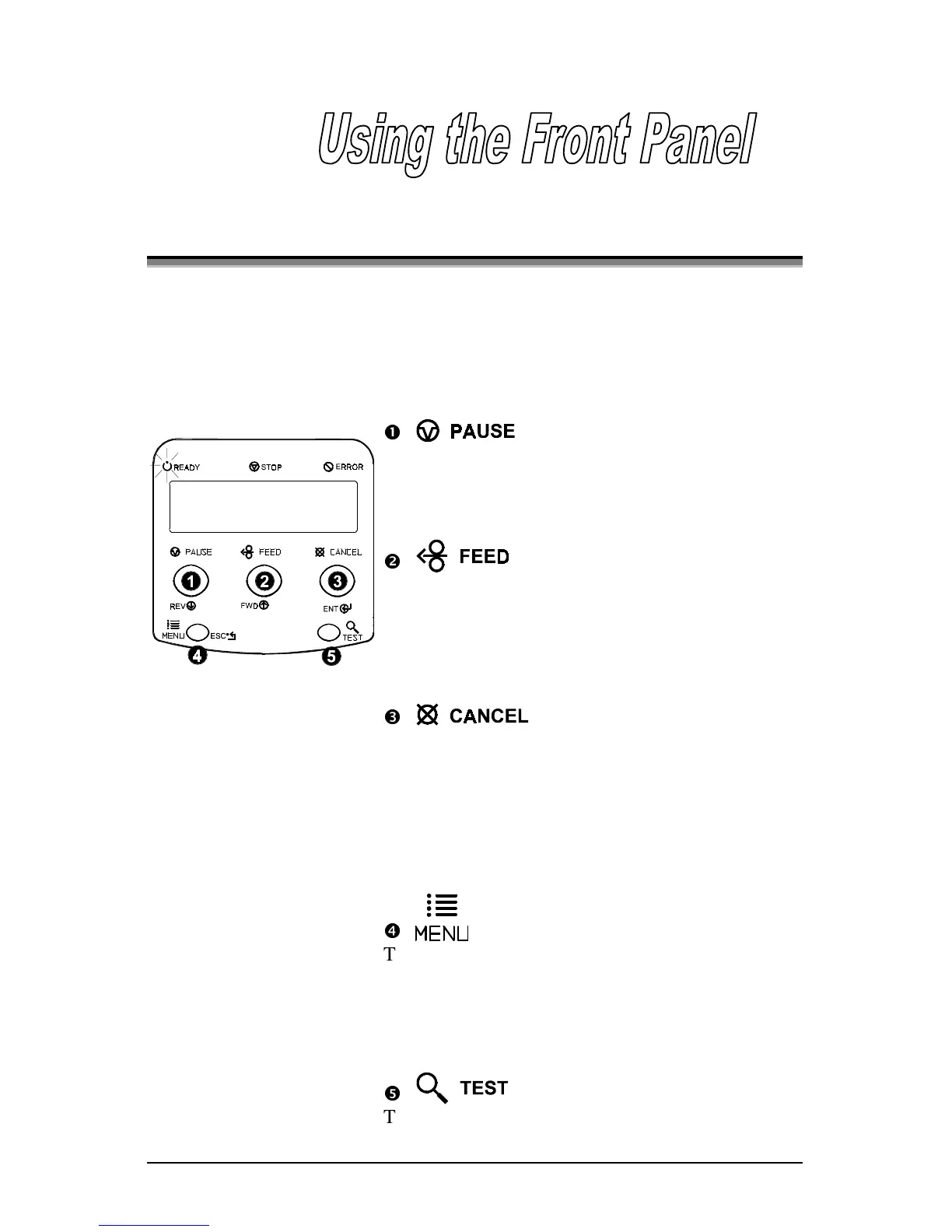
The front panel is equipped with five keys, 3 indicator lights and a Liquid
Crystal Display (LCD). The key functions differ depending upon the selected
mode of the printer. The selectable modes are Ready, Menu and Quick Test.
4.0.1 Ready Mode:
Normal Operation (Ready Light ‘On’)
n
The PAUSE key temporarily suspends printing.
Pressing again returns the printer to normal
operation.
o
The FEED key advances one label, and clears any
corrected faults.
Pressing and holding for 4 seconds will reset the
expected label length for gap and reflective modes.
p
The CANCEL key ‘pauses’ the printer and then
prompts for confirmation. If yes, the current job is
cancelled. The printer remains paused.
Pressing and holding for 4 seconds will reset the
printer and clear temporary host settings (soft
reset).
q
The MENU key toggles between the Ready and
Menu Modes.
In the Ready mode, pressing and holding 4 seconds
will change the display contrast.
r
The TEST key enters (or exits) the Quick Test
Menu.



 To Next Page