16 J693
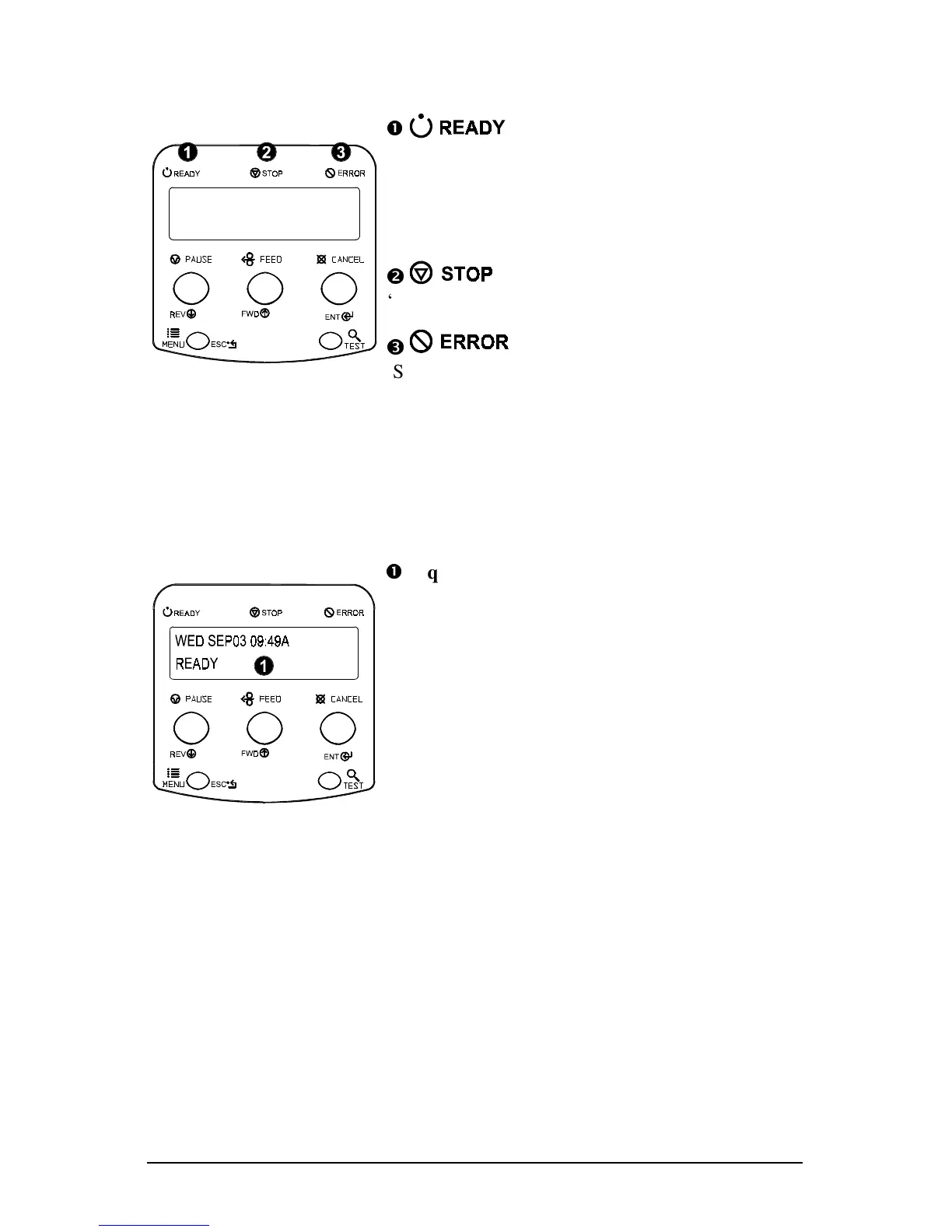
4.0.4 Indicator Lights
n
‘On’ indicates READY Mode.
‘Slow Flashing’ indicates Menu Mode.
‘Fast Flashing’ indicates data is being received
and processed.
o
‘On’ indicates a ‘Paused’ state.
p
‘Slow Flashing’ indicates a Warning.
‘Fast Flashing’ indicates a Fault.
See Section 6.1 for a list of the display messages.
4.0.5 LCD (Display)
n
Liquid Crystal Display
The display provides several types of information:
• Following a brief power-up sequence, the
READY message.
• The time and date, if the printer has received it
from one of the following: the host, the front
panel setting, or the Time and Date option.
• A label counter during a
batch print job.
• Any prompt, condition, downloading, warning,
or fault message.
• The Menu System when in the Menu Mode.



 To Next Page