J693 33
User Prompts and Condition Messages (continued):
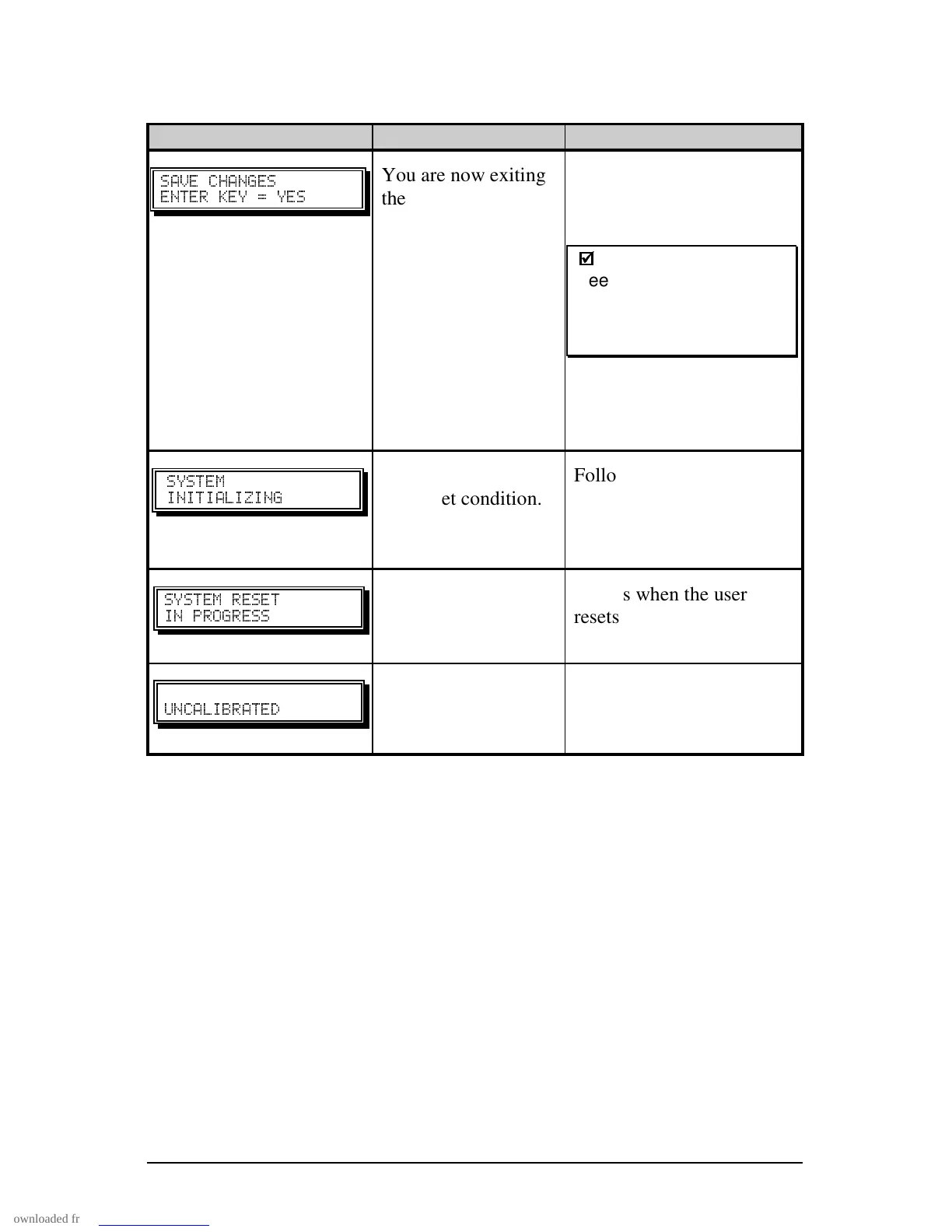
Displayed Message Description Condition(s)
" "
^
You are now exiting
the menu, but have
made changes to the
settings of the
printer. Pressing
‘ENTER’ will save
these changes; if not,
the printer will revert
to previously saved
settings.
Menu changes have
affected the configuration
of the printer.
;
;
Note: If changes have
been made that require a
printer reset, the printer
will automatically invoke
that reset.
"
Normal power-up /
soft reset condition.
Follows the ‘SYSTEM
RESET IN PROGRESS’
message after a reset or
power-up.
Normal power-up /
soft reset condition.
Occurs when the user
resets the printer via the
host or Front Panel.
"#"
Printer calibration
not set.
Perform calibration. See
Section 5.2.



 To Next Page