24
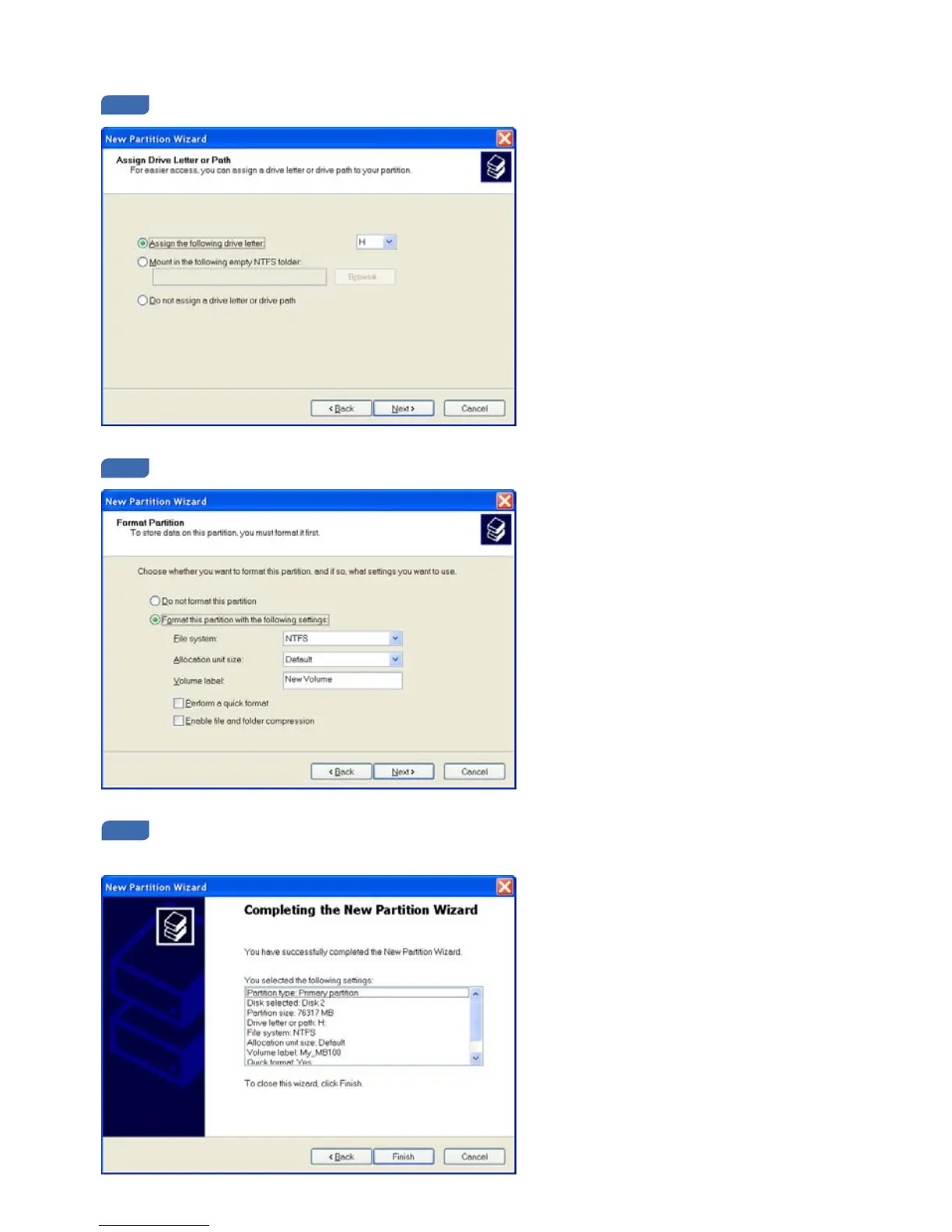
In the Assign Drive Letter or Path section, select a letter from the list and press Next >.
In the Format Partition section, select your preferred File system (NTFS is recommended) and press Next >.
When completed, detailed information will appear as shown below. Click the Finish button to complete
the Wizard and start the formatting process.
(Please wait until the completion of the formatting process)


 To Next Page